
AssetCenter
AssetCenter simplifies asset management by providing complete visibility throughout the lifecycle, from acquisition to retirement.
Visit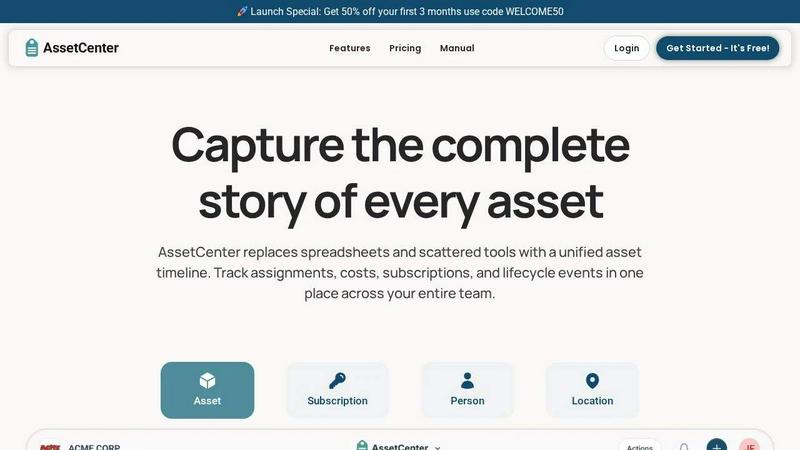
About AssetCenter
AssetCenter is a cutting-edge asset management platform designed to provide organizations with unparalleled visibility and control over their assets throughout their entire lifecycle. From acquisition to end-of-life, AssetCenter captures every event related to an asset, including purchases, assignments, maintenance, and transfers, all displayed in a unified chronological timeline. This ensures that teams have a single source of truth for their asset-related data, eliminating the confusion that often arises from scattered information across multiple systems. Ideal for any industry, AssetCenter's customizable features allow organizations to model their real-world workflows without the constraints of rigid categories. Whether you are in healthcare, construction, education, or IT, AssetCenter makes it easy to assign assets to people or departments while automatically recording changes for full accountability. With built-in lifecycle tracking and depreciation insights, teams can enhance decision-making, reduce inefficiencies, and maintain organization.
Features of AssetCenter
Unified Timeline for All Events
AssetCenter’s unified timeline feature allows users to see the complete history of each asset, subscription, person, and location at a glance. This includes key events such as acquisition, assignments, maintenance logs, and more, all organized chronologically for easy access and understanding.
Customizable Categories and Fields
With AssetCenter, organizations can create unlimited custom categories tailored to their specific needs. Whether you are tracking machinery, software licenses, or office equipment, you can easily adjust your asset categories as your business evolves, ensuring the system remains relevant and efficient.
Lifecycle Tracking and Depreciation Insights
AssetCenter provides built-in lifecycle tracking that allows organizations to monitor the status of their assets from acquisition to decommission. This feature includes valuable insights into asset depreciation, helping teams make informed financial decisions and plan for future investments.
Bulk Import Capabilities
Getting started with AssetCenter is a breeze thanks to its bulk import functionality. Users can download Excel templates to quickly upload all asset information, including subscriptions and locations, into the system. This saves time and simplifies the onboarding process, allowing teams to focus on managing their assets effectively.
Use Cases of AssetCenter
Streamlining Asset Management in Healthcare
In healthcare settings, AssetCenter can be utilized to track medical equipment, ensuring that assets are properly maintained and accounted for. This helps healthcare organizations avoid costly downtime and improve patient care through efficient resource management.
Optimizing Construction Resource Allocation
Construction companies can leverage AssetCenter to manage heavy machinery and tools efficiently. By tracking the usage and location of each asset, teams can optimize allocation, reduce theft, and enhance project timelines.
Facilitating Education Asset Tracking
Educational institutions can use AssetCenter to manage assets such as computers, lab equipment, and classroom resources. The platform helps keep track of asset assignments to students and staff, ensuring that resources are utilized effectively and responsibly.
Enhancing IT Asset Management
In the IT sector, AssetCenter can streamline the management of software licenses and hardware. IT teams can track the entire lifecycle of their assets, from acquisition to decommissioning, making it easier to ensure compliance and manage costs.
Frequently Asked Questions
What types of organizations can benefit from AssetCenter?
AssetCenter is versatile and can be customized to fit the needs of various industries, including healthcare, construction, education, government, IT, and more.
How does AssetCenter ensure data accuracy and accountability?
AssetCenter automatically records every change made to an asset, providing full accountability and traceability. This ensures that all team members can trust the data they are working with.
Is there a free trial available for AssetCenter?
Yes! AssetCenter offers a 14-day free trial that allows users to explore the entire platform without needing a credit card. Users can manage up to 25 assets during the trial period.
Can I customize the timeline events for my assets?
Absolutely! AssetCenter includes prebuilt events for acquisition, lifecycle, and decommissioning stages, but users can fully customize these events or create their own to align with their organizational workflows.
Explore more in this category:
Similar to AssetCenter

Vocaryn
AI job-application agent: ranks jobs by fit with your confirmed experience, tailors your resume to each and applies on the employer's site.

How Long How Many Tool
Timers and hourly checks to figure how out long until a certain time or how many days away.

FloatText - Floating Clipboard
A floating clipboard for Android & Windows. Save, manage, and copy multiple text snippets instantly without switching apps.

Emailyy
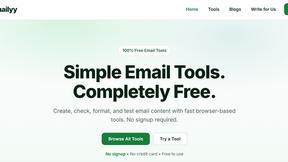
Free email tools for signatures, subject lines, HTML previews, word counts, and email headers. Browser-based, simple to use, and no signup required.

Uniclip
Clip pages, take full-page screenshots and batch-capture list data to Notion, Feishu, Obsidian, Markdown, CSV or JSON.
TroveKey
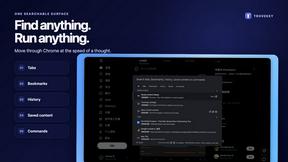
Search tabs, Chrome bookmarks and history, run browser commands, and save webpages and social posts locally—no account.
KS-Agents
AI platform for HR leaders: spot burnout by cohort, map who your organization runs on, and keep expert knowledge before people leave.