
NanoBananaPro vs SVG to 3D
Side-by-side comparison to help you choose the right AI tool.

NanoBananaPro
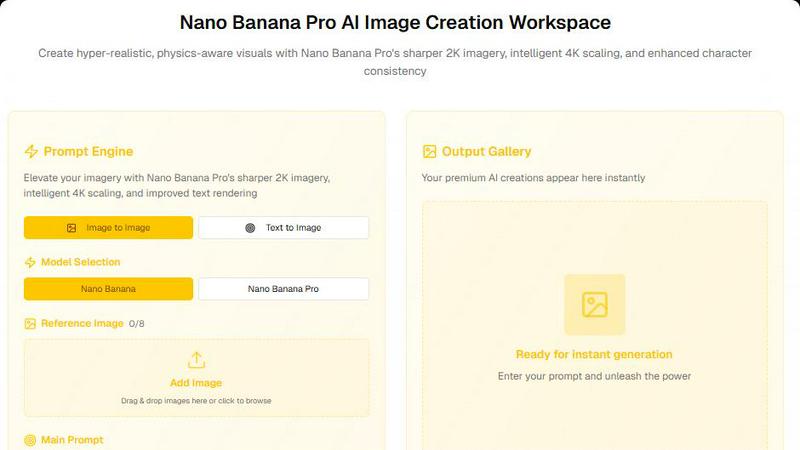
Create stunning hyper-realistic images with NanoBananaPro's advanced AI, featuring sharper 2K visuals and intelligent 4K scaling for unmatched.
Last updated: March 11, 2026
SVG to 3D
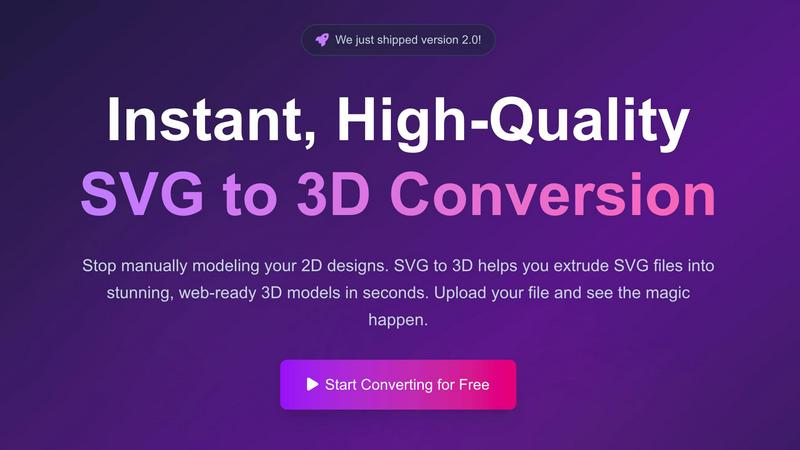
Transform your 2D SVG designs into stunning 3D models effortlessly and quickly with SVG to 3D's advanced conversion.
Last updated: February 28, 2026
Visual Comparison
NanoBananaPro
SVG to 3D
Feature Comparison
NanoBananaPro
Sharper 2K Imagery
NanoBananaPro delivers significantly sharper 2K images compared to other models. This feature enhances clarity and detail, bringing your creative visions to life with an unprecedented visual quality that impresses both artists and clients alike.
Intelligent 4K Scaling
Experience the magic of intelligent 4K scaling, which allows for seamless upscaling of images without loss of quality. This feature transforms ordinary visuals into stunning high-resolution images, making it perfect for professional-grade outputs.
Improved Text Rendering
With enhanced text rendering capabilities, NanoBananaPro ensures that textual elements within images are clear and visually appealing. This is particularly beneficial for projects that require precise typography and legibility in creative assets.
Multi-Image Processing
The platform allows users to upload up to 8 reference images simultaneously, enabling complex composite creations. This flexibility supports various aspect ratios and resolutions, catering to diverse creative needs and enhancing the overall user experience.
SVG to 3D
One-Click Export to GLB
This feature allows users to export their 3D models as GLB files with a single click, making it ideal for web developers. The GLB files are optimized for integration into popular frameworks like Three.js and React Three Fiber, providing a seamless experience for adding interactive 3D elements to websites.
3D-Print Ready STL Exports
SVG to 3D supports clean STL exports, which are essential for 3D printing. This means you can take your designs directly from the tool to your slicer, ensuring that your logos, art, and custom parts are ready for physical production without the need for complex CAD software.
Advanced Real-Time Editing
Beyond simple extrusion, this tool allows users to fine-tune every aspect of their 3D models. You can adjust thickness, add intricate bevels, and apply realistic PBR materials, all while seeing changes in real-time. This level of customization ensures professional-quality output that stands out.
Privacy-Focused Design
SVG to 3D prioritizes user privacy by processing files locally in your browser whenever possible. This means your designs are kept secure and confidential, without the risk associated with uploading sensitive files to external servers.
Use Cases
NanoBananaPro
Graphic Design Projects
Graphic designers can leverage NanoBananaPro to create eye-catching visuals for marketing materials, social media posts, and branding. The platform's high-quality outputs ensure that designs stand out and effectively communicate messages.
Concept Art Creation
Artists and illustrators can use NanoBananaPro to generate concept art quickly. By inputting detailed prompts or uploading reference images, they can explore different styles and ideas, streamlining the creative process.
E-Commerce Product Images
Online retailers can benefit from NanoBananaPro's capabilities by generating attractive product images that capture attention. The platform's ability to produce high-resolution visuals helps enhance product listings and drive sales.
Content Creation for Blogs and Social Media
Content creators can utilize NanoBananaPro to produce original images that complement their written content. By generating unique visuals that align with their brand, they can increase engagement and attract more followers.
SVG to 3D
Creating Interactive 3D Logos
Designers can elevate their branding by converting flat SVG logos into interactive 3D models. This not only enhances visual appeal but also engages users, making websites more dynamic and visually interesting.
Rapid Prototyping for 3D Printing
Entrepreneurs and makers can use SVG to STL conversion for rapid prototyping of their designs. By quickly transforming 2D graphics into 3D models, they can iterate their designs and test physical products faster than ever.
Enhancing UI/UX Mockups
UI/UX designers can add depth and realism to their mockups by integrating 3D elements. This tool allows them to create 3D buttons and icons from SVG files, making presentations more compelling and engaging for stakeholders.
Web Development with 3D Assets
Web developers can streamline their workflow by using SVG to 3D to create visually rich web applications. The ability to export models in web-friendly formats means developers can easily integrate 3D assets into their projects without extensive 3D modeling experience.
Overview
About NanoBananaPro
NanoBananaPro is a cutting-edge AI image generation platform that harnesses the power of Google DeepMind's innovative Nano Banana AI technology. Designed for creators, designers, and commercial users, this platform enables users to produce stunningly high-quality artwork through simple text prompts or by uploading reference images. With two distinct AI models available, users can opt for the standard Nano Banana model for everyday needs or upgrade to the premium Nano Banana Pro model for exceptional quality. The Pro model offers sharper 2K imagery, intelligent 4K scaling, and improved text rendering, making it ideal for projects requiring high fidelity and detail. NanoBananaPro supports various image sizes and resolutions, ensuring flexibility in creative workflows. Its user-friendly interface, coupled with bilingual support (English and Chinese), makes it accessible to a global audience. Whether you are an individual creator or part of a larger team, NanoBananaPro provides the tools necessary to elevate your visual content.
About SVG to 3D
SVG to 3D is a revolutionary online tool designed to transform your 2D SVG vector graphics into stunning, high-quality 3D models in seconds. Built for web developers, designers, and 3D printing enthusiasts, this tool eliminates the hassle of bulky software like Blender or C4D, allowing you to quickly extrude logos, icons, or any SVG design without the steep learning curve. With its user-friendly interface, you can upload your SVG files directly in your browser, tweak parameters in real-time, and download optimized 3D models ready for web integration or printing. The main value proposition lies in its ability to streamline the design process, making it accessible for professionals and hobbyists alike, while ensuring top-notch output quality. SVG to 3D not only saves time but also enhances your creative capabilities by providing advanced features that enable you to produce impressive 3D visualizations with minimal effort.
Frequently Asked Questions
NanoBananaPro FAQ
What is NanoBananaPro?
NanoBananaPro is an AI-driven image generation platform that creates high-quality visuals from text prompts or reference images, powered by Google DeepMind's Nano Banana technology.
How does the credit system work?
NanoBananaPro operates on a flexible credit system, allowing users to purchase credits through monthly or yearly subscriptions or one-time credit packs, making it adaptable to varying needs.
Can I use multiple reference images?
Yes, NanoBananaPro allows users to upload up to 8 reference images, enabling more complex designs and ensuring that the generated artwork aligns closely with user expectations.
Is NanoBananaPro suitable for commercial use?
Absolutely! NanoBananaPro is designed for both individual creators and commercial users, making it an ideal choice for businesses looking to enhance their visual content.
SVG to 3D FAQ
How do I convert my SVG file to 3D?
To convert your SVG file, simply upload it using our interface. Adjust the 3D settings as desired and then download your model in your preferred format.
What file formats can I export my 3D models to?
You can export your 3D models in multiple formats including GLB, GLTF, OBJ, and STL, making it versatile for various applications such as web integration or 3D printing.
Is SVG to 3D free to use?
Yes, SVG to 3D offers a completely free service allowing you to transform your SVG files into 3D models without any registration required.
Is my data safe when using SVG to 3D?
Absolutely! Your files are processed locally in your browser, ensuring that your designs remain private and secure, without being uploaded to external servers.
Alternatives
NanoBananaPro Alternatives
NanoBananaPro is a cutting-edge professional AI image generation platform, leveraging the power of Google DeepMind's innovative Nano Banana AI technology. Designed for creators, designers, and commercial users alike, this platform allows for seamless generation of high-quality artwork through simple text prompts or uploaded reference images. Its flexibility in supporting various image sizes and resolutions makes it a go-to solution in the AI Assistants category. Users often seek alternatives to NanoBananaPro for various reasons, including pricing structures, feature sets, and the specific needs of their projects. Many creators are looking for options that better fit their budget or provide unique functionalities that enhance their creative process. When choosing an alternative, it's crucial to consider factors such as user interface, customization options, image quality, and credit systems to ensure that the selected platform aligns with your artistic vision and workflow.
SVG to 3D Alternatives
SVG to 3D is a cutting-edge tool designed to seamlessly transform 2D SVG vector graphics into stunning 3D models. Falling under the category of AI Assistants, it caters specifically to designers, developers, and 3D printing enthusiasts who need a quick and efficient solution for converting their designs without the hassle of heavyweight software. Users often seek alternatives due to various factors such as pricing, specific feature requirements, or compatibility with different platforms. When searching for an alternative, consider the ease of use, export options, and whether the tool can cater to your specific needs, such as 3D printing or web integration. A great alternative should not only match or exceed the features of SVG to 3D but also provide a user-friendly experience that enhances your creative workflow.