
Seedance 2.0 vs Shrinkpad
Side-by-side comparison to help you choose the right AI tool.

Seedance 2.0
Generate high-quality videos from text or images. Consistent style, natural motion, and stable frames guaranteed.

Shrinkpad
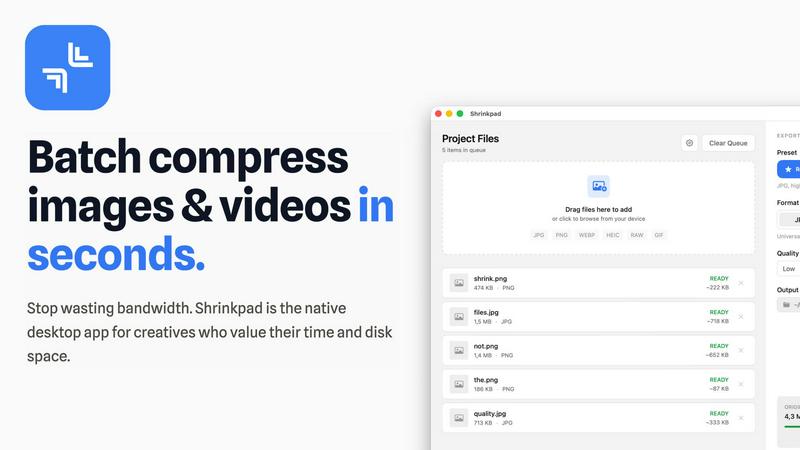
Shrinkpad instantly batch compresses your images and videos on Mac, saving you time and disk space effortlessly.
Last updated: February 28, 2026
Visual Comparison
Seedance 2.0

Shrinkpad
Overview
About Seedance 2.0
Seedance 2.0 is the latest AI video generation model developed by ByteDance's Seed research team. Building on the original Seedance, it delivers major improvements in motion coherence, physical realism, and multimodal generation capability.
Key Features
• Text-to-Video: Turn a single sentence into a complete cinematic scene with coherent motion
• Image-to-Video: Use reference images to guide composition, identity, and visual style
• Integrated Audio Generation: The Pro version generates synchronized video and audio in a single pass, including sound effects, background music, speech synthesis, and multilingual lip-sync
Technical Architecture
Seedance 2.0 uses a novel diffusion transformer architecture designed for temporal consistency between video frames. Unlike models that treat each frame independently, Seedance 2.0's temporal attention mechanism:
• Reuses motion cues across frames
• Preserves character identity and proportions
• Maintains consistent lighting and geometry
• Produces fewer flickers and smoother transitions
Physics-Aware Motion
Seedance 2.0 excels at understanding physical dynamics:
• Cloth fluttering in the wind
• Water splash physics
• Realistic flames and smoke
• Complex particle effects
About Shrinkpad
Shrinkpad is an innovative native macOS application designed specifically for creatives who are tired of dealing with bloated media files that consume valuable disk space and hinder productivity. It offers a simple, efficient solution for batch compressing images and videos, allowing users to process hundreds of files in seconds with just a drag-and-drop. In an age where privacy and speed are paramount, Shrinkpad stands out by performing all compression tasks locally on your Mac, ensuring that your sensitive files never leave your device. Creators ranging from photographers to developers can reduce their file sizes by up to 90% while maintaining stunning visual quality. Featured on platforms like Startup Fame and Idea Kiln, Shrinkpad has quickly become a favorite for those looking to optimize their digital assets, reclaim disk space, and streamline their workflow without the hassle of subscriptions. With Shrinkpad, you can focus more on your creative work and less on managing bloated files.