
Oneprofile vs Playwriter
Side-by-side comparison to help you choose the right AI tool.

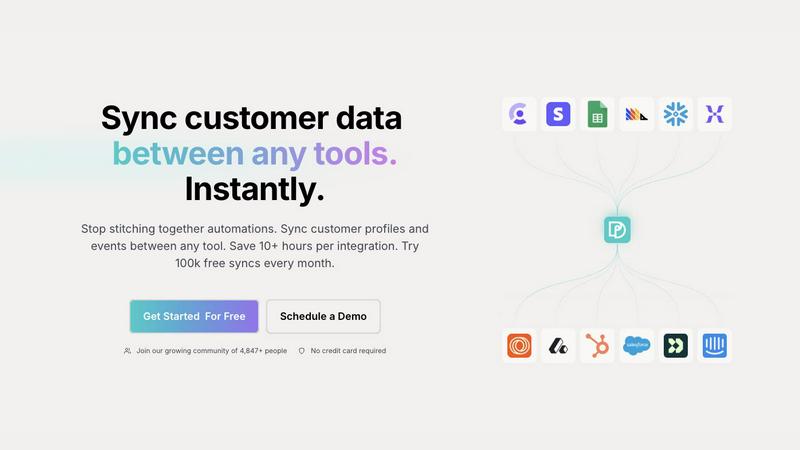
Seamlessly sync and unify customer profiles across tools, saving time and ensuring data accuracy with Oneprofile.
Last updated: February 28, 2026

Playwriter
Playwriter transforms your Chrome into a powerful AI-controlled browser, leveraging existing sessions for seamless automation and real-time debugging.
Last updated: March 18, 2026
Visual Comparison
Oneprofile
Playwriter

Feature Comparison
Oneprofile
Keep Customer Data Aligned
Oneprofile ensures that customer data remains consistent across all integrated systems. It automatically synchronizes profiles and events, meaning your sales, marketing, and support teams all work with the same, accurate information, reducing discrepancies and enhancing collaboration.
Identity Resolution
Say goodbye to duplicate records and data drift. Oneprofile's advanced identity resolution feature matches customer identities across various platforms, ensuring that every tool references the same customer profile. This unified approach allows businesses to have a holistic view of their customer interactions.
Control Data Movement
Oneprofile allows you to define the exact flow of data between systems. You can set up automatic or manual field mapping, control sync direction, and decide how updates propagate. This flexibility ensures that data flows in the way that best supports your business processes, adapting to your unique operational needs.
Custom Sync Schedules
With Oneprofile, you can create custom sync schedules to streamline your data management processes. Set specific intervals for data synchronization, ensuring that updates occur at the most convenient times for your organization, whether that be in real-time or on a recurring basis.
Playwriter
Seamless Browser Integration
Playwriter connects your AI agents to your live Chrome session, complete with all your extensions, logins, and cookies. This eliminates the hassle of managing multiple accounts and the risk of bot detection, providing a seamless browsing experience.
Full Automation API
With Playwriter, agents gain access to the complete Playwright API through a single execution tool. This means no wrappers or schema bloat, allowing your agents to execute any Playwright code with ease and efficiency.
Real-Time Collaboration
Experience true collaboration with Playwriter. You can see everything your agent does in real time, allowing for instant human intervention when needed. Whether it's solving captchas or navigating consent walls, you're always in control.
Advanced Debugging and Snapshots
Playwriter includes a powerful debugger with breakpoints and live code editing, plus accessibility snapshots that are significantly smaller in size. This allows for quick diagnostics and ensures that your agents can efficiently handle tasks without excessive memory usage.
Use Cases
Oneprofile
Marketing Campaign Management
Marketing teams can leverage Oneprofile to maintain consistent customer data across platforms like email marketing tools and CRM systems. By ensuring that all customer interactions are based on the same information, marketing campaigns can be more targeted and effective.
Customer Support Optimization
Support teams can benefit from Oneprofile by accessing up-to-date customer profiles during interactions. This allows agents to resolve issues faster and with greater context, improving customer satisfaction and reducing resolution times.
Sales Pipeline Accuracy
Sales teams can use Oneprofile to ensure that their CRM reflects the most current customer data. By synchronizing leads and customer interactions across systems, sales representatives can follow up on leads more effectively and close deals faster.
Data Analytics Enhancement
Data analysts can utilize Oneprofile to gather accurate and consistent data from different sources. This unified data set allows for more reliable insights and analytics, enabling better strategic planning and decision-making.
Playwriter
Automated Testing
Developers can utilize Playwriter to automate browser testing, allowing agents to run through test cases in real-time while maintaining full access to existing browser sessions for accurate results.
Data Scraping
With Playwriter, data scientists can automate the collection of web data without the usual hurdles of logging in or dealing with bot detection, making it easier to gather insights from various online sources.
User Experience Improvements
UX researchers can leverage Playwriter to simulate user interactions in real time, allowing them to observe how agents navigate sites and identify areas for improvement without losing context.
Task Automation
Businesses can streamline repetitive online tasks such as form submissions, data entry, or content gathering by deploying Playwriter, saving time and resources while ensuring accuracy in execution.
Overview
About Oneprofile
Oneprofile is a revolutionary tool designed to streamline the synchronization of customer profiles and events across various platforms used by businesses. In today’s fast-paced digital landscape, maintaining accurate and consistent customer data is crucial for effective decision-making and customer engagement. Oneprofile achieves this by eliminating the need for manual data management and preventing data fragmentation across multiple systems such as CRMs, analytics tools, support platforms, and marketing systems. By ensuring that any change in customer data is instantly reflected across all tools, Oneprofile helps businesses save precious time and resources. With features like identity resolution and custom data flow control, Oneprofile is ideal for organizations of all sizes looking to enhance their operational efficiency and improve customer relationships.
About Playwriter
Playwriter is a groundbreaking tool designed to empower AI agents with unparalleled access to your actual browser session. Unlike traditional AI agents that operate in isolated environments with no access to personal logins, extensions, or cookies, Playwriter allows agents to work seamlessly within your existing Chrome setup. This innovative Chrome extension and CLI provide full automation capabilities, enabling agents to perform tasks as if they were you. With features like accessibility snapshots, a comprehensive debugger, and network interception, Playwriter enhances productivity while ensuring a collaborative experience. Ideal for developers, testers, and anyone looking to automate repetitive web tasks, Playwriter not only saves time but also minimizes bot detection risks, making it a must-have tool for modern web automation.
Frequently Asked Questions
Oneprofile FAQ
How does Oneprofile ensure data consistency?
Oneprofile automatically synchronizes customer profiles and events across all connected tools, ensuring that any change in data is reflected instantly across all platforms, preventing discrepancies.
Can I customize the way data flows between systems?
Yes, Oneprofile provides robust data flow control options, allowing you to define how data moves between tools. You can set up automatic or manual mappings, control sync direction, and customize how updates propagate.
Is there a limit on the number of syncs I can perform?
Oneprofile offers a generous plan that allows for 100,000 free syncs every month, which is ideal for businesses looking to start without any upfront costs.
What types of tools can Oneprofile integrate with?
Oneprofile can integrate with a wide variety of tools, including CRMs, marketing software, analytics platforms, and customer support systems, making it a versatile solution for businesses of all sizes.
Playwriter FAQ
How does Playwriter ensure security?
Playwriter operates entirely on your local machine, meaning no data is sent to remote servers. The extension creates a secure WebSocket connection, ensuring your browsing session remains private.
Can Playwriter work with other programming environments?
Yes, Playwriter is designed to work seamlessly with various MCP clients, including Cursor, Claude, VS Code, and others, enhancing its versatility in different programming environments.
Is there any technical support available for Playwriter?
Playwriter is open-source and MIT licensed, which means you can access community support through forums and GitHub. Additionally, documentation is available to help you get started quickly.
What platforms does Playwriter support?
Currently, Playwriter is a Chrome extension and is designed for use with environments that can run Playwright, ensuring it fits well within modern web development workflows.
Alternatives
Oneprofile Alternatives
Oneprofile is a cutting-edge tool designed to sync customer profiles and events seamlessly across various platforms utilized by businesses. Falling under the category of Analytics & Data, Oneprofile ensures that all systems have a unified version of customer information, eliminating discrepancies and manual efforts. This automatic synchronization allows companies to maintain accurate and real-time data across their CRMs, analytics, support, and marketing tools. Users often seek alternatives to Oneprofile for several reasons, including pricing considerations, specific feature needs, or compatibility with existing platforms. When searching for an alternative, it's crucial to evaluate factors such as the ease of integration, the flexibility of features offered, and the overall user experience. A well-rounded alternative should cater to your unique business requirements while ensuring efficient data management without the hassle of broken integrations.
Playwriter Alternatives
Playwriter is an innovative automation tool designed to enhance user control over Chrome using AI, specifically through Command Line Interface (CLI) or Multi-Client Protocol (MCP). As part of the automation category, it allows users to leverage their actual browser sessions, complete with existing logins and extensions, thereby providing a seamless experience that AI agents typically lack. Users often seek alternatives to Playwriter due to various factors such as pricing, specific feature sets, or compatibility with different platforms. When exploring alternatives, it's essential to consider aspects like ease of use, integration capabilities, and any additional functionalities that may enhance your automation tasks. A thorough understanding of your needs will guide you in selecting the right tool that aligns with your operational requirements.