

Alternatives to Vivideo
Vivideo turns text or images into stunning AI videos using every top model, trusted by 500,000+ creators.
Explore 20 alternatives to Vivideo. Compare features, pricing, and find the best fit for your needs.

Vikas Editor AI
AI photo and video creative studio for cinematic portraits, fashion edits, festival greetings, and more.
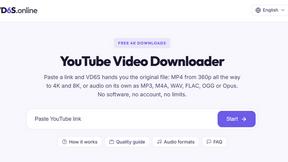
VD6S
VD6S is a free online YouTube video downloader that supports HD, 4K and up to 8K downloads. Save videos in MP4 or audio in multiple formats.

MyLookStory
AI hairstyle try-on, photo editing, image generation and short videos in one workspace.

TikFilmer
TikFilmer is a story to movie AI: from story or script to screenplay, consistent characters, storyboards, clips, and a rough cut.
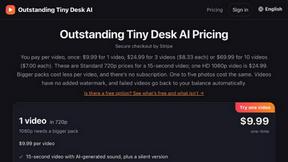
Outstanding Tiny Desk AI
Upload photos of you and up to 4 friends and get a 15-second Outstanding Tiny Desk AI video with AI-generated sound, in 9:16 for TikTok and Reels.

Tip Toeing in My Jordans
Upload one photo and become the tiptoeing Rumpelstiltskin in a 12-second AI video of the viral meme; add a friend as the woman in the hay.
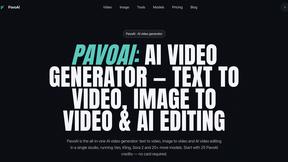
PavoAI
All-in-one AI video creation for text-to-video, image-to-video, editing, avatars, music, subtitles, and upscaling.

Rhinobird
AI video ads, UGC-style videos, and product visuals for cross-border sellers and e-commerce brands.

The Kiss
Turn two photos into a cinematic AI kissing video. Pick one of 13 kiss video templates; 30 free credits on sign-up.

Ozil Goal AI
Turn a photo of a consenting adult into a short football goal video with AI. One free reference image per verified account; videos are paid.

AI Video Meme Maker
Make AI video memes from text, photos or clips, or use a trending template. Free credits to start.
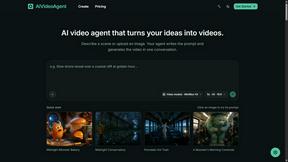
AIVideoAgent
Turn text ideas or reference images into videos through conversation, with agent-assisted prompts and a choice of video models.

Genjutsu
AI video studio for motion transfer and template remixes: add your own photos to a source performance. Freemium.

EveryGen AI
AI image and video generator with browser-based creative tools and text rewriting. Freemium.

Face Swap Video
Browser-based trending video studio that puts your photos into ready-made dance, runway and music videos.

AI Rap
AI rap generator that turns two portraits or one photo of two people into a short English duet rap video with original lyrics, vocals, and music.

Hotel Lobby AI
Hotel Lobby AI turns two separate portraits into a stylish duet video inside an orange recording booth. Pick each performer's side, framing, and 8- or

Earth Zoom Out AI
Turn any photo into an Earth Zoom Out video, from a close-up to a cosmic Earth view with realistic satellite transitions.
About Vivideo Alternatives
Vivideo has quickly become a go-to name in the AI video generation space, acting as a powerful tool that turns simple text prompts and images into polished, engaging videos in record time. It sits squarely in the competitive AI video generation category, helping creators, marketers, and businesses produce content for short-form platforms like TikTok, Instagram Reels, and YouTube Shorts without needing expensive software or editing skills. However, many users start searching for alternatives because of specific pain points like subscription pricing that doesn't fit a tight budget, a desire for more advanced customization in voiceovers or visuals, or simply needing a tool that integrates better with their existing workflow. Others might find that Vivideo’s output style doesn't perfectly match their brand's niche or that they require features like more robust stock footage libraries or different export formats. When you’re evaluating potential alternatives to Vivideo, the key is to prioritize what matters most for your specific use case. Look for platforms that offer a similar breadth of AI models for generating both video and voiceovers, but also check for critical differentiators like the quality of the AI voice acting, the depth of the stock asset library, and the flexibility of aspect ratios and export resolutions. Speed is also a major factor—you want a tool that can render HD or 4K content just as fast as Vivideo promises. Finally, consider the learning curve; the best alternative will offer an intuitive interface that doesn’t sacrifice professional results, ensuring you can maintain that viral, high-quality output without getting bogged down by complex editing steps.
FAQs about Vivideo Alternatives
What is Vivideo?
Vivideo is an advanced AI video generator that transforms text prompts, scripts, articles, or uploaded images into high-quality, engaging videos quickly. It is designed to streamline video production by automatically generating visuals, voiceovers, subtitles, music, and transitions, making professional content creation accessible to everyone.
Who is Vivideo for?
Vivideo is built for a wide range of users including content creators, marketers, business owners, and educators. It is particularly useful for anyone needing to produce short-form videos for platforms like TikTok, Instagram Reels, and YouTube Shorts, as well as marketing campaigns, product promotions, and tutorials.
Is Vivideo free?
The provided content does not specify whether Vivideo offers a free tier, but it is common for AI video tools to have a freemium model with limited features or a trial period. Users typically need to check the official Vivideo website for the most current pricing details and any free plan availability.
What are the main features of Vivideo?
Vivideo’s main features include text-to-video and image-to-video generation, multilingual AI voiceovers, automatic captions and subtitles, customizable aspect ratios, and support for HD and 4K exports. It is powered by multiple AI video models and backed by millions of stock assets, allowing users to create polished videos with an intuitive editing workflow.