

Alternatives to QUVIAI
QUVIAI transforms your ideas into stunning visuals, 3D scenes, and music, all powered by advanced AI in one seamless platform.
Explore 20 alternatives to QUVIAI. Compare features, pricing, and find the best fit for your needs.
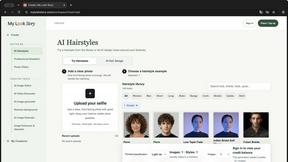
MyLookStory
AI hairstyle try-on, photo editing, image generation and short videos in one workspace.
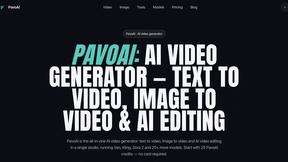
PavoAI
All-in-one AI video creation for text-to-video, image-to-video, editing, avatars, music, subtitles, and upscaling.
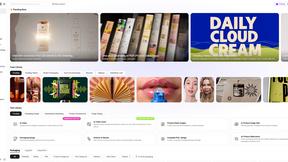
Rhinobird
AI video ads, UGC-style videos, and product visuals for cross-border sellers and e-commerce brands.
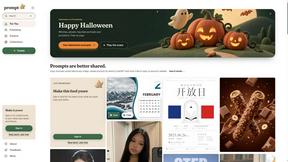
Promptclay
Free-to-copy AI image prompt library. Each prompt is shown next to the image it made.

The Kiss
Turn two photos into a cinematic AI kissing video. Pick one of 13 kiss video templates; 30 free credits on sign-up.
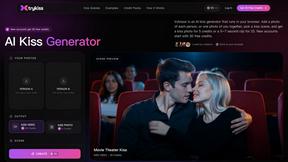
trykissai
AI kiss generator: add a photo of each person, pick a kiss scene, and get a kiss photo or a 5–7 second clip. 30 free credits.
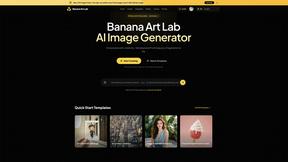
Banana Art Lab
Create and edit AI images with Nano Banana models, GPT Image 2, prompt templates and a node-based canvas.

EveryGen AI
AI image and video generator with browser-based creative tools and text rewriting. Freemium.
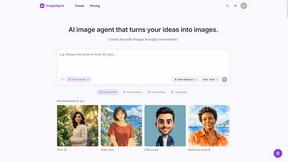
ImageAgent
Create and edit AI images through conversation, using text or reference images and refining results in chat.
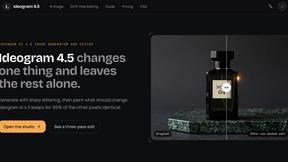
Ideogram 4.5
AI image generator and editor with Pixel Lock: change one region of an image while 94-99% of untouched pixels stay identical.
GenX
All-in-one AI workspace to generate images, videos, and audio with multiple leading AI models.
AiAgeFilter
Free AI age filter: upload an adult portrait, add 10-40 years, meet your older self. No app needed.
AppIconGenerator
Generate iOS and Android app icons from any image and export all platform sizes for free.
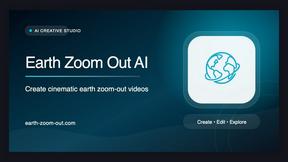
Earth Zoom Out AI
Turn any photo into an Earth Zoom Out video, from a close-up to a cosmic Earth view with realistic satellite transitions.
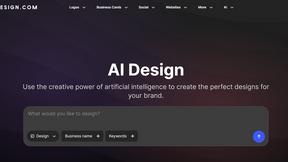
Design.com AI Image Generator
Turn text prompts into polished, copyright-safe visuals that plug directly into branded templates
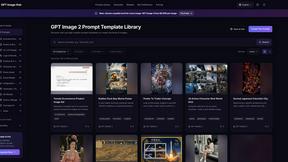
GPT Image Hub
Curated image prompts, reusable templates, and multi-model AI image generation in one workspace.
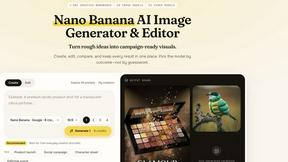
Nano AI
Create and edit AI images, generate videos, and compare models in one creative workbench.
About QUVIAI Alternatives
QUVIAI is an innovative AI-powered creative platform that caters to architects, designers, and creators. It allows users to upload sketches, images, or 3D models, transforming them into photorealistic renders, cinematic videos, and original music—all within a comprehensive workspace. As a leading solution in the image generation category, QUVIAI streamlines the creative process, enabling users to model, render, and iterate seamlessly without the hassle of switching between different tools. Despite the powerful capabilities of QUVIAI, many users often seek alternatives due to factors such as pricing, specific feature sets, or compatibility with their preferred platforms. When exploring alternatives, it's crucial to consider the range of tools offered, ease of use, and the ability to integrate with existing workflows. Finding a solution that meets your unique creative needs while providing flexibility and value can significantly enhance your design experience.
FAQs about QUVIAI Alternatives
What is QUVIAI?
QUVIAI is an all-in-one AI-powered creative platform designed for architects, designers, and creators. It allows users to upload sketches, images, or 3D models and transform them into photorealistic renders, cinematic videos, and original music. By combining various creative tools into one platform, QUVIAI streamlines the design process and enhances productivity.
Who is QUVIAI for?
QUVIAI is tailored for architects, designers, and creative professionals who need a powerful and versatile tool for visualizing their ideas. Whether you're a seasoned professional or a passionate hobbyist, QUVIAI provides the features necessary to bring your concepts to life, making it ideal for anyone involved in the creative industry.
Is QUVIAI free?
QUVIAI offers a free trial that allows users to explore its features and capabilities. This trial gives potential customers the opportunity to experience the platform without any financial commitment. For ongoing use, users can choose from various pricing options based on their needs and the features they require.
What are the main features of QUVIAI?
The main features of QUVIAI include the ability to generate photorealistic renders, cinematic videos, multi-angle views, and original music from user inputs. The platform also features a built-in 3D workspace that enables users to model, render, and edit scenes using text prompts. Additionally, users can create custom furniture and decorative objects, stage them in their designs, and produce cinematic walkthroughs.