

Alternatives to Kling 5
Kling 5.0 is the viral AI video generator creating cinematic 4K clips with consistent characters from just a text prompt.
Explore 20 alternatives to Kling 5. Compare features, pricing, and find the best fit for your needs.

FreeVideoGenerator
Free AI video generator: turn text prompts and photos into video clips with Sora 2, Veo 3.1, Wan and more. Free starter credits, no watermark download
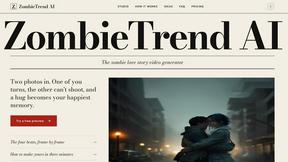
ZombieTrend AI
Turn two photos into a cinematic zombie love story video. Free scene preview, no sign-up needed.

Raindance AI Video Generator
Turn two photos into the Raindance AI pier video with the soundtrack included
AI Face Swap Video
Swap any face into any video online with AI in minutes. Upload a clip and a photo, get natural lighting and expressions. Free credits on sign-up.


DanseAI - Alors on Danse AI Video Genera
Make the Alors on Danse AI meme video from two photos, soundtrack included
Opus 5.5 Video Generator
Turn a prompt into a 1080p motion-graphics MP4 planned and coded by Claude Opus 5.5

Rumpelstiltskin AI Video Generator
Make the viral Rumpelstiltskin tiptoe dance meme video from two photos.
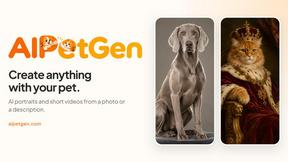
AIPetGen
AIPetGen turns a photo of your dog, cat, or other pet, or a written description, into a new picture or a short animation.

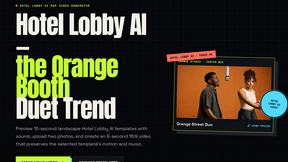
Hotel Lobby AI Video Generator
Turn two photos into a Hotel Lobby dance video in the orange A COLORS SHOW booth
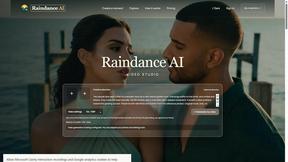
Raindance AI
Turn two authorized portraits into a seaside golden-hour video: a wooden dock, two people taking turns singing, and a slow pullback to the sunset. Pre
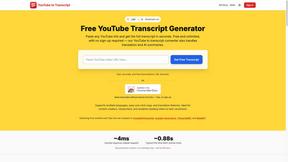
GetYouTubeTranscript
Free YouTube transcripts on the web, a Chrome extension, and an API + MCP server so AI assistants can read YouTube.
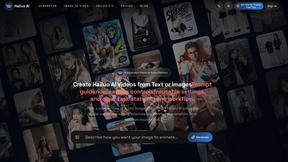
Hailuo AI
Create Hailuo AI videos from text or images with guided prompts, camera controls, task tracking, and downloadable results.
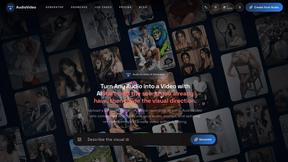
AudioVideo
Turn podcasts, narration, voice recordings, or music into visual content with AudioVideo's audio-to-video AI generator.

AIEnhancer
AI enhancer for photos, images, videos, and creative effects with guided workflows and a shared asset library.
About Kling 5 Alternatives
Kling 5.0 has taken the AI video generation world by storm, making it a go-to tool for creators who want to turn text into stunning, cinematic clips instantly. As a leading platform in the text-to-video category, it’s celebrated for its ease of use and professional output. However, with its explosive popularity, many users are exploring the landscape to find the perfect fit for their unique needs. People search for alternatives for all sorts of reasons. Maybe a project requires a specific feature Kling doesn't have, or the pricing model doesn't align with a tight budget. Some creators need compatibility with different platforms or workflows, while others are simply curious about what other cutting-edge AI tools can do. The quest for the right tool is a natural part of finding your creative edge. When evaluating other options, focus on what matters most for your videos. Consider the quality and style of the output, the flexibility of the editing tools, and how well it integrates into your existing process. Don't forget to check the cost structure and any usage limits to ensure it can scale with your ambitions. The best alternative is the one that feels effortless and empowers your vision.
FAQs about Kling 5 Alternatives
What is Kling 5.0?
Kling 5.0 is a revolutionary AI video generator that transforms text prompts into professional-quality, cinematic videos in seconds, designed for users of all skill levels.
Who is Kling 5 for?
Kling 5 is for anyone who wants to create captivating video content easily, from marketers and social media creators to educators and storytellers, regardless of technical expertise.
What are the main features of Kling 5?
Key features include AI-powered generation from text, cinematic quality output, an intuitive interface, support for multiple video styles, customization options, and 4K resolution video creation.
Is Kling 5.0 free to use?
The provided content does not specify pricing details; users should check the official Kling 5.0 website for the most current information on free tiers or subscription plans.