

Alternatives to Gemini Omni AI Video Generator
Gemini Omni turns text, images, or clips into cinematic 4K videos with built-in audio and editing, now 40% off.
Explore 20 alternatives to Gemini Omni AI Video Generator. Compare features, pricing, and find the best fit for your needs.

Vikas Editor AI
AI photo and video creative studio for cinematic portraits, fashion edits, festival greetings, and more.
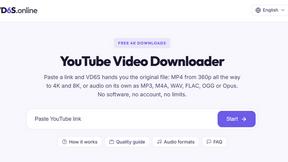
VD6S
VD6S is a free online YouTube video downloader that supports HD, 4K and up to 8K downloads. Save videos in MP4 or audio in multiple formats.

MyLookStory
AI hairstyle try-on, photo editing, image generation and short videos in one workspace.

TikFilmer
TikFilmer is a story to movie AI: from story or script to screenplay, consistent characters, storyboards, clips, and a rough cut.
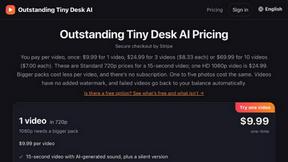
Outstanding Tiny Desk AI
Upload photos of you and up to 4 friends and get a 15-second Outstanding Tiny Desk AI video with AI-generated sound, in 9:16 for TikTok and Reels.

Tip Toeing in My Jordans
Upload one photo and become the tiptoeing Rumpelstiltskin in a 12-second AI video of the viral meme; add a friend as the woman in the hay.
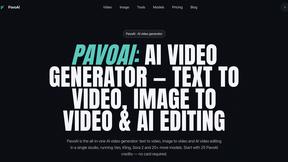
PavoAI
All-in-one AI video creation for text-to-video, image-to-video, editing, avatars, music, subtitles, and upscaling.
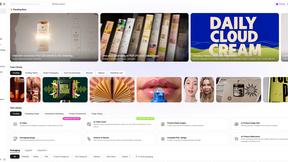
Rhinobird
AI video ads, UGC-style videos, and product visuals for cross-border sellers and e-commerce brands.

The Kiss
Turn two photos into a cinematic AI kissing video. Pick one of 13 kiss video templates; 30 free credits on sign-up.

Ozil Goal AI
Turn a photo of a consenting adult into a short football goal video with AI. One free reference image per verified account; videos are paid.
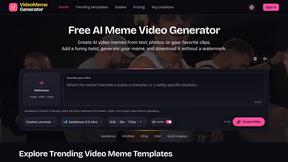
AI Video Meme Maker
Make AI video memes from text, photos or clips, or use a trending template. Free credits to start.
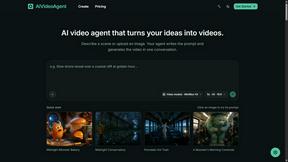
AIVideoAgent
Turn text ideas or reference images into videos through conversation, with agent-assisted prompts and a choice of video models.

Genjutsu
AI video studio for motion transfer and template remixes: add your own photos to a source performance. Freemium.

EveryGen AI
AI image and video generator with browser-based creative tools and text rewriting. Freemium.

Face Swap Video
Browser-based trending video studio that puts your photos into ready-made dance, runway and music videos.

AI Rap
AI rap generator that turns two portraits or one photo of two people into a short English duet rap video with original lyrics, vocals, and music.

Hotel Lobby AI
Hotel Lobby AI turns two separate portraits into a stylish duet video inside an orange recording booth. Pick each performer's side, framing, and 8- or

Earth Zoom Out AI
Turn any photo into an Earth Zoom Out video, from a close-up to a cosmic Earth view with realistic satellite transitions.
About Gemini Omni AI Video Generator Alternatives
Let’s be real: the AI video space is moving at warp speed, and everyone is talking about Gemini Omni, Google’s unified omni-model that lets you generate, edit, and remix cinematic clips in native 4K at up to 120fps—all inside a single chat interface. It is a game-changer for creators who want to skip the tool-switching and keep character consistency with persistent world-state memory. However, even with all that hype, users often start hunting for alternatives. Maybe the early access waitlist is too long, the pricing model doesn’t fit your budget yet, or you need a platform that integrates with a specific workflow or offers a different style of output. Sometimes, creators just want to test the waters with a more accessible tool before committing to a unified system. When you are looking for an alternative, the key is to focus on what actually matters for your project. Do you need high-resolution output and frame rate control? Check the specs. Is your workflow built around conversational editing, or do you prefer a traditional timeline? Think about whether you need integrated audio and Foley generation, or if you can handle that separately. Most importantly, look for platforms with strong community support and proven social proof—like viral showcases on social media or active user forums—because a popular tool usually means better tutorials, more prompts, and faster updates. Don’t just chase the flashiest demo; find the tool that matches your specific creative pipeline and budget.
FAQs about Gemini Omni AI Video Generator Alternatives
What is Gemini Omni AI Video Generator?
Gemini Omni is Google's first unified omni-model for video generation, combining text, image, and video creation into a single conversational system. Unlike standalone generators, it allows users to generate, remix, edit, and rewrite video scenes directly in chat without switching between different tools. It delivers native 4K resolution at up to 120fps with persistent world-state memory for consistent characters and integrated Foley and dialogue synthesis.
Who is Gemini Omni AI Video Generator for?
Gemini Omni is designed for professional video creators, filmmakers, and content producers who need cinematic-quality AI video generation with advanced editing capabilities. It is ideal for storytellers who require character consistency across scenes and prefer a conversational workflow over traditional timeline-based editing. The platform also serves early adopters and AI artists looking to experiment with unified omni-model technology alongside models like Veo 3.1 and Seedance 2.0.
What are the main features of Gemini Omni AI Video Generator?
Key features include native 4K video output at up to 120fps, in-chat video editing and remixing via natural language, persistent world-state memory for maintaining character and scene consistency, and integrated Foley audio and dialogue synthesis in a single diffusion pass. The platform also provides early access tools, prompt guides, and a hands-on workspace for creators to harness its full capabilities.
Is Gemini Omni AI Video Generator free?
Based on available information, Gemini Omni is offered through a studio with early access tools, suggesting it may operate on a tiered access model rather than being fully free. Pricing details are not explicitly confirmed in the product description, but users typically gain access through application-based early access programs. For the most accurate and current pricing, it is best to check Google’s official AI studio or waitlist announcements.