

Alternatives to EditTextImage
EditTextImage lets you replace text in any image online in seconds, keeping fonts, colors, and perspective perfectly intact.
Explore 20 alternatives to EditTextImage. Compare features, pricing, and find the best fit for your needs.
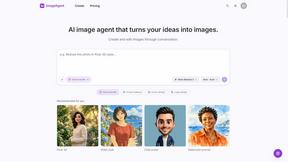
ImageAgent
Create and edit AI images through conversation, using text or reference images and refining results in chat.
GenX
All-in-one AI workspace to generate images, videos, and audio with multiple leading AI models.
AiAgeFilter
Free AI age filter: upload an adult portrait, add 10-40 years, meet your older self. No app needed.

AppIconGenerator
Generate iOS and Android app icons from any image and export all platform sizes for free.
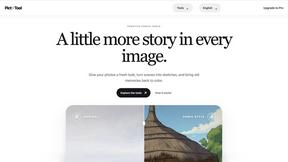
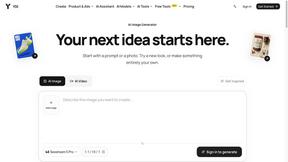
Earth Zoom Out AI
Turn any photo into an Earth Zoom Out video, from a close-up to a cosmic Earth view with realistic satellite transitions.

Design.com AI Image Generator
Turn text prompts into polished, copyright-safe visuals that plug directly into branded templates
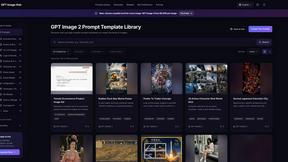
GPT Image Hub
Curated image prompts, reusable templates, and multi-model AI image generation in one workspace.
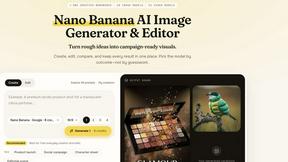
Nano AI
Create and edit AI images, generate videos, and compare models in one creative workbench.
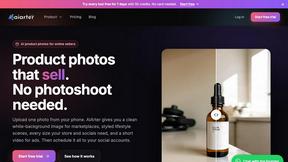
AiArter
AI product photos and UGC video ads for Amazon, Etsy and Shopify sellers, made from one phone photo.
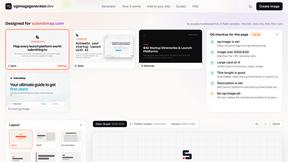
OG Image Generator
Paste a URL and AI designs on-brand Open Graph images from your page's colours, fonts and logo. Free, no sign-up.
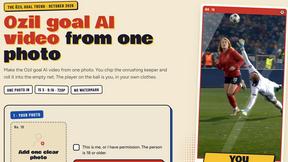
Ozil Goal AI
Make the Ozil goal AI video from one photo. You chip the keeper and roll it into the empty net. 15 seconds, 9:16, 720p, no watermark.

FreeVideoGenerator
Free AI video generator: turn text prompts and photos into video clips with Sora 2, Veo 3.1, Wan and more. Free starter credits, no watermark download
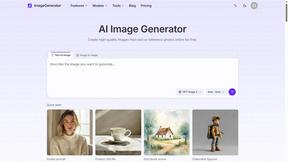
ImageGenerator
Create and edit AI images online with multiple models, text-to-image, image-to-image, background removal, and upscaling.
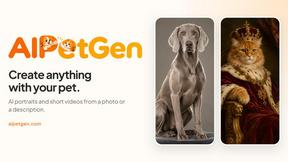
AIPetGen
AIPetGen turns a photo of your dog, cat, or other pet, or a written description, into a new picture or a short animation.
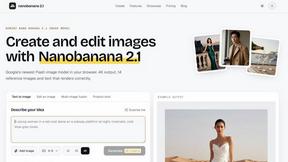
nanobanana 21
A fast, simple image studio powered by Nano Banana 2.1 — create and edit high-quality images with readable text and consistent characters.
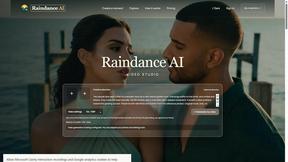
Raindance AI
Turn two authorized portraits into a seaside golden-hour video: a wooden dock, two people taking turns singing, and a slow pullback to the sunset. Pre
ImageGPT
ImageGPT is an all-in-one AI creative platform for generating, editing and transforming images and videos using AI.
qwenimage-21
AI image generation and editing with detailed prompts, multiple references, portrait and typography refinement, and transparent RGBA output.
About EditTextImage Alternatives
If you’ve ever needed to swap a single word on a finished poster, screenshot, or product photo but lost the original design file, you know the pain of starting over. EditTextImage belongs to the fast-growing category of AI-powered image generation and editing tools, specifically focused on text replacement within images. It lets you upload a picture, type the old and new text, and the AI samples the typeface straight from the pixels—preserving the font, color, drop shadow, and perspective without needing Photoshop or any font files. The process takes about 10 seconds and outputs at 2K resolution, making it a viral favorite for marketers, designers, and content creators who need quick fixes. However, even with its impressive pixel-perfect output, users often look for alternatives due to pricing models, feature limitations, or platform needs. While EditTextImage offers a one-time $9.90 for 30 edits after a free first edit, some users want unlimited edits, batch processing, or integration with their existing workflow. Others may need support for different image formats, higher resolution exports, or collaboration features. When choosing an alternative, look for a tool that accurately preserves typography (especially for paid fonts and hand-lettering), offers transparent pricing without subscriptions, and delivers fast, high-resolution results. The best alternative will also have strong social proof—like viral testimonials or case studies—and a simple interface that doesn’t require a steep learning curve.
FAQs about EditTextImage Alternatives
What is EditTextImage?
EditTextImage is an online AI-powered tool that lets you edit text in any image while perfectly preserving the original font, color, drop shadow, and perspective. It works by sampling the typeface directly from the pixels, so paid fonts and hand-lettering are handled seamlessly without requiring any font files or design software. The entire process takes about 10 seconds and outputs at 2K resolution, making it ideal for quick fixes on finished posters, screenshots, and product photos.
Who is EditTextImage for?
EditTextImage is designed for anyone who needs to change text in a finished image but doesn't have the original design file. This includes marketers fixing typos on ads, content creators swapping dates in social media graphics, product managers A/B testing headlines on screenshots, and small business owners updating pricing on product photos. It's especially useful for non-designers who want professional results without learning Photoshop or paying for font licenses.
Is EditTextImage free?
EditTextImage offers a free first edit with no credit card required, allowing you to test the tool risk-free. After that, it uses a simple one-time payment model: $9.90 for 30 edits, with no recurring subscriptions or hidden fees. This pay-per-use pricing makes it affordable for occasional users while being cost-effective for frequent edits compared to monthly Canva or Photoshop subscriptions.
What are the main features of EditTextImage?
The main features include AI-powered text replacement that samples typography from pixels, preserving the original font, color, drop shadow, and perspective even for paid or custom fonts. It works on any image format, requires no software installation or font files, and completes each edit in approximately 10 seconds. Outputs are delivered at 2K resolution, and the tool supports fixing typos, swapping dates, and A/B testing headlines on finished images without needing the source design file.