
EditTextImage
EditTextImage lets you replace text in any image online in seconds, keeping fonts, colors, and perspective perfectly intact.
Visit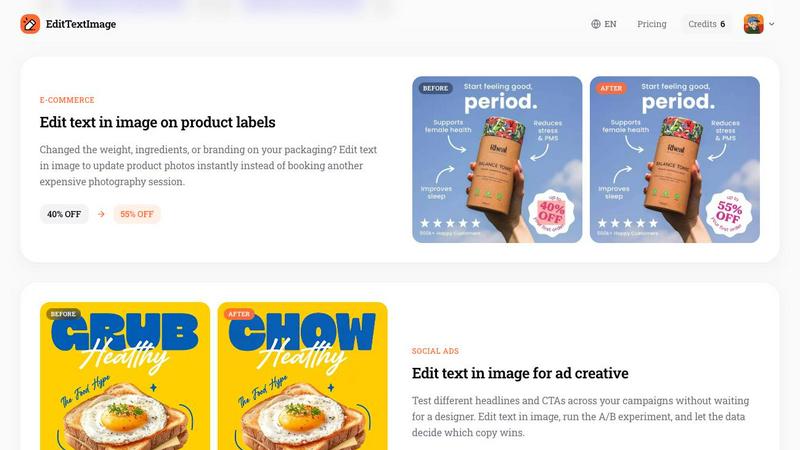
About EditTextImage
EditTextImage is a revolutionary AI-powered online tool that lets anyone edit text in images with pixel-perfect precision, all without needing Photoshop, design skills, or original source files. Imagine you have a finished poster, a product screenshot, or a scanned document, and you need to change just one word, fix a typo, swap a date, or test a new headline. In the past, this meant hunting down the original design file, paying a designer, or spending hours in complex software. EditTextImage changes everything. You simply upload your image (PNG, JPEG, or WebP up to 10 MB), type the existing text and your replacement text, and the AI does the magic. It samples the typography, color, drop shadow, and even perspective straight from the pixels, so the final image looks like it was never altered. The entire process takes about 10 seconds, and outputs at stunning 2K resolution. It is built for marketers, designers, small business owners, content creators, and anyone who needs quick, professional image edits. With a free first edit (no credit card required) and a simple one-time payment for credits that never expire, EditTextImage is the fastest, most accessible way to replace text in images online. Over 100,000 users have already used it to save hours of work and thousands of dollars in design costs.
Features of EditTextImage
Pixel-Perfect AI Text Replacement
The core feature of EditTextImage is its advanced AI that analyzes the pixels around your text to perfectly replicate the original font, color, size, drop shadow, and perspective. Unlike generic image editors that blur backgrounds or use mismatched fonts, this tool ensures every detail is preserved. Whether you are editing a hand-lettered sign, a paid font you don't have installed, or a complex 3D perspective, the AI handles it seamlessly. The result is an image that looks completely authentic, with no telltale signs of editing. This level of accuracy is what sets EditTextImage apart from every other online text editor.
Blazing Fast 10-Second Edits
Time is money, and EditTextImage understands that. The entire process, from upload to download, averages just 10 to 12 seconds. There is no waiting for complex rendering, no multiple steps to learn, and no frustrating trial and error. You upload, type the old and new text, and hit generate. The AI instantly processes the image and delivers a 2K resolution output. This speed makes it perfect for last-minute fixes, rapid A/B testing for ad creatives, and quick localization of app screenshots. You can edit multiple images in minutes, not hours.
No Software, Fonts, or Subscriptions
EditTextImage is a fully online tool, meaning there is nothing to download, install, or update. You do not need to own the font files used in the image, as the AI samples the typeface directly from the pixels. This is a game-changer for working with expensive or rare fonts. Furthermore, there are no monthly subscription fees. You get 1 free credit to start (no credit card required), and then you purchase a one-time pack of 30 credits for just $9.90. Credits never expire, so you only pay for what you use, when you need it.
High-Resolution 2K Output
Quality matters, especially for professional use. EditTextImage outputs all edited images at 2K resolution, ensuring your final product is sharp, clear, and suitable for print or high-resolution digital displays. Whether you are updating a product label for e-commerce, fixing a poster for an event, or localizing an app screenshot for the App Store, the output quality will meet professional standards. You do not have to worry about pixelation, compression artifacts, or a drop in image fidelity after your edit.
Use Cases of EditTextImage
Fixing Typos and Errors in Documents
Lost the original Word or InDesign file for an important contract, invoice, or report? No problem. With EditTextImage, you can upload a screenshot or scan of the document and instantly correct typos, update dates, or change invoice numbers. The AI preserves the exact font and layout, making the correction undetectable. This is a lifesaver for administrative professionals, accountants, and anyone who needs to make a quick fix to a final document without redoing the entire layout. It saves hours of work and prevents the frustration of starting from scratch.
Updating Event Posters and Flyers
The date changed, the speaker dropped out, or the venue moved, but your designer is offline and the poster is already printed. EditTextImage lets you edit the text directly on the finished poster image. You can swap "This Sunday" for "Next Sunday", change a headliner's name, or update a location in seconds. The tool preserves the original design's look and feel, so you can reuse beautiful event materials season after season. Event planners and marketing teams use it to save hundreds of dollars on redesign costs and avoid last-minute panic.
Localizing App Screenshots for Global Markets
App Store and Google Play require screenshots in multiple languages for international audiences. Instead of rebuilding every UI mockup in a design tool, developers and product managers use EditTextImage to swap the text on existing screenshots. You simply replace the English text with French, Spanish, or Japanese, and the AI perfectly matches the font and layout. This accelerates the localization process from days to minutes, allowing you to launch in new markets faster. The pixel-perfect output ensures your app store listing looks professional in every language.
A/B Testing Ad Creatives and Social Media Graphics
Marketers are constantly testing headlines, calls-to-action, and promotional text to optimize campaign performance. With EditTextImage, you can create multiple ad variations in seconds without waiting for a designer. Change "40% OFF" to "55% OFF", swap "GRUB" for "CHOW", or test different value propositions on the same background image. Run the A/B experiment, let the data decide which copy wins, and then scale the winner. This rapid iteration capability gives you a competitive edge and significantly reduces the cost and time of creative testing.
Frequently Asked Questions
What types of images can I edit with EditTextImage?
You can edit any image in PNG, JPEG, or WebP format, up to 10 MB in size. This includes posters, flyers, product labels, screenshots, scanned documents, packaging photos, and social media graphics. The tool works best when the text you want to replace is clearly visible and not heavily distorted. It is designed for images you own or are licensed to edit, and it works exceptionally well on images with solid backgrounds or simple gradients behind the text.
Do I need to have the original font file installed on my computer?
No, absolutely not. This is one of the most powerful features of EditTextImage. The AI samples the typeface, color, size, and effects directly from the pixels of the image itself. This means you can edit text that uses expensive, rare, or custom hand-lettered fonts without ever needing to own or install them. The AI perfectly replicates the typography, making the edit look completely natural and authentic.
Is my first edit really free, and do I need a credit card?
Yes, your first edit is completely free. You do not need to enter any credit card information to claim your free credit. Simply sign in with your Google account, upload your image, and make your first edit at no cost. This allows you to test the tool and see the quality for yourself before committing to any purchase. After you use your free credit, you can purchase a pack of 30 credits for a one-time fee of $9.90.
Can I use the edited images for commercial purposes?
Yes, absolutely. Commercial use is included in all credits, including the free one. You can use the images you edit with EditTextImage for any purpose, including marketing materials, product packaging, app store screenshots, social media ads, and client deliverables. However, you must ensure you own the rights to the original image or have a license to edit it. The tool's acceptable use policy prohibits editing images for fraudulent or deceptive purposes.
Similar to EditTextImage
picttool
Create and edit images with a collection of easy-to-use AI tools
Earth Zoom Out AI
Turn any photo into an Earth Zoom Out video, from a close-up to a cosmic Earth view with realistic satellite transitions.
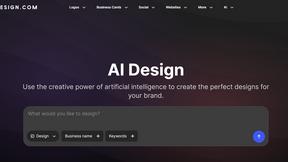
Design.com AI Image Generator
Turn text prompts into polished, copyright-safe visuals that plug directly into branded templates
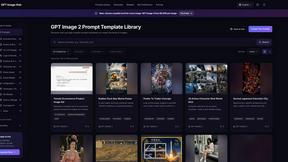
GPT Image Hub
Curated image prompts, reusable templates, and multi-model AI image generation in one workspace.
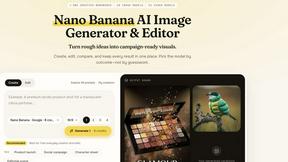
Nano AI
Create and edit AI images, generate videos, and compare models in one creative workbench.
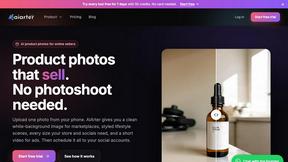
AiArter
AI product photos and UGC video ads for Amazon, Etsy and Shopify sellers, made from one phone photo.
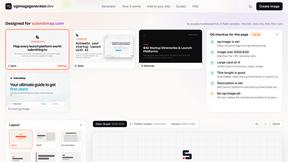
OG Image Generator
Paste a URL and AI designs on-brand Open Graph images from your page's colours, fonts and logo. Free, no sign-up.