Veo 4 AI Video Generator
Transform ideas into stunning cinematic videos in minutes with Veo 4's powerful AI-driven video generation.
Visit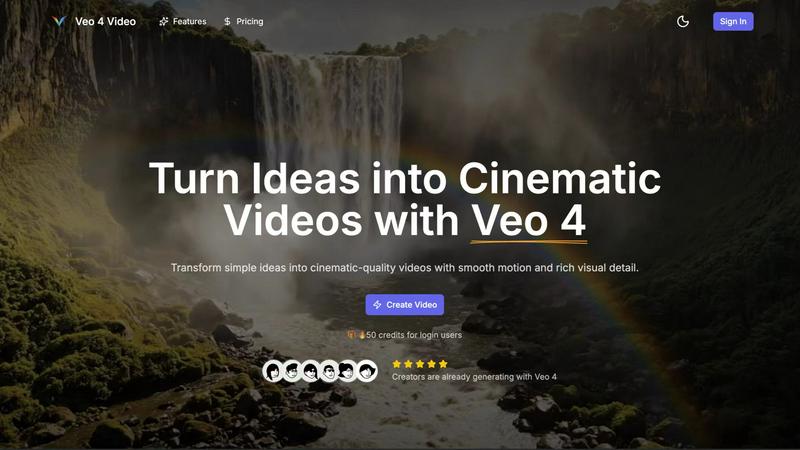
About Veo 4 AI Video Generator
Veo 4 AI Video Generator is an innovative tool that harnesses the capabilities of artificial intelligence to convert text and images into breathtaking cinematic videos. This cutting-edge platform is tailored for creators, marketers, and anyone eager to produce high-quality video content swiftly and effortlessly. With Veo 4, users can turn simple text prompts or images into visually engaging narratives without needing advanced technical skills or extensive video editing experience. The user-friendly interface allows for rapid video creation, enabling users to generate stunning clips in just a few minutes. Whether for dynamic social media content, promotional videos, or artistic animations, Veo 4 provides the versatility and sophistication required to manifest creative ideas. The inclusion of synchronized audio enhances the storytelling, making Veo 4 an essential tool for modern content creators seeking to captivate their audiences with immersive video experiences.
Features of Veo 4 AI Video Generator
Text-to-Video Engine
The Text-to-Video Engine allows users to describe a scene in detail, which Veo 4 then transforms into a coherent cinematic clip. By specifying elements like time of day, camera movement, and mood, creators can ensure that the final video aligns perfectly with their vision. This feature enhances control over the video creation process, making it less random and more tailored.
Image-to-Video Motion
With the Image-to-Video Motion feature, users can take a still image and animate it into a lively video. By uploading one or two images, Veo 4 creates smooth transitions between frames, allowing users to dictate how the scene begins and ends. This feature is perfect for breathing life into static visuals and enhancing storytelling.
Fast & Quality Modes
Veo 4 offers two operational modes: Fast and Quality. The Fast mode is ideal for quick tests or rough drafts, while the Quality mode ensures clearer details and smoother motion for polished final outputs. This flexibility allows creators to choose the production speed that best fits their project needs.
Prompt Translation Built-in
The built-in prompt translation feature enables users to write their ideas in their preferred language and automatically translate them into English. This functionality improves clarity in the text-to-video prompts, making it easier for users from different linguistic backgrounds to generate accurate and compelling videos.
Use Cases of Veo 4 AI Video Generator
Product Ads
Veo 4 is a game changer for product advertising, allowing businesses to transform brief pitches into impactful promo clips. These visually compelling videos can be used on landing pages and in paid campaigns, driving engagement and conversions.
Social Shorts
For social media marketers, generating loopable B-roll from hooks, captions, or story beats is effortless with Veo 4. The platform's ability to create engaging short clips makes it perfect for platforms like TikTok and Instagram Reels, where attention spans are short.
Educational Content
Educators can leverage Veo 4 to create informative and engaging video content that enhances learning experiences. By transforming written lessons or presentations into dynamic videos, educators can captivate students and retain their attention more effectively.
Event Highlights
Veo 4 can be used to create stunning highlight reels from events such as conferences, weddings, or corporate gatherings. By animating key moments and capturing the essence of the event, users can share memorable clips that resonate with viewers long after the event has concluded.
Frequently Asked Questions
How quickly can I generate a video using Veo 4?
Using Veo 4, you can create a compelling cinematic video in just a few minutes. The intuitive interface and advanced AI technology streamline the video production process, allowing for rapid generation.
Do I need any video editing skills to use Veo 4?
No, Veo 4 is designed for users of all skill levels. Its user-friendly interface allows anyone, regardless of technical expertise, to create high-quality videos effortlessly.
What formats can I export my videos in?
Veo 4 allows you to export your videos in multiple aspect ratios, including Auto, 16:9, and 9:16. You can produce clean 1080p videos without watermarks, making them ready for immediate sharing.
Can I animate multiple images in a single video?
Yes, you can upload one or two images to create animations. By providing a start and end frame, Veo 4 will generate the motion in between, allowing for dynamic storytelling through visuals.
Explore more in this category:
Similar to Veo 4 AI Video Generator

FreeVideoGenerator
Free AI video generator: turn text prompts and photos into video clips with Sora 2, Veo 3.1, Wan and more. Free starter credits, no watermark download

Leadeon
AI growth tool for X and LinkedIn: write posts in your voice, schedule at your best times, find leads on X and see what works.
ZombieTrend AI
Turn two photos into a cinematic zombie love story video. Free scene preview, no sign-up needed.


Raindance AI Video Generator
Turn two photos into the Raindance AI pier video with the soundtrack included
AI Face Swap Video
Swap any face into any video online with AI in minutes. Upload a clip and a photo, get natural lighting and expressions. Free credits on sign-up.