URL to Any
Instantly convert any URL to PDF, Markdown, images, and more with our 100% free, all-in-one toolkit.
Visit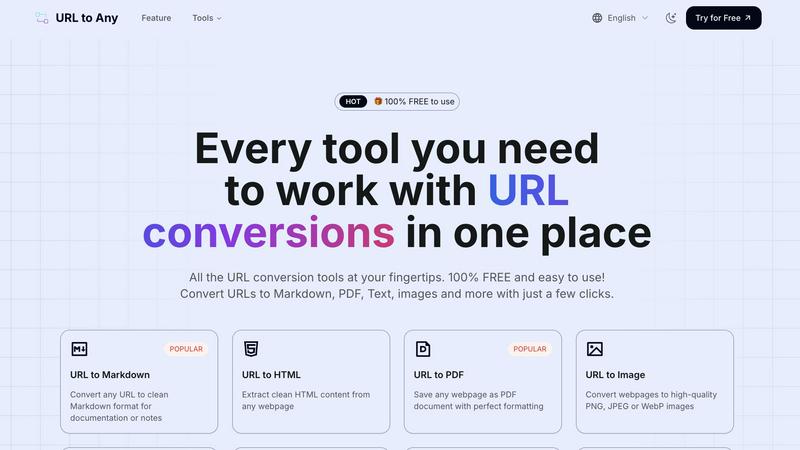
About URL to Any
Tired of clunky, expensive software just to save a webpage? Meet URL to Any, the revolutionary, all-in-one web content converter that's taking the internet by storm! 🚀 This powerful, 100% FREE platform is your ultimate Swiss Army knife for transforming any online content into the format you need, instantly. Whether you're a content creator, developer, researcher, student, or business professional, URL to Any eliminates the friction from your workflow. Simply paste a URL, choose your desired format, and get pristine results in seconds—no registration, no downloads, no hassle. With over 50,000 daily users and processing 1 million+ URLs monthly, it's the go-to resource trusted by a massive global community. From converting articles to clean Markdown for your notes, saving webpages as perfectly formatted PDFs, to generating QR codes for easy sharing, URL to Any puts an incredible suite of over 10+ conversion tools right at your fingertips. Experience the power of lightning-fast, cloud-based processing that delivers clean, ready-to-use output every time, making web content conversion truly accessible to everyone.
Features of URL to Any
Lightning-Fast, Multi-Format Conversion
Choose from a vast array of output formats with a single click. Instantly convert any URL to Markdown, PDF, high-quality images (PNG, JPEG, WebP), clean HTML, pure Text, structured JSON, XML, and even MP3 audio. Our optimized cloud processing engine delivers your converted content in mere seconds, saving you invaluable time and effort. No more juggling between different websites or tools for different formats.
Advanced Extraction & Utility Tools
URL to Any goes beyond basic conversion with a powerhouse of utility features. Extract and analyze meta tags and headings for SEO insights, export them to CSV. Use the AI Summarizer to get instant summaries of lengthy articles. Instantly extract all links from a site with the URL Extractor, or open multiple pages at once. Plus, handle encoding/decoding across 8+ formats like Base64, JWT, and HTML entities with our dedicated URL Encode/Decode tools.
100% Free & No-Registration Access
Every single feature, tool, and conversion is completely free to use forever. There are no hidden fees, premium tiers, or usage limits. We believe in powerful, accessible tools for everyone. Enjoy instant access without any sign-up forms or account creation. Just visit the site and start converting—it’s that simple and straightforward, a major reason for its viral popularity.
Secure, Private & Cloud-Based
Your privacy and data security are paramount. All processing happens securely in the cloud, requiring no software installation that could compromise your system. We never store your URLs or converted content on our servers, ensuring your information remains private and confidential. Access your tools from any device, anywhere in the world, with complete peace of mind.
Use Cases of URL to Any
Content Creators & Bloggers
Streamline your research and content curation! Quickly convert online articles, competitor pages, or inspiration into clean Markdown or Text to use as a base for your own posts. Save webpages as PDFs for offline reference archives or convert them to images to create engaging social media teasers and pins, all without leaving your browser.
Developers & Technical Writers
Supercharge your documentation workflow. Convert API documentation, GitHub READMEs, or any technical webpage into pristine Markdown or HTML to integrate into your projects. Use the URL to JSON/XML feature to scrape and structure web data for testing or analysis, and employ encoding tools for debugging—all essential for a efficient dev process.
Students & Researchers
Capture and organize information effortlessly. Save online journals, academic papers, or important articles as PDFs for annotated highlighting and long-term storage. Extract pure text from cluttered news sites for easy quoting in papers, and use the AI Summarizer to quickly grasp the key points of lengthy sources for literature reviews.
SEO & Digital Marketing Professionals
Conduct efficient competitor and site audits. Use the Meta Tags and Heading Extractors to analyze on-page SEO elements across multiple sites, exporting the data to CSV for easy comparison. Generate QR codes from campaign landing pages for print materials, and create image snapshots of webpages for visual reports or client presentations.
Frequently Asked Questions
Is URL to Any really free to use?
Absolutely, 100% free! There are no hidden charges, subscription plans, or premium features locked behind a paywall. Every tool listed on the platform, from URL to PDF to the AI Summarizer, is completely free to use without any registration. This commitment to free access is a core part of our mission and a key reason for its widespread adoption.
How does URL to Any ensure my privacy and data security?
Security is a top priority. All conversions are processed via secure, cloud-based servers. Crucially, we do not store the URLs you submit or the content generated from the conversions on our databases. Your data is processed in real-time and delivered to you, then discarded, ensuring your research and browsing activities remain completely private.
What formats can I convert a URL into?
The platform supports a wide and growing range of formats to suit various needs. Popular conversions include Markdown, PDF, Image (PNG/JPEG/WebP), Text, and HTML. For developers, we offer JSON and XML. Unique tools also allow conversion to MP3 audio, QR codes, and extensive encoding/decoding across multiple formats like Base64 and JWT.
Do I need to install software or create an account?
No installation and no account required! URL to Any is a fully web-based tool. You can access it directly from any modern web browser on your desktop, tablet, or phone. For even quicker access, you can optionally install our handy browser extension, but it's not necessary to use the core website and its full suite of tools.
Similar to URL to Any
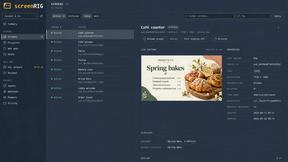
screenRIG
Signage and kiosk infrastructure for AI agents. Your agent publishes images, video, streams, web pages and apps to screens via one plugin.screenRIG is
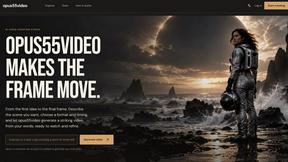
opus55video
Opus55video turns written ideas into cinematic motion. Describe a scene, choose the format and duration, and create a striking video in a few steps.
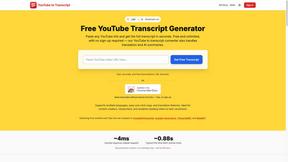
GetYouTubeTranscript
Free YouTube transcripts on the web, a Chrome extension, and an API + MCP server so AI assistants can read YouTube.