
Tripto
Tripto puts flights, stays, saved places, and day plans on one timeline for travelers who want a clearer view of each trip.
Visit
About Tripto
Tripto is built around seeing a trip as a sequence of days rather than a stack of disconnected confirmations. Its timeline brings flights, stays, and plans into view, while saved places provide a holding area for ideas that are not yet part of the schedule. A before-you-go checklist can keep practical preparation alongside the itinerary.
Travelers can add bookings themselves or review supported confirmation imports before saving. The review step is useful when dates, times, or locations need checking against the original confirmation. Tripto does not make reservations, and the site says live flight monitoring is not currently enabled. That makes it a planning workspace, not the source to consult for gate changes or delays. It is designed for a mobile browser, with trips also accessible on a larger screen.
Features of Tripto
- Displays bookings and day plans in a trip timeline.
- Keeps saved places available to add to an itinerary later.
- Includes before-departure checklist items alongside trip planning.
- Allows manual entry or review of supported booking imports.
Use Cases of Tripto
- Map a short city break across arrival, sightseeing, and departure days.
- Keep flight and lodging details visible alongside planned activities.
- Save restaurants or landmarks during research and schedule them later.
- Track travel preparation tasks before departure.
Frequently Asked Questions
Can I add places before deciding which day to visit?
Yes. Keep saved places together and bring them into a day plan when ready.
What kinds of details can go in a trip?
Tripto supports flights, stays, transport, activities, and saved places, with day-by-day planning.
Should I rely on it for gate or delay changes?
No. Live flight monitoring is not currently enabled; check the airline or airport.
Explore more in this category:
Similar to Tripto
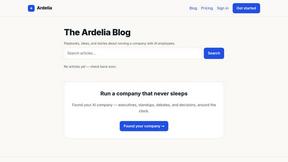
Ardelia
Ardelia brings free calculators, planners, and templates together to help people move from everyday work questions to practical next steps.

Infograph
Infograph transforms articles, notes, and calls into shareable visual stories, with fast diagrams and source-checked numbers.

小蜜蜂AI
小蜜蜂AI is a Windows work assistant that combines AI conversations, visual workflows and tool configuration in one workspace.

Leadmatically
Leadmatically helps small businesses spot buyer requests on five social platforms and manage first outreach and replies from one inbox.

GigUp
GigUp helps Upwork freelancers spot relevant new jobs through profile based matching, alerts, and proposal drafts that they review before applying.

Safe Outreach
Look up a Chrome extension against LinkedIn's published detection list, with explanations of list results, browser coverage and session handling.

RenewRoster
RenewRoster helps agencies track client domain and SSL expiries, send branded reminders, and automate renewal workflows.

Nitrozen
Nitrozen connects changelog publishing with developer workflows, offering APIs and release tools alongside public pages and an embeddable widget.