
Tagada
Tagada parses Gmail, letting you highlight and tag key phrases locally for faster, clearer replies without the cloud.
Visit
About Tagada
Tagada is a revolutionary browser extension that completely transforms how you read, organize, and reply to emails directly inside Gmail. It is built for professionals, support teams, freelancers, consultants, and anyone drowning in long, complex email threads who wants to respond faster and with greater clarity. The core value proposition is simple: Tagada parses your incoming Gmail messages into individual, clickable sentences. Instead of the messy, outdated practice of writing replies in colored text within the original message, you can now highlight, tag, and categorize the key points of an email with a single click. The extension then automatically generates a clean, structured reply template built around the points you selected. The most powerful aspect of Tagada is its commitment to privacy. All processing happens 100% locally on your device. There is no AI, no cloud upload, and no third-party servers involved. Your sensitive email data never leaves your computer, giving you complete control and peace of mind. It works seamlessly within the familiar Gmail interface, meaning there is no new tool to learn and no disruption to your existing workflow. Tagada is the ultimate tool for achieving effortless email efficiency, improving communication clarity, and drastically cutting down the time you spend crafting responses. It is the end of answers written inside the original message and the beginning of smart, structured, and private email management.
Features of Tagada
Instant Email Parsing
Tagada instantly breaks down complex, multi-paragraph emails into a list of individual, selectable sentences. This feature eliminates the need to manually scan through walls of text to find the critical information. By parsing the email into digestible pieces, it allows you to quickly understand the structure of the message and identify the most important points without losing context. This is the foundational feature that makes all other functionalities possible.
One-Click Highlighting and Tagging
Once an email is parsed, you can highlight and tag any sentence with a single click. This feature allows you to categorize key phrases by their relevance, such as "Action Item," "Question," "Important Information," or "Deadline." This organizational system helps you visually separate different types of information, making it easier to prioritize your response and ensure you address every critical point. It transforms a chaotic email into a structured list of actionable items.
Auto-Generated Reply Templates
After you have highlighted and tagged the relevant sentences, Tagada automatically generates a clean, structured reply template. This template is built exclusively around the points you selected, ensuring your response is focused, clear, and addresses exactly what matters. This feature eliminates the need to write from scratch or copy-paste text, drastically reducing response time and preventing you from forgetting to address a key question or request. It helps you communicate more effectively.
100% Local and Private Processing
This is Tagada's most distinctive and trusted feature. All email parsing, highlighting, and template generation happens directly on your computer. Your emails are never sent to any external server, cloud service, or third-party AI. This means your sensitive business communications, client data, and personal information remain completely under your control. Tagada guarantees that your data stays where it belongs: inside your Gmail account and on your device, with zero compromises on privacy.
Use Cases of Tagada
Streamlining Customer Support Replies
Support teams dealing with high volumes of complex customer inquiries can use Tagada to instantly parse a customer's email, highlight the specific issues and questions, and generate a structured reply that addresses each point. This ensures no customer concern is missed, reduces the time spent on each ticket, and provides a clear, professional response that improves customer satisfaction. It turns chaotic support emails into manageable, actionable tasks.
Improving Freelancer and Consultant Communication
Freelancers and consultants often manage multiple client threads with numerous action items, deadlines, and requests. Tagada helps them quickly dissect these emails, tag "Action Items" and "Deadlines," and generate a reply that confirms their understanding of the project scope. This ensures clear communication, prevents misunderstandings, and helps maintain a professional image by responding to every critical point in a structured and timely manner.
Managing Complex Project Updates
For project managers and team leads, long email threads filled with status updates, blockers, and next steps can be overwhelming. Tagada allows them to parse these updates, highlight the key progress points and challenges, and tag them by category. The generated reply template can then be used to provide a clear summary, ask specific follow-up questions, and outline the next steps, keeping the entire team aligned and informed without the email chaos.
Enhancing Executive Email Efficiency
Executives receive a high volume of lengthy, critical emails daily. Tagada provides a way to quickly parse these messages, identify the most important decisions, approvals, or information requests, and generate a concise, point-by-point reply. This saves valuable time, ensures that critical items are never overlooked, and allows executives to maintain clear and effective communication with their teams and stakeholders, all while keeping their most sensitive data private.
Frequently Asked Questions
Is Tagada free?
Tagada can be used without a paid license. However, the free version comes with limitations in terms of functionality. For a better, unrestricted experience and to unlock the full potential of the extension, we suggest you purchase a license.
What data do you collect?
We only collect essential data to enhance your experience, such as your first name, email address, and language preference. We respect your privacy deeply and do not collect any unnecessary or sensitive information from your Gmail account or device.
Do you send our emails to your servers?
No, your emails are never sent to our servers. Everything remains local on your device. At Tagada, we make sure that your data stays private and under your control. The entire process of parsing and generating replies happens on your computer.
Some emails get broken, how can I fix it?
If an email appears to be corrupted or disorganized by the extension, the best solution is to disable the extension for that specific email, reply to it normally, and then re-enable Tagada. Some emails may have a specific or unusual structure that the extension is unable to parse correctly.
Pricing of Tagada
Tagada can be used without a paid license, though functionality will be limited. For a better experience and to unlock the full suite of features, we suggest you purchase a license. For specific pricing plans and tier details, please visit the pricing page on the official Tagada website.
Explore more in this category:
Similar to Tagada
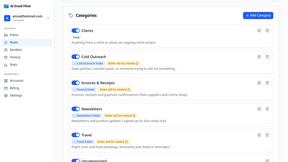
AI Email Filter
AI Email Filter sorts incoming mail into folders using plain-language prompts you write. Works with any IMAP mailbox; bring your own LLM if you want.
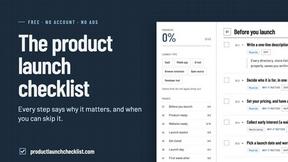
Product Launch Checklist
A free launch checklist for SaaS, apps, AI tools and more. Every step says why it matters and when you can skip it.
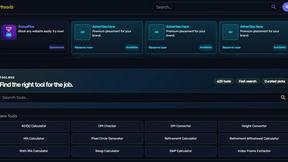
Kody Tools
Free collection of online developer utilities, code formatters, and digital converters designed to streamline your daily workflow.
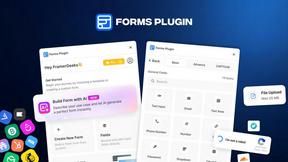
Forms Plugin
The #1 Native Form Builder Plugin for Framer - No Code, No Embeds, No External Platforms.

HomeAnswerBook
Practical, independent guides to home repairs, maintenance, costs, troubleshooting, and everyday fixes.
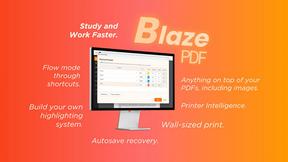
BlazePDF
Highlight faster. Study in flow with custom shortcuts and a workflow built around you. Print smarter, or turn any page into a tiled poster.

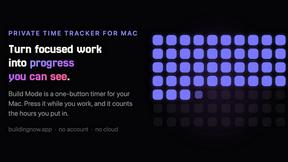
Build Mode for Mac
Build Mode is a Mac app that turns focused sessions into visible progress, so you can see the work adding up before the results arrive.