
Sketch To
Transform your images into stunning sketches effortlessly with Sketch To's powerful AI converter for every creator.
Visit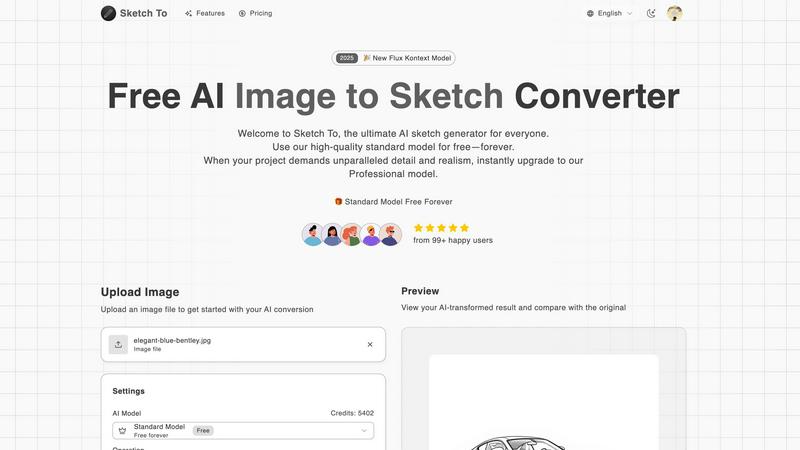
About Sketch To
Sketch To is a groundbreaking AI-powered image conversion tool that revolutionizes the way users interact with digital art. By leveraging advanced AI technology, Sketch To allows anyone—from casual hobbyists to seasoned professionals—to effortlessly transform their photos into stunning sketches and vice versa. The platform's dual functionality ensures that users can explore their creativity without limitations, whether they are creating artistic sketches from photographs or bringing their drawings to life with realistic image conversions. With a user-friendly interface and no need for extensive software installations, Sketch To is accessible to everyone. New users can kickstart their artistic journey with free trial credits, while professional artists can upgrade to the Pro model for unparalleled detail and quality. This innovative platform empowers users to create, share, and explore their artistic potential, making it a must-have tool for anyone looking to enhance their creative projects.
Features of Sketch To
Image to Sketch Conversion
Transform your favorite photographs into stunning pencil sketches with Sketch To's advanced AI technology. This feature allows artists and designers to create beautiful, artistic renditions of their images, perfect for enhancing social media posts, personal projects, or professional portfolios.
Sketch to Image AI
With the Pro model, users can convert their sketches back into high-quality, realistic images. This unique feature is designed for professional artists who require exceptional detail and accuracy, enabling them to showcase their sketches in a more lifelike manner that is ideal for commercial use.
Instant Processing
Experience the power of instantaneous transformations with Sketch To's robust cloud-based AI processing engine. Users can upload their files and receive converted images or sketches within seconds, streamlining their creative workflow and allowing for quick iterations and adjustments.
High Resolution Output
Ensure that every creation is print-ready with high-resolution outputs available for download. This feature is crucial for artists and designers who need their work to maintain quality for professional use, giving them the confidence that their artwork will look stunning in any format.
Use Cases of Sketch To
Social Media Content Creation
Artists and content creators can utilize Sketch To to produce eye-catching images for their social media platforms. By converting photos to sketches, users can create unique visuals that stand out in crowded feeds, engaging their audience with fresh and artistic content.
Educational Projects
Students and educators can leverage Sketch To for academic projects and presentations. By transforming standard images into artistic sketches, they can enhance the visual appeal of their work, making learning more engaging and interactive for their peers.
Professional Design Work
Graphic designers and illustrators can incorporate Sketch To into their workflow for client projects. The ability to convert images to sketches or vice versa adds a creative flair to their designs, allowing them to present innovative concepts to clients and stakeholders.
Personal Creative Exploration
Hobbyists and aspiring artists can use Sketch To to explore their creativity without the pressure of perfection. The tool provides a fun and intuitive way to experiment with different artistic styles, helping users to develop their skills and discover new techniques.
Frequently Asked Questions
What types of images can I upload to Sketch To?
Sketch To supports various image formats, allowing users to upload photos and sketches for conversion. Whether you have JPEG, PNG, or other common formats, you can easily transform your images.
How does the free trial work for new users?
New users are provided with trial credits upon signing up, allowing them to explore the features of the standard model without any initial cost. This is a great way to experience the tool before committing to a paid plan.
Can I upgrade from the standard model to the professional model later?
Yes, users have the flexibility to upgrade to the Pro model at any time. This upgrade unlocks enhanced features and provides access to superior quality conversions for those who need it for commercial use.
Is there a limit to the number of images I can convert?
While there are no strict limits on the number of images you can convert, each conversion using the standard model requires a credit. Users can purchase additional credits or upgrade to the Pro model for more extensive usage.
Similar to Sketch To

Verla AI
Verla is an AI academic assistant for university and college students, combining AI essay writing, academic research, AI detection, AI humanization

Memorable Contact
Memorable Contact helps you remember people, save conversation details, find contacts using AI-powered search, and share digital business cards
screenRIG
Signage and kiosk infrastructure for AI agents. Your agent publishes images, video, streams, web pages and apps to screens via one plugin.screenRIG is
AUTOMATER.ai
A tray helper for every AI coding tool: sessions, alerts and usage in one place
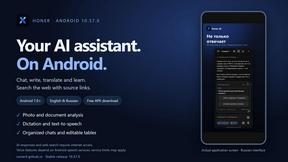
Honer AI
Android AI assistant with chat, web search, photo and document analysis, and voice input.
WidgIq
Provide an AI-powered customer support widget for your website
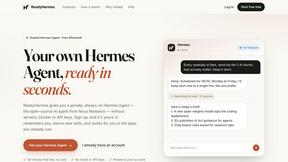
ReadyHermes
Your own hosted Hermes Agent in a minute: memory, self-learning skills, schedules, a real browser and 1,000+ app connections.