
ShinePhoto
Transform your photos instantly with ShinePhoto's smart auto-crop and restoration for stunning, share-ready images.
Visit
About ShinePhoto
ShinePhoto is revolutionizing the way we handle our photos, making it easier than ever to transform cluttered collections into stunning visual narratives. It is an innovative AI-powered toolkit designed to automate the tedious processes of cropping and enhancing images, making it ideal for anyone from casual photographers to professional social media managers. With over 500,000 users already benefiting from its capabilities, ShinePhoto is your go-to solution for fast and accurate batch processing. The platform's core feature is its intelligent batch photo cropper, which automatically detects and frames subjects with precision, coupled with a powerful suite of restoration tools that sharpen and upscale images in mere seconds. Whether you are looking to digitize old family albums or prepare hundreds of product shots for online sales, ShinePhoto drastically reduces time spent on editing, transforming faded memories and messy scans into clean, share-ready masterpieces. With a user-friendly interface and a freemium model, ShinePhoto delivers professional-grade results without the complexity, allowing anyone to give their photos the finishing touch they deserve.
Features of ShinePhoto
Perfect Auto-Cropping
ShinePhoto's auto-cropping feature intelligently detects the main subjects in your photos, ensuring that each image is framed perfectly. You can trust the software to provide clean and balanced edges, focusing attention where it matters most.
AI Restoration Tools
The suite of AI restoration tools enhances your photos by repairing damage, reducing noise, and improving clarity. With just one click, you can revive faded images, remove scratches, and sharpen details, ensuring your photos look vibrant and professional.
Batch Processing Capability
ShinePhoto allows users to upload and process multiple images simultaneously. This batch processing feature saves invaluable time, enabling you to handle large sets of photos without manual repetition, making it perfect for busy professionals.
User-Friendly Interface
Designed with simplicity in mind, ShinePhoto offers a straightforward interface that allows users to drag and drop images easily. Whether you are a beginner or an experienced user, the platform’s intuitive design makes photo editing accessible to everyone.
Use Cases of ShinePhoto
Genealogy Enthusiasts
For those diving into family history, ShinePhoto makes digitizing old photo albums a breeze. It efficiently crops and enhances images, preserving precious memories for generations to come.
Social Media Managers
With the need to prepare multiple product shots quickly, social media managers can utilize ShinePhoto’s batch processing to ensure all images are polished and ready to share on various platforms, saving time and increasing productivity.
Hobbyist Photographers
Amateur photographers looking to improve their skills can benefit from ShinePhoto's professional-grade editing features. The auto-cropping and restoration tools help them enhance their images without needing extensive editing knowledge.
E-commerce Businesses
Online retailers can use ShinePhoto to streamline their product photography process. By batch cropping and enhancing images, businesses can maintain a consistent look across their product listings, boosting attractiveness and sales potential.
Frequently Asked Questions
What is ShinePhoto?
ShinePhoto is an AI-powered photo toolkit that combines a free photo cropper with advanced restoration tools, enabling users to crop, enhance, and upscale images effortlessly.
Is ShinePhoto free to use?
Yes, ShinePhoto offers a free plan that allows users to access the core photo cropping features directly in their browser without any downloads.
How does photo restoration work?
Photo restoration tools in ShinePhoto work by analyzing your uploaded images and applying AI algorithms to reduce blur, noise, and other damages, enhancing the overall quality based on the original image's condition.
Can I choose the subject to crop?
Yes, ShinePhoto allows you to specify the subject for cropping, ensuring that the auto-crop feature focuses on the area you want to highlight, making it easier to achieve the desired framing for your images.
Explore more in this category:
Similar to ShinePhoto

FreeVideoGenerator
Free AI video generator: turn text prompts and photos into video clips with Sora 2, Veo 3.1, Wan and more. Free starter credits, no watermark download

ImageGenerator
Create and edit AI images online with multiple models, text-to-image, image-to-image, background removal, and upscaling.
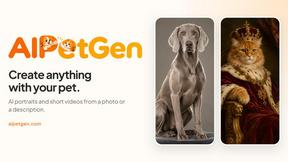
AIPetGen
AIPetGen turns a photo of your dog, cat, or other pet, or a written description, into a new picture or a short animation.

AI Object Remover
Remove unwanted objects, people, text and watermarks from photos with AI


Image to Layers AI
Turn any image into editable transparent PNG/PSD layers with AI

nanobanana 21
A fast, simple image studio powered by Nano Banana 2.1 — create and edit high-quality images with readable text and consistent characters.

Raindance AI
Turn two authorized portraits into a seaside golden-hour video: a wooden dock, two people taking turns singing, and a slow pullback to the sunset. Pre