
poseup
Transform your photos with PoseUp's AI for flawless posture and stunning composition in just one click.
Visit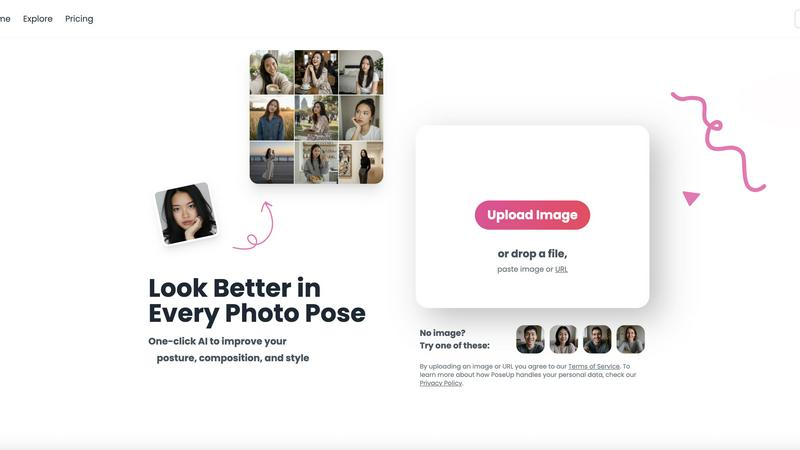
About poseup
PoseUp is a groundbreaking AI-powered photo enhancement tool designed to revolutionize the way you capture and showcase your personality in photos. This innovative platform allows users to effortlessly improve their photo poses, posture, and overall composition with just a single click. Whether you are a social media influencer aiming for the perfect shot, a casual photographer capturing family moments, or someone who simply wants to look their best in photos, PoseUp is tailored for you. Its primary value proposition lies in its ability to automatically analyze and enhance images, making it simple to correct awkward poses, optimize composition, and improve posture without the need for any professional training. With options to upload images directly or paste URLs, the AI technology ensures every photo you take is stunning and professionally crafted. Join the growing PoseUp community today and experience the ease of enhancing your photo presence like never before.
Features of poseup
One-Click Photo Enhancement
PoseUp's one-click enhancement feature is designed for simplicity. Users can upload their photos or paste an image URL, and the AI does the rest. This technology analyzes each image for posture, composition, and lighting, automatically suggesting improvements to enhance your photo's visual appeal.
AI-Powered Posture Correction
The AI posture correction technology in PoseUp is a game-changer. It intelligently evaluates your pose and suggests better positioning, ensuring that every photo you take looks polished. This feature is perfect for anyone who struggles with finding their best angles or maintaining good posture in photos.
Versatile Use Cases
PoseUp caters to a variety of photography needs. From casual selfies to professional headshots, the AI technology is adept at enhancing images across different contexts. Whether you are capturing moments during an outdoor adventure or posing for a fitness photo, PoseUp can elevate your photography experience.
Multi-Format Support
PoseUp supports multiple image formats, including JPG, PNG, WEBP, and HEIC, with a file size limit of up to 5MB per image. This flexibility allows users to work with their favorite file types without worrying about compatibility issues, ensuring a seamless enhancement experience.
Use Cases of poseup
Social Media Influencers
Social media influencers can leverage PoseUp to elevate their online presence. With stunning, professionally enhanced photos, influencers can capture their audience's attention and create a visually appealing feed that stands out from the crowd.
Family Gatherings
PoseUp is ideal for family gatherings. Capture cherished moments with loved ones and instantly enhance the photos to reflect the joy and warmth of those occasions. Say goodbye to awkward poses and hello to beautifully composed family portraits.
Professional Portraits
For professionals needing headshots or portraits, PoseUp provides the perfect solution. Instantly improve posture and composition, achieving a professional look without the need for expensive photography sessions. This makes it a valuable tool for job seekers and business professionals alike.
Fitness and Wellness Photography
Fitness enthusiasts can utilize PoseUp to enhance workout photos, showcasing their dedication and progress. The AI technology helps correct posture and promotes appealing angles, making fitness journeys visually inspiring and motivational.
Frequently Asked Questions
What types of images can I upload to PoseUp?
PoseUp supports various image formats such as JPG, PNG, WEBP, and HEIC, allowing users to upload images that best suit their needs. Each image must be under 5MB for optimal performance.
Is PoseUp free to use?
Yes, PoseUp offers free access to its photo enhancement tools, making it accessible for anyone looking to improve their photography skills without financial commitment.
How does the AI enhance my photos?
The AI analyzes your images for posture, composition, and lighting, automatically detecting areas for improvement. It applies adjustments to enhance the overall visual appeal, ensuring your photos look polished and professional.
Can I use PoseUp for professional photography?
Absolutely! PoseUp is designed for both casual users and professionals. Its advanced AI technology allows anyone to achieve stunning results, making it a valuable asset for professionals seeking to enhance their portfolio.
Explore more in this category:
Similar to poseup

FreeVideoGenerator
Free AI video generator: turn text prompts and photos into video clips with Sora 2, Veo 3.1, Wan and more. Free starter credits, no watermark download
ImageGenerator
Create and edit AI images online with multiple models, text-to-image, image-to-image, background removal, and upscaling.
AIPetGen
AIPetGen turns a photo of your dog, cat, or other pet, or a written description, into a new picture or a short animation.

AI Object Remover
Remove unwanted objects, people, text and watermarks from photos with AI

Image to Layers AI
Turn any image into editable transparent PNG/PSD layers with AI
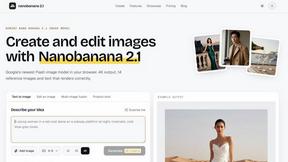
nanobanana 21
A fast, simple image studio powered by Nano Banana 2.1 — create and edit high-quality images with readable text and consistent characters.
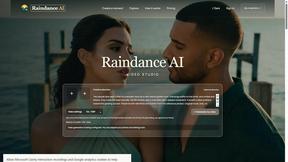
Raindance AI
Turn two authorized portraits into a seaside golden-hour video: a wooden dock, two people taking turns singing, and a slow pullback to the sunset. Pre