Pixal3D
Transform any image into stunning pixel-aligned 3D GLB models effortlessly with Pixal3D's AI-driven generator in your browser.
Visit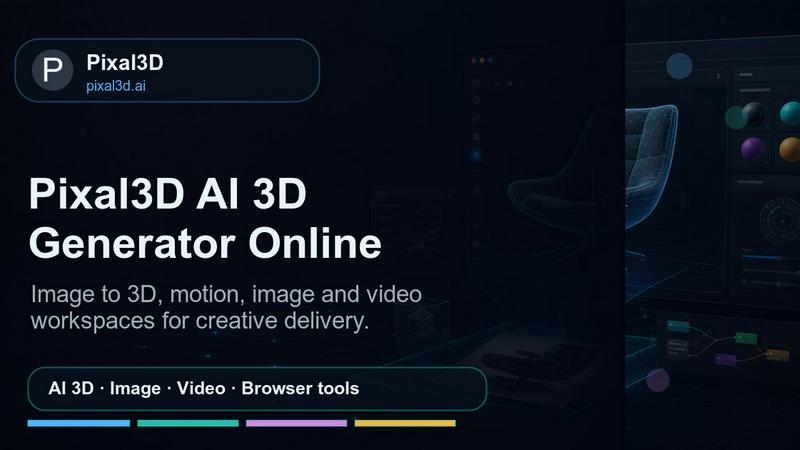
About Pixal3D
Pixal3D is an innovative AI-driven 3D generator tailored for creators, designers, and developers seeking efficient production-ready 3D assets without the need for complex local setups. With Pixal3D, users can easily upload an image or provide a source URL to generate pixel-aligned GLB models complete with PBR textures. This powerful tool offers a seamless workflow that includes features like Trellis 2 reconstruction comparisons and the ability to create FBX character motions directly from text using the Hunyuan Motion feature. The browser-based platform at pixal3d.ai is designed for ease of use, enabling users to manage account credits, track saved tasks, and download high-quality outputs. Pixal3D is particularly beneficial for applications such as product visualization, game prototyping, creating AR assets, drafting character animations, and streamlining design handoff workflows, making it an essential resource in the ever-evolving landscape of digital content creation.
Features of Pixal3D
Pixel-Aligned GLB Model Generation
Pixal3D allows users to create pixel-aligned GLB 3D models from a single image using advanced techniques like back-projection and texture recovery. This feature ensures that generated assets maintain high fidelity and detail, making them suitable for various applications.
Trellis 2 Reconstruction Comparison
With the Trellis 2 feature, users can easily compare the reconstruction results of two different models side by side. This capability helps creators make informed decisions about which model to refine further, saving valuable time during the asset development process.
Hunyuan Motion for Character Animation
Leverage the Hunyuan Motion functionality to generate FBX character motion directly from text prompts. This feature simplifies the process of animating characters and eliminates the need for extensive manual work, allowing artists to focus on creativity and storytelling.
Comprehensive 3D Workspace
Pixal3D's user-friendly workspace offers an array of tools, including account management for credits, saved task history, and downloadable outputs. Users can also access a suite of browser-based 3D, image, and video helper tools, enhancing their overall experience and productivity.
Use Cases of Pixal3D
Product Visualization
Pixal3D is ideal for product visualization, allowing designers to create realistic 3D models of their products quickly. This feature is especially useful for marketing and e-commerce, where high-quality visual representations can significantly impact sales.
Game Prototyping
Game developers can utilize Pixal3D to prototype game assets rapidly. By generating 3D models from images, they can streamline the development process and iterate on designs without extensive modeling expertise, speeding up time to market.
AR Asset Creation
With the growing demand for augmented reality experiences, Pixal3D enables users to create AR assets efficiently. Designers can generate 3D models that can be easily integrated into AR applications, enhancing user engagement and interactivity.
Character Animation Drafts
The ability to create FBX character motion from text makes Pixal3D a valuable tool for animators. They can draft character animations quickly, allowing for more time to focus on refining movements and storytelling elements in their projects.
Frequently Asked Questions
How do I generate a 3D model using Pixal3D?
To generate a 3D model, simply upload an image or provide a source URL on the Pixal3D platform. Select your desired quality presets and click the generate button to create your pixel-aligned GLB model.
What types of outputs can I download from Pixal3D?
Pixal3D allows users to download outputs in GLB format, which is widely compatible with various platforms and applications. You can also generate FBX files for character motions.
Is there a limit to the number of models I can create?
While there is no hard limit on the number of models you can create, your account operates on a credit system. Each model generation consumes a certain number of credits, so managing your credits is essential for continuous use.
Can I use Pixal3D for commercial projects?
Yes, Pixal3D can be used for commercial projects. However, it's important to review the terms of service and licensing agreements to ensure compliance with any restrictions regarding asset usage in commercial contexts.
Explore more in this category:
Similar to Pixal3D
screenRIG
Signage and kiosk infrastructure for AI agents. Your agent publishes images, video, streams, web pages and apps to screens via one plugin.screenRIG is

ImageGPT
ImageGPT is an all-in-one AI creative platform for generating, editing and transforming images and videos using AI.
opus55video
Opus55video turns written ideas into cinematic motion. Describe a scene, choose the format and duration, and create a striking video in a few steps.

AI Album Cover Maker
Create release-ready album covers from a prompt or photo. Generate, refine, and export art for singles, EPs, mixtapes, and playlists.
GetYouTubeTranscript
Free YouTube transcripts on the web, a Chrome extension, and an API + MCP server so AI assistants can read YouTube.
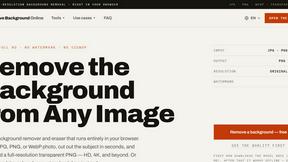
Free AI Image Background Remover
Remove image backgrounds free — no uploads, no signup, no watermark, full resolution. The AI runs in your browser; photos never touch a server.
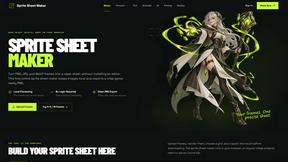
Sprite Sheet Maker
A free browser-based toolkit for creating, cutting, converting, and previewing sprite sheet animations.