
Learniverse
Transform chaos into engaging automated courses in minutes with Learniverse, your AI-powered training solution.
Visit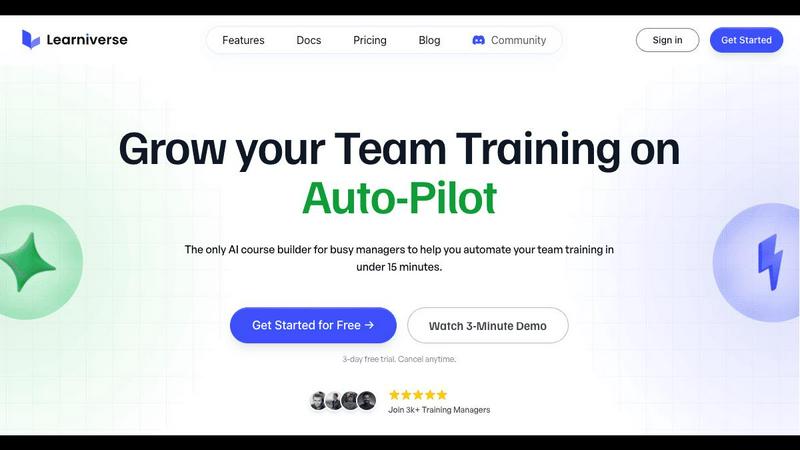
About Learniverse
Learniverse is an innovative AI-powered Learning Management System (LMS) designed to revolutionize the way organizations approach training. Ideal for teams of all sizes, Learniverse streamlines the entire training process, allowing users to create, launch, and manage branded academies effortlessly. With its intuitive interface, training managers can upload a variety of content—such as documents, PDFs, and videos—and watch as the AI transforms these materials into interactive learning paths in mere minutes. This eliminates the complexity of traditional course design, making it perfect for busy professionals who need to maximize efficiency. Learniverse not only automates course creation but also offers customizable branding options, community engagement features, and in-depth analytics. By empowering teams to deliver consistent and effective training while saving valuable time, Learniverse allows organizations to focus on what matters most—their core responsibilities and overall productivity.
Features of Learniverse
AI-Powered Course Creation
Learniverse utilizes cutting-edge AI to automate the course creation process. Simply upload your existing materials, and the AI will transform them into interactive lessons complete with quizzes and progress tracking, so training managers can save time and effort.
Custom Branding Options
With Learniverse, you can create a polished and professional training portal that reflects your organization's brand. Personalize your academy with your colors, logo, and domain, so your team experiences a cohesive and engaging learning environment.
Progress Tracking and Analytics
Stay in control with comprehensive analytics that show you who has completed training, where learners are struggling, and what content is overdue. This feature ensures effective training management across teams, departments, or the entire organization.
Community Features
Learniverse fosters collaboration and engagement among users with built-in community features. Encourage discussions, share insights, and provide peer support, creating a vibrant learning atmosphere that enhances the overall training experience.
Use Cases of Learniverse
Onboarding New Employees
Learniverse is perfect for onboarding new hires, enabling you to quickly convert your existing training materials into structured courses. This helps new employees get up to speed faster while ensuring they have access to consistent and effective training.
Continuous Skill Development
Organizations can use Learniverse to create ongoing training programs for employee skill development. By regularly updating courses and introducing new modules, teams can stay ahead of industry trends and maintain a competitive edge.
Compliance Training
Ensure your organization meets regulatory requirements by using Learniverse to create and manage compliance training courses. Easily update content as regulations change, and track employee completion to stay compliant and avoid potential penalties.
Customer Education Programs
Learniverse enables companies to develop customer education initiatives, allowing clients to access training resources at their convenience. This enhances customer satisfaction and loyalty by empowering users to fully understand and utilize your products or services.
Frequently Asked Questions
How long does it take to set up Learniverse?
Setting up Learniverse is incredibly fast. You can have your branded training portal launched in just minutes by uploading your existing materials and letting the AI do the heavy lifting.
Can I customize the courses I create?
Absolutely! Learniverse offers extensive customization options, allowing you to tailor courses to fit your organization's branding and specific training needs.
Is there a free trial available?
Yes, Learniverse provides a 7-day free trial, allowing you to explore the platform and experience its features before committing to a subscription.
How does Learniverse track employee progress?
Learniverse offers comprehensive tracking tools that provide insights into who has completed training, which modules are overdue, and where employees may be facing challenges, enabling effective management of training initiatives.
Explore more in this category:
Similar to Learniverse

@fuck.it - email with attitude
Private email. Pure. Secure. Exclusive. No ads, no tracking, no data selling. GDPR compliant, EU-hosted.

FreeVideoGenerator
Free AI video generator: turn text prompts and photos into video clips with Sora 2, Veo 3.1, Wan and more. Free starter credits, no watermark download

Verla AI
Verla is an AI academic assistant for university and college students, combining AI essay writing, academic research, AI detection, AI humanization

Panzoe
Panzoe is an all-in-one AI platform for personal productivity, business automation, AI assistants, content creation, and custom AI solutions.

Memorable Contact
Memorable Contact helps you remember people, save conversation details, find contacts using AI-powered search, and share digital business cards
Novastart
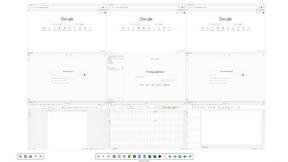
Novastart brings apps and files onto an infinite canvas where people and AI agents can work together.
AUTOMATER.ai
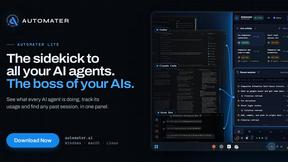
A tray helper for every AI coding tool: sessions, alerts and usage in one place