
Img Editor
Create breathtaking AI-generated images in seconds with Img Editor's powerful technology and enjoy 10 free generations.
Visit
About Img Editor
Img Editor is revolutionizing the creative landscape as the viral, completely free AI image generator that empowers artists, designers, marketers, and anyone with a spark of imagination. This platform provides professional-grade AI-generated art without the burden of subscription fees, making it accessible to all. With its state-of-the-art AI technology, Img Editor transforms simple text descriptions into stunning, high-quality visuals in mere seconds. What truly sets Img Editor apart is its community-driven model: users receive 10 free generations daily, with the potential to earn unlimited bonus credits through community participation, such as submitting creations to the public Gallery. With the ability to use prompts that exceed 5000 characters and advanced controls for aspect ratio and quality, Img Editor places unparalleled creative power directly in your hands. Join the growing community of thousands who are already leveraging this innovative tool to manifest their wildest ideas into breathtaking realities.
Features of Img Editor
AI-Powered Image Generation
Img Editor employs cutting-edge AI technology to convert text prompts into vivid, high-quality images. This feature allows users to create professional-grade visuals in just seconds, making it an invaluable tool for any creative project.
Community-Driven Model
The platform's unique community-driven approach encourages user interaction and collaboration. You can earn unlimited bonus credits by submitting your creations to the Gallery, which fuels a vibrant creative ecosystem where ideas flourish.
Flexible Prompt Customization
With the ability to craft prompts of up to 5000 characters, Img Editor offers extensive customization options. This feature lets users describe their creative visions in detail, ensuring the AI captures every nuance and element they want in their final image.
High-Quality Output Options
Img Editor offers various image quality settings, including 1K, 2K, and 4K resolutions. Users can select the level of detail that best suits their project needs, allowing for both standard visuals and ultra-high-quality outputs.
Use Cases of Img Editor
For Artists and Illustrators
Artists can harness Img Editor to quickly generate concept art or visual references, streamlining their creative process. By inputting detailed descriptions, they can visualize their ideas and bring them to life more efficiently.
For Marketing Professionals
Marketers can utilize Img Editor to create eye-catching visuals for social media campaigns, advertisements, and promotional materials. The platform's speed and flexibility allow for rapid content creation, helping businesses stay ahead of the competition.
For Content Creators
Bloggers, YouTubers, and podcasters can enhance their content with stunning visuals generated by Img Editor. By crafting specific prompts related to their topics, content creators can generate images that resonate with their audience and elevate their narratives.
For Educators and Students
Educators can use Img Editor to create engaging visual aids for lessons and presentations. Students can also benefit by generating images for projects or reports, making learning more interactive and enjoyable.
Frequently Asked Questions
How does Img Editor generate images?
Img Editor uses advanced AI algorithms to convert text prompts into images. By analyzing the provided descriptions, the AI creates visuals that match the user's specifications.
Is Img Editor really free to use?
Yes, Img Editor offers a completely free tier, allowing users to generate up to 10 images daily. Additionally, users can earn unlimited bonus credits through community engagement.
Can I submit my creations to the Gallery?
Absolutely! Users are encouraged to submit their generated images to the public Gallery. Approved submissions reward users with extra generations, fostering a collaborative and creative environment.
What are the image quality options available?
Img Editor provides various image quality options, including 1K, 2K, and 4K resolutions. Users can choose the quality that best fits their needs, ensuring that the final images meet their expectations for detail and clarity.
Explore more in this category:
Similar to Img Editor

FreeVideoGenerator
Free AI video generator: turn text prompts and photos into video clips with Sora 2, Veo 3.1, Wan and more. Free starter credits, no watermark download
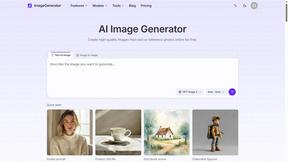
ImageGenerator
Create and edit AI images online with multiple models, text-to-image, image-to-image, background removal, and upscaling.
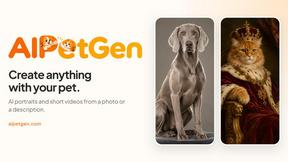
AIPetGen
AIPetGen turns a photo of your dog, cat, or other pet, or a written description, into a new picture or a short animation.

AI Object Remover
Remove unwanted objects, people, text and watermarks from photos with AI


Image to Layers AI
Turn any image into editable transparent PNG/PSD layers with AI
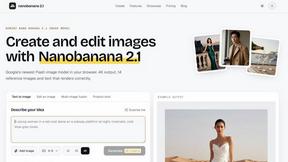
nanobanana 21
A fast, simple image studio powered by Nano Banana 2.1 — create and edit high-quality images with readable text and consistent characters.
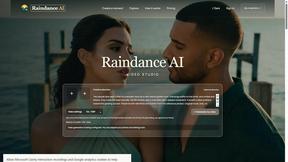
Raindance AI
Turn two authorized portraits into a seaside golden-hour video: a wooden dock, two people taking turns singing, and a slow pullback to the sunset. Pre