
Image to 3D AI
Turn any photo into a stunning 3D model instantly and for free with AI, no signup required.
Visit
About Image to 3D AI
Image to 3D AI, powered by ImgTo3D.ai, is the viral AI tool that's democratizing 3D creation. It instantly transforms any 2D image, photo, or sketch into a detailed, textured 3D model in mere seconds. This revolutionary platform leverages cutting-edge deep learning algorithms to eliminate the traditional, time-consuming manual modeling process, making it the quickest bridge between a simple concept and a usable 3D asset. It's designed for a massive, diverse audience: from indie game developers needing rapid prototyping and 3D printing enthusiasts crafting custom figurines, to e-commerce businesses enhancing product visuals and artists building stunning portfolios. With over 20,000+ 3D models generated monthly by its thriving community, the core value proposition is undeniable: zero-cost, instant 3D generation with no software to install and no sign-up required for its powerful free tier. It's not just a tool; it's a movement accelerating creativity across VR, AR, gaming, and digital art.
Features of Image to 3D AI
Completely Free AI 3D Generator
Experience the power of AI 3D modeling with absolutely zero barriers. The free tier requires no sign-up, no credit card, and no software installation, meeting the needs of most users instantly. Simply upload an image and generate, making professional 3D creation accessible to everyone, everywhere. This viral feature is why creators are flocking to the platform in droves.
AI-Powered Textured Conversion
Go beyond basic shapes with cutting-edge AI that doesn't just build geometry—it understands and applies textures. Transform any clear 2D image into a detailed, textured 3D model instantly. The algorithm intelligently interprets depth, material, and surface details from your photo or sketch, delivering stunningly realistic results that are ready for use.
Precision Polygon Density Control
Take full control of your model's complexity with adjustable face count settings (from 5K to 40K). This allows you to optimize the balance between high-detail quality and performance for your specific use case, whether it's a lightweight game asset or a high-fidelity 3D print. The algorithm preserves critical details at any density, giving you professional-grade customization.
Multi-Format Export for Any Workflow
Seamlessly integrate your AI-generated models into any pipeline. The platform supports export in OBJ, GLB, and STL formats, making the assets perfect for game engines (like Unity), AR/VR experiences, 3D printing software, and more. This versatility is a game-changer, allowing creators to move from idea to implementation without friction.
Use Cases of Image to 3D AI
Rapid Game Development
Indie studios and developers are using it to slash asset creation time by 8x. Generate characters, props, and environment pieces in minutes instead of days. The polygon control ensures models are game-ready and optimized for performance, perfect for both rapid prototyping and final production assets for mobile or PC games.
Accessible 3D Printing
Democratize the creation of custom figurines, practical objects, and artistic sculptures. Transform a simple photo or drawing into a printable 3D model in STL format. Enthusiasts and startups are using it to create complex, detailed models without needing expensive 3D scanners or advanced modeling skills, revolutionizing DIY and small-batch production.
Populating XR/VR Worlds
Build immersive virtual and augmented reality experiences faster. Quickly generate a library of high-quality, performance-optimized assets to populate digital worlds. The ability to maintain visual fidelity while ensuring high frame rates (like 90fps for VR) makes it an essential tool for XR producers and developers under tight deadlines.
Building Creative Portfolios
Artists, concept designers, and students can rapidly iterate on ideas and build impressive professional portfolios. Transform sketches and concept art into presentable 3D models in seconds, showcasing vision and technical capability without spending weeks learning complex 3D software. It accelerates the creative process from imagination to tangible showcase.
Frequently Asked Questions
Is Image to 3D AI really free to use?
Yes, absolutely! The core AI 3D model generator is completely free with no sign-up or credit card required. You can upload an image, adjust polygon density, and download your 3D model in OBJ format at zero cost. This free vision is designed to meet the needs of most individual creators and hobbyists.
What image formats are supported?
The platform works with common 2D image formats including JPG, PNG, and WebP. For best results, use clear, well-lit images focused on a single object. The AI performs exceptionally well with high-contrast photos and clean sketches, delivering the most accurate and detailed 3D conversions.
What are the benefits of the Pro version?
Pro access removes all processing queues for stable, instant generation, especially during peak hours. It unlocks higher-quality generation modes (Turbo/Ultra), provides textured exports, and allows downloads in all supported formats (OBJ, GLB, STL). It's designed for professionals and teams who need reliable, unlimited, high-fidelity asset creation.
How long does it take to generate a 3D model?
Generation is incredibly fast, typically taking just seconds for the AI algorithm to process your image and create the 3D model. The speed can vary slightly based on server load. Free users may encounter brief queues during peak traffic times, while Pro users enjoy priority processing with no waiting.
Similar to Image to 3D AI


Verla AI
Verla is an AI academic assistant for university and college students, combining AI essay writing, academic research, AI detection, AI humanization

Memorable Contact
Memorable Contact helps you remember people, save conversation details, find contacts using AI-powered search, and share digital business cards
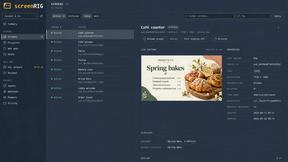
screenRIG
Signage and kiosk infrastructure for AI agents. Your agent publishes images, video, streams, web pages and apps to screens via one plugin.screenRIG is

AUTOMATER.ai
A tray helper for every AI coding tool: sessions, alerts and usage in one place

Honer AI
Android AI assistant with chat, web search, photo and document analysis, and voice input.

WidgIq
Provide an AI-powered customer support widget for your website
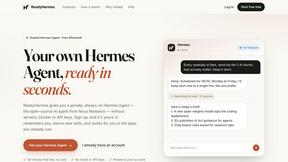
ReadyHermes
Your own hosted Hermes Agent in a minute: memory, self-learning skills, schedules, a real browser and 1,000+ app connections.