GPT Image 2 Video
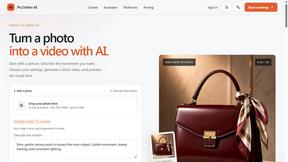
Turn your GPT Image 2 creations into stunning AI videos with a single click, using top models like Seedance 2.0 and Kling 3.
Visit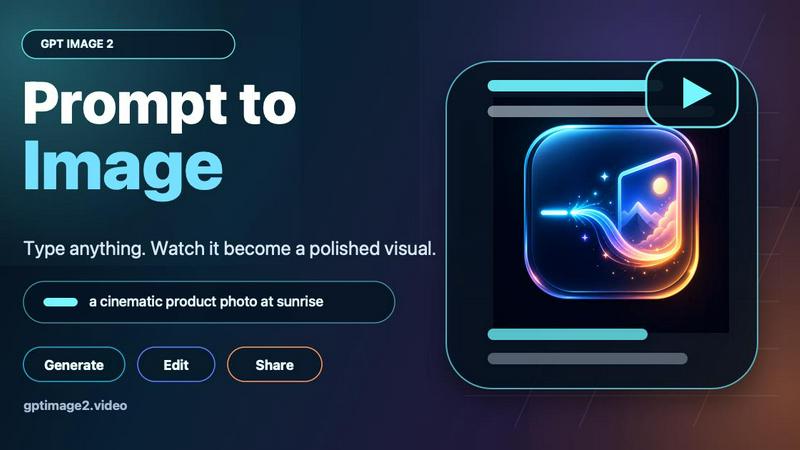
About GPT Image 2 Video
GPT Image 2 Video is a revolutionary web-based creative workflow that seamlessly bridges the gap between AI-powered image generation and dynamic video creation. This powerful platform starts with GPT Image 2's industry-leading image generation capabilities, allowing creators to produce stunning visuals for product shots, character concepts, posters, storyboards, UI mockups, and reference frames. Once the perfect still image is created, users can instantly animate it into professional-grade AI video using cutting-edge models like Seedance 2.0 or Kling 3. The platform is specifically designed for creators, marketers, and content producers who need to move quickly from static visual exploration into short video drafts without switching between multiple tools or platforms. What makes GPT Image 2 Video truly special is its practical positioning it empowers users to frame the opening moment of their video with precision, giving them complete control over subject placement, camera angles, lighting, and composition before animation begins. This approach ensures that every video starts with a polished, intentional first frame that translates seamlessly into motion. The platform supports multiple workflows including text-to-image, image-to-image, standard generation, variations, and studio mode, making it incredibly versatile for different creative needs. With features like identity anchoring for character consistency across frames, motion-safe detailing for social media optimization, and direct video handoff to top-tier animation models, GPT Image 2 Video has quickly become the go-to solution for professionals who demand both quality and efficiency in their creative production pipeline.
Features of GPT Image 2 Video
Opening-Frame Control
Take complete command of your video's first impression by designing the perfect opening frame before animation begins. This feature allows you to meticulously plan subject placement, camera angle, lighting setup, action direction, and format specifications while the image is still easy to edit. By deciding the exact first shot before asking the video model to animate it, you eliminate guesswork and ensure your video starts with maximum visual impact. This approach is particularly valuable for product demonstrations, character introductions, and narrative sequences where the opening moment sets the entire tone.
Identity Anchoring for Characters
Maintain consistent character identity across all your animated sequences with this powerful feature. Create detailed references for facial features, outfits, poses, props, and mood so your characters remain recognizable and stable once motion begins. This identity anchor system keeps core traits consistent across source frames, allowing you to test different poses and camera angles before committing to full action sequences. For series continuity, this feature ensures that people, mascots, and products stay visually consistent across multiple video clips, making it perfect for brand campaigns and ongoing content series.
Motion-Safe Detailing
Optimize your images specifically for video animation with intelligent design guidelines that reduce visual drift and artifacts. This feature helps you clean busy backgrounds, repair edge inconsistencies, simplify complex text, and establish clear visual hierarchy while the image is still easy to fix. By removing visual ambiguity before animation amplifies it, you drastically reduce common video generation issues like flickering backgrounds, morphing objects, and inconsistent textures. The result is cleaner, more professional video output that maintains its quality across ads, thumbnails, and social media clips.
Direct Video Handoff
Seamlessly transfer your strongest frames directly into industry-leading video models like Seedance 2.0 and Kling 3 with a single click. This feature eliminates the tedious process of exporting, importing, and reformatting images between different tools. The direct integration ensures that your carefully crafted image maintains all its visual integrity during the animation process, from resolution and aspect ratio to color grading and composition. This streamlined workflow saves precious time and reduces the technical barriers that typically slow down creative production, allowing you to iterate and experiment with different animation styles rapidly.
Use Cases of GPT Image 2 Video
Product Marketing and Advertising
Transform static product shots into dynamic video advertisements that capture attention and drive conversions. Start by generating polished product images with perfect lighting, angles, and backgrounds using GPT Image 2's advanced image generation. Then animate these product visuals with Seedance 2.0 or Kling 3 to create short, engaging video ads that showcase products in action, demonstrate features, or tell brand stories. This workflow is ideal for e-commerce businesses, social media marketers, and advertising agencies who need to produce high-quality video content quickly without expensive studio productions or complex animation software.
Character Animation and Storyboarding
Bring character concepts to life by first establishing consistent visual identities through GPT Image 2's image generation, then animating them into expressive video sequences. Character designers, animators, and game developers can create reference images for faces, outfits, poses, and moods, then test how these characters move and interact in short video drafts. This use case is perfect for storyboarding narrative sequences, testing character animations before full production, and creating promotional materials that feature consistent character branding across multiple video clips.
Social Media Content Creation
Generate viral-ready video content for platforms like TikTok, Instagram Reels, and YouTube Shorts with a streamlined workflow that prioritizes speed and quality. Start by creating eye-catching thumbnails and opening frames that stop the scroll, then animate them into short, engaging video clips optimized for mobile viewing. The motion-safe detailing feature ensures your content remains readable and impactful even at small sizes, while the direct video handoff lets you experiment with different animation styles to find what resonates with your audience.
Educational and Explainer Videos
Create clear, visually compelling educational content by first generating detailed diagrams, infographics, and visual explanations, then animating them into step-by-step video tutorials. This use case is perfect for educators, trainers, and content creators who need to explain complex concepts through visual storytelling. Start with a storyboard of key frames that illustrate your main points, then animate the sequence to show processes in action, highlight important details, or guide viewers through information in an engaging, memorable way.
Frequently Asked Questions
What is GPT Image 2 Video and how does it work?
GPT Image 2 Video is a comprehensive web-based creative workflow that combines AI image generation with image-to-video animation. The process begins with GPT Image 2's powerful image generation capabilities, where you create polished visuals for products, characters, posters, storyboards, or reference frames. Once you have the perfect still image, you can directly animate it into video using advanced AI models like Seedance 2.0 or Kling 3. The platform is designed to be a complete creative solution, allowing you to move from static visual exploration to dynamic video drafts without switching between different tools or software applications.
What types of images can I generate and animate?
GPT Image 2 supports a wide range of image generation types including text-to-image, image-to-image, standard single-image generation, variations, and studio mode. You can create product shots, character concepts, posters, storyboards, UI mockups, reference frames, infographics, style remixes, and photo restorations. The platform offers multiple resolution options including 1K output, and supports various aspect ratios including 1:1. All generated images can be directly animated into video using Seedance 2.0 or Kling 3, giving you tremendous flexibility in your creative projects.
How does the identity anchoring feature work for characters?
The identity anchoring feature allows you to maintain consistent character appearance across multiple frames and video sequences. When you create a character reference using GPT Image 2, the system captures key visual traits including facial features, outfit details, pose characteristics, props, and overall mood. This identity anchor ensures that when you animate the character into video, the core visual traits remain stable and recognizable. You can test different poses and camera angles before committing to full animation, and the system maintains character continuity across multiple video clips, making it perfect for series, campaigns, and ongoing content creation.
What video models does GPT Image 2 Video support and what are the differences?
GPT Image 2 Video currently supports two leading video generation models: Seedance 2.0 and Kling 3. Seedance 2.0 is known for its smooth motion transitions and ability to maintain visual consistency across longer sequences, making it ideal for narrative content and character animations. Kling 3 excels at generating dynamic, high-energy movements with dramatic camera angles and action sequences, perfect for promotional content and social media videos. Both models integrate directly with GPT Image 2, allowing you to choose the best animation style for your specific project without leaving the platform.
Pricing of GPT Image 2 Video
GPT Image 2 Video offers flexible pricing options designed to accommodate different user needs and budgets. The platform currently features a limited promotional offer where paid users can access GPT Image 2 Standard 1K text-to-image generation at half price. Free users can still generate images using 40 credits per generation, while paid users enjoy reduced credit costs of 20 credits for the same Standard 1K text-to-image generation. The platform provides a "Start for Free" option that allows new users to explore the basic image generation and video creation capabilities before committing to a paid plan. For detailed pricing information on specific plans, tiers, and enterprise options, users are encouraged to visit the official GPT Image 2 Video pricing page on the website.
Explore more in this category:
Similar to GPT Image 2 Video
screenRIG
Signage and kiosk infrastructure for AI agents. Your agent publishes images, video, streams, web pages and apps to screens via one plugin.screenRIG is
opus55video
Opus55video turns written ideas into cinematic motion. Describe a scene, choose the format and duration, and create a striking video in a few steps.
GetYouTubeTranscript
Free YouTube transcripts on the web, a Chrome extension, and an API + MCP server so AI assistants can read YouTube.