

About CloudBurn
CloudBurn is the revolutionary FinOps guardrail that stops AWS cost overruns before they happen, directly inside your developer workflow. Built for engineering teams using Terraform or AWS CDK, it transforms how you manage cloud spend by shifting cost visibility left. Instead of discovering budget-busting mistakes weeks later on a shocking AWS bill, CloudBurn provides real-time, automated cost analysis for every infrastructure change during code review. When a developer opens a pull request, CloudBurn instantly calculates the exact monthly cost impact using live AWS pricing data and posts a detailed, line-item report as a comment. This creates a powerful feedback loop, empowering teams to discuss, optimize, and adjust costly configurations before deployment, when changes are cheap and easy. It's more than a tool; it's a cultural shift towards proactive cost ownership, turning every engineer into a cost-conscious architect. By embedding financial accountability into the CI/CD pipeline, CloudBurn delivers immediate ROI, prevents costly misconfigurations, and finally breaks the cycle of reactive, panic-driven cloud cost optimization. Join thousands of developers who have made cost awareness a core part of their PR review process.
Features of CloudBurn
Real-Time Pre-Deployment Cost Analysis
CloudBurn provides instant, automated cost analysis for every infrastructure change directly in your pull requests. Using live AWS pricing data, it calculates the exact monthly cost impact of your Terraform or CDK diff and posts a detailed, line-item report as a comment within seconds. This allows your team to see the financial consequences of a new t3.xlarge instance or Fargate task definition before a single resource is provisioned, preventing surprises.
Seamless GitHub Integration
Get started in minutes with a 100% GitHub-native experience. Simply install CloudBurn from the GitHub Marketplace, add the corresponding GitHub Action to your workflow, and you're done. Billing, setup, and permissions are handled securely through GitHub, requiring no separate dashboard logins or complex IAM configurations. It integrates directly into the tools developers already use every day.
Automated FinOps Guardrails
CloudBurn transforms your CI/CD pipeline into an automated FinOps enforcement point. It acts as a proactive guardrail, catching expensive misconfigurations—like accidentally deploying a production-grade database in a dev environment—before they can spiral into a five-figure AWS bill. This creates a powerful, automated feedback loop that makes cost optimization a natural part of the development lifecycle.
Live AWS Pricing Data
Forget outdated spreadsheets and manual estimations. CloudBurn's estimates are powered by real-time AWS pricing data, ensuring accuracy for every region and service. Whether you're deploying EC2 instances, RDS databases, or Lambda functions, you get an up-to-the-minute cost breakdown for each resource, so your team can make informed decisions based on current market rates.
Use Cases of CloudBurn
Preventing Costly Developer Mistakes
Catch simple, expensive errors before they deploy. A developer might accidentally change an instance type from t3.micro to t3.xlarge, unknowingly adding over $130 to the monthly bill. CloudBurn flags this in the PR review, allowing the team to catch and correct it immediately, turning a potential budget disaster into a minor code comment.
Enabling Proactive Architecture Reviews
Facilitate data-driven architecture discussions during code review. When a team proposes a new microservice using Fargate, CloudBurn provides the concrete monthly cost, allowing architects and engineers to weigh the benefits against the expense and optimize the resource allocation (e.g., CPU/memory settings) collaboratively before any commitment is made.
Streamlining FinOps for Engineering Teams
Empower developers to own cloud costs without becoming pricing experts. CloudBurn bakes financial accountability directly into the developer workflow, providing the context needed at the exact moment a decision is made. This shifts the culture from reactive bill-shock to proactive cost management, making every engineer a cost-conscious architect.
Gaining Visibility into Infrastructure Drift
Track the cumulative financial impact of infrastructure changes over time. As multiple pull requests merge throughout a sprint, small cost increments can add up silently. CloudBurn provides a clear audit trail of cost decisions per PR, helping teams understand how their infrastructure evolution directly impacts the monthly cloud spend.
Frequently Asked Questions
How does CloudBurn calculate costs?
CloudBurn analyzes the infrastructure diff from your Terraform plan or AWS CDK synthesis output. It extracts the resource types, configurations, and regions, then queries live AWS Pricing API data to calculate the estimated monthly run rate. The result is a detailed report showing the cost per resource and the total impact of the pull request.
Is my code or cloud credentials safe with CloudBurn?
Absolutely. CloudBurn is designed with security as a priority. The application is installed via GitHub and only receives the textual output of your terraform plan or cdk diff command. It never requires or has access to your AWS credentials, secret keys, or the actual state of your cloud infrastructure.
What infrastructure-as-code tools does CloudBurn support?
CloudBurn currently provides native, seamless integration for the two most popular IaC frameworks: HashiCorp Terraform and AWS Cloud Development Kit (CDK). Support for additional tools is frequently evaluated based on community demand and can be found on the public product roadmap.
Can I try CloudBurn for free?
Yes! You can start with the Community plan for free forever. To experience the full power of automated PR comments and advanced features, you can begin a 14-day Pro trial with no credit card required. You can cancel anytime or revert to the Community plan if the Pro tier doesn't fit your needs.
Explore more in this category:
Similar to CloudBurn

@fuck.it - email with attitude
Private email. Pure. Secure. Exclusive. No ads, no tracking, no data selling. GDPR compliant, EU-hosted.

FreeVideoGenerator
Free AI video generator: turn text prompts and photos into video clips with Sora 2, Veo 3.1, Wan and more. Free starter credits, no watermark download
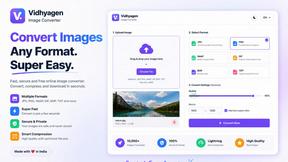
VidhyaGen - Image Converter
VidhyaGen is a comprehensive, all-in-one web platform built to make handling images, media, and digital files seamless and fast. Instead of juggling m

Ecommerce Data API
Amazon research data APIs for developers, sellers and AI agents. Integrate product, keyword and market research through REST APIs and MCP.

Verla AI
Verla is an AI academic assistant for university and college students, combining AI essay writing, academic research, AI detection, AI humanization


Panzoe
Panzoe is an all-in-one AI platform for personal productivity, business automation, AI assistants, content creation, and custom AI solutions.