
BoltShot
Capture stunning screenshots from any URL instantly with BoltShot's ultra-fast API, tailored for developers and marketers alike.
Visit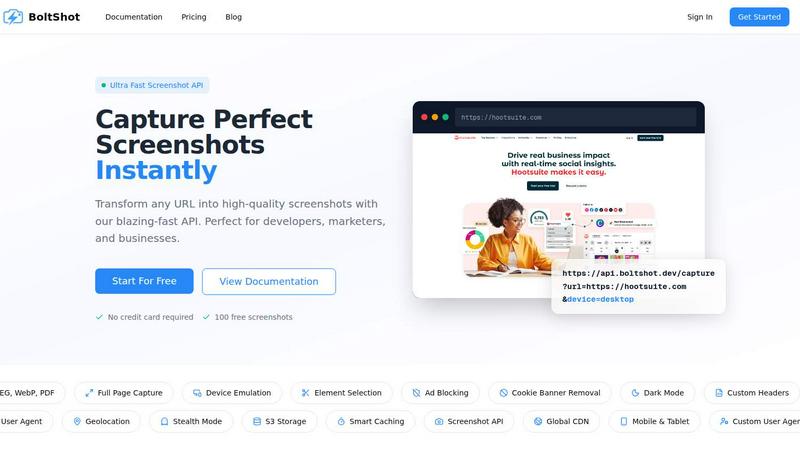
About BoltShot
BoltShot is an innovative website screenshot API designed for developers, marketers, and businesses looking to capture high-quality screenshots effortlessly. With a simple API request, users can transform any URL into a snapshot in popular formats such as PNG, JPEG, WebP, and PDF. The API supports full-page captures and device emulation, allowing users to see how their content appears across various devices like mobile, tablet, and desktop. One of the standout features is the ability to target specific page elements using CSS selectors, enhancing the precision of captures. Additionally, BoltShot integrates seamlessly into workflows, making it ideal for e-commerce previews, automated reporting, web archiving, testing, and compliance monitoring. By eliminating the need for managing browser clusters or complex infrastructure, BoltShot allows users to focus on what truly matters—creating and delivering exceptional digital experiences.
Features of BoltShot
Ultra Fast Screenshot Capture
With BoltShot, users can capture screenshots almost instantaneously. The API is optimized for speed, ensuring that users can transform URLs into high-quality images without delay. This feature is especially beneficial for businesses that need to generate screenshots quickly for reporting, marketing, or social media posts.
Flexible Sizing Options
BoltShot offers users the flexibility to capture screenshots in various sizes. Whether you need a full-page capture, specific elements, or custom viewports, BoltShot allows for pixel-perfect precision. This feature is crucial for developers and designers who need to ensure their content looks great across all screen sizes.
Clean Capture with Ad Blocking
One of BoltShot's standout features is its ability to capture clean screenshots by automatically removing distractions. Users can filter out advertisements, cookie consent popups, and overlay dialogs, resulting in crisp, professional images. This ensures that the focus remains on the content rather than on unwanted clutter.
Smart Caching and S3 Integration
BoltShot boasts advanced caching and storage capabilities. With fast S3 uploads and global CDN delivery, users can expect their screenshots to be stored securely and delivered swiftly worldwide. This feature enhances the user experience by minimizing load times and ensuring high availability of captured images.
Use Cases of BoltShot
E-commerce Previews
For e-commerce businesses, BoltShot can be a game-changer. Users can capture product pages, promotional banners, or entire storefronts to showcase their offerings. This can be particularly useful for marketing campaigns or customer presentations where visual content is key.
Automated Reporting
Businesses can automate the generation of reports by integrating BoltShot into their workflows. By scheduling regular screenshots of web pages or dashboards, teams can easily track changes over time and present data visually, making it easier to communicate insights to stakeholders.
Web Archiving
BoltShot enables organizations to archive web content for compliance and record-keeping. Users can capture historical snapshots of web pages, ensuring that they have a visual record of online content as it existed at specific points in time. This is essential for legal and regulatory purposes.
Testing and Quality Assurance
Developers and QA teams can utilize BoltShot to validate how web applications render across different devices and screen sizes. By capturing screenshots during testing, teams can quickly identify layout issues or bugs, ensuring a smoother user experience before going live.
Frequently Asked Questions
How does BoltShot ensure high-quality screenshots?
BoltShot utilizes advanced rendering techniques to capture screenshots with pixel-perfect precision. The API supports various formats and resolutions, ensuring high-quality images suitable for any use case.
Can I customize the size and format of the screenshots?
Yes! BoltShot allows users to specify custom viewport settings, choose from multiple image formats like PNG, JPEG, WebP, and PDF, and even target specific elements on the page for more tailored captures.
Is there a limit on the number of screenshots I can capture?
BoltShot offers a free tier that includes 100 free screenshots, allowing users to experiment with the API. For higher usage, users can explore pricing plans that cater to their specific needs.
How do I integrate BoltShot into my existing workflow?
Integrating BoltShot is straightforward. With comprehensive documentation available, developers can quickly implement the API into their applications, enabling features like automated screenshots without the need for complex setups or infrastructure management.
Similar to BoltShot
WidgIq
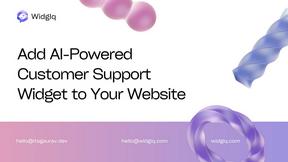
Provide an AI-powered customer support widget for your website
Product Launch Checklist
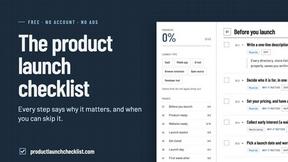
A free launch checklist for SaaS, apps, AI tools and more. Every step says why it matters and when you can skip it.
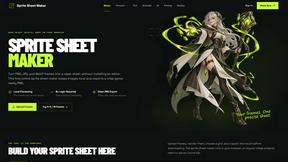
Sprite Sheet Maker
A free browser-based toolkit for creating, cutting, converting, and previewing sprite sheet animations.
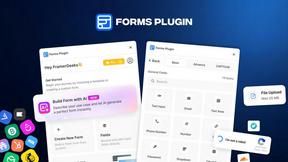
Forms Plugin
The #1 Native Form Builder Plugin for Framer - No Code, No Embeds, No External Platforms.
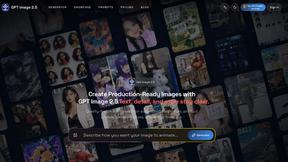
GPT Image 2 API
Production-ready image generation and editing with GPT Image 2 API

