Bank Statement Engine
Convert PDF bank statements to Excel, CSV, JSON, QBO, OFX, and QIF instantly with no signup or limits.
Visit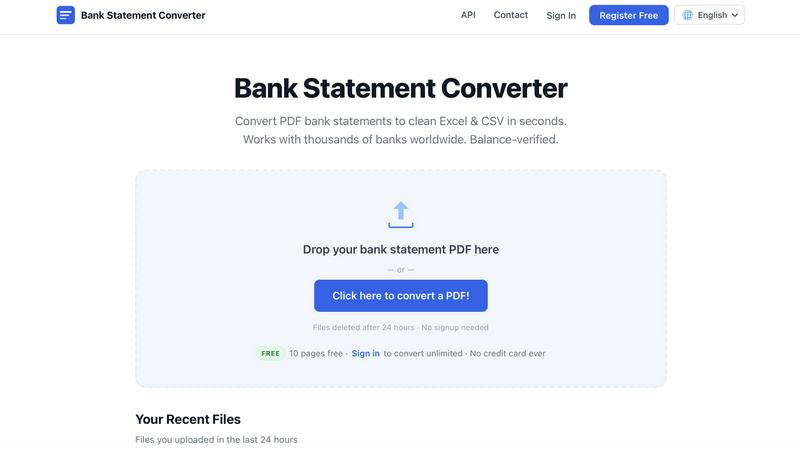
About Bank Statement Engine
Bank Statement Engine is the internet's most accessible, private, and powerful free tool for converting PDF bank statements into clean, structured data formats like Excel, CSV, JSON, QBO, OFX, and QIF. In a world where financial data is locked inside static PDFs, this tool acts as the key, unlocking transaction history in seconds without any signup, account creation, or hidden fees. It is trusted by thousands of accountants, bookkeepers, small business owners, and developers globally, supporting over 10,000 banks from every major region including the USA, India, the UK, Europe, Australia, the Middle East, and Africa. The engine handles even the most challenging files: scanned PDFs are processed using built-in Optical Character Recognition (OCR), and password-protected statements are supported without any extra steps. Privacy is a core pillar of the product; all uploaded files are automatically and permanently deleted from the servers after 24 hours, and every connection is secured with HTTPS encryption. For developers, a full REST API is available to integrate bank statement conversion directly into their own applications. Whether you are reconciling accounts for a multinational corporation or just organizing your personal finances, Bank Statement Engine delivers the accuracy and speed you need, backed by a team that continuously improves the conversion algorithms. If a file does not convert perfectly, users are encouraged to contact support, and the team will fix it. This is not just a converter; it is a productivity amplifier for anyone who needs to move financial data out of PDFs and into actionable spreadsheets and accounting software.
Features of Bank Statement Engine
Instant Multi-Format Export
Stop wasting time manually typing transactions. Bank Statement Engine instantly converts your PDF into the exact format your workflow demands. Export to Excel (XLSX) for use in Microsoft Excel, Google Sheets, or Apple Numbers. Need data for accounting software? Choose CSV for Xero, Zoho Books, or Sage. Developers can grab structured JSON data via the REST API. For direct imports into QuickBooks or other financial platforms, the tool supports QBO, OFX, and QIF. This flexibility ensures you never have to reformat your data again.
Built-in OCR for Scanned PDFs
Many bank statements are not digital text but scanned images. Bank Statement Engine includes a powerful Optical Character Recognition (OCR) engine that reads text directly from these scanned documents. This means you can upload a photo of your statement or a scanned PDF, and the tool will extract every transaction, date, description, and balance with high accuracy. No need for separate OCR software or manual data entry. This feature alone saves hours of tedious work for anyone dealing with paper or image-based statements.
Unmatched Privacy and Security
Your financial data is sensitive, and Bank Statement Engine treats it that way. There is no account creation required, so no personal information is ever collected. All files are processed on secure, HTTPS-encrypted servers. Most importantly, every file uploaded is automatically and permanently deleted from the system after 24 hours. No copies are kept, no data is shared, and your transaction history remains completely confidential. This is a free tool that respects your privacy as a fundamental right, not a premium feature.
Global Bank Compatibility
Bank Statement Engine works with over 10,000 banks worldwide, from global giants like Chase, Barclays, HDFC, SBI, and RBC to smaller regional and local institutions. The conversion engine is built to recognize the unique layouts, date formats, and transaction structures used by different banks across the USA, India, the UK, Europe, Australia, the Middle East, and Africa. If your bank is supported, the conversion is seamless and accurate. If it is not, the team actively works to add support based on user feedback, ensuring global coverage continues to expand.
Use Cases of Bank Statement Engine
Streamlining Monthly Bookkeeping for Small Businesses
Small business owners and freelancers often dread the monthly task of reconciling bank statements with their accounting software. Instead of manually entering each transaction from a PDF into QuickBooks or Xero, they can upload the PDF to Bank Statement Engine and download a clean CSV or QBO file in seconds. This eliminates data entry errors, saves hours of time, and allows the business owner to focus on growth rather than paperwork. The free tier handles up to 10 pages per day, which is perfect for a single monthly statement.
Automating Data Extraction for Accounting Firms
Accountants and bookkeeping firms handle dozens or even hundreds of client statements every month. Using Bank Statement Engine, they can process these statements in bulk (with a free registered account) without any page limits. The structured Excel or CSV output can be directly imported into their accounting platforms, audit software, or custom analysis tools. This automation reduces the risk of human error, speeds up month-end close processes, and allows firms to take on more clients without increasing overhead.
Powering Financial Applications with a REST API
Developers building fintech apps, personal finance dashboards, or loan processing systems need a reliable way to ingest bank statement data. Bank Statement Engine offers a full REST API that allows developers to send PDFs and receive structured JSON data programmatically. This enables features like automated income verification, expense categorization, and fraud detection. The API is built for scale, handling high volumes of requests while maintaining the same accuracy and security as the web tool. It is the easiest way to add bank statement parsing to any software product.
Personal Finance Management and Budgeting
Individuals who want to take control of their spending often struggle to get their transaction data into a usable format. By converting their bank statements to Excel or CSV, they can easily import the data into budgeting apps like YNAB, Mint, or custom spreadsheets. This allows for detailed analysis of spending habits, tracking of savings goals, and identification of recurring charges. The tool is completely free for personal use, making advanced financial management accessible to everyone without a subscription.
Frequently Asked Questions
How do I convert a PDF bank statement to Excel?
Converting your PDF bank statement to Excel is incredibly simple. Go to the Bank Statement Engine website, drag and drop your PDF file onto the upload area, or click to browse for the file. The tool will automatically process the document, extract all transaction data, and present a preview. You can then click the download button and choose "Excel (XLSX)" as your output format. The file will be ready in seconds, with all transactions, dates, descriptions, and balances neatly organized into columns. No signup or payment is required for up to 10 pages per day.
Is my bank statement data secure?
Yes, security is a top priority. All file uploads and data transfers are protected by HTTPS encryption, meaning your information is secure while traveling between your computer and our servers. Once a file is uploaded, it is processed and then permanently deleted from our system after 24 hours. We do not store, share, or sell your data. No account is required to use the tool, so we never ask for your name, email, or any personal information. You remain completely anonymous.
Can I convert a scanned bank statement?
Absolutely. Bank Statement Engine includes built-in Optical Character Recognition (OCR) technology. This means you can upload a scanned PDF, a photo of a paper statement, or any image-based file, and the engine will extract the text and transaction data from the image. The OCR is highly accurate and works with a wide variety of fonts and layouts. Simply upload your scanned document as you would any other PDF, and the tool handles the rest.
Is there an API for developers?
Yes, Bank Statement Engine offers a full REST API designed for developers who need to integrate bank statement conversion into their own applications. The API allows you to send PDF files programmatically and receive structured data in JSON format. It supports all the same features as the web tool, including OCR and password-protected PDF handling. Detailed API documentation is available on the website, and the team provides support for integration. This is ideal for fintech apps, accounting software, and any platform that needs to process financial documents at scale.
Explore more in this category:
Similar to Bank Statement Engine
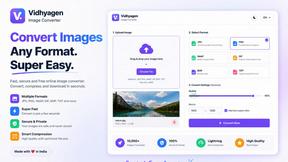
VidhyaGen - Image Converter
VidhyaGen is a comprehensive, all-in-one web platform built to make handling images, media, and digital files seamless and fast. Instead of juggling m
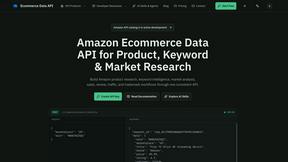
Ecommerce Data API
Amazon research data APIs for developers, sellers and AI agents. Integrate product, keyword and market research through REST APIs and MCP.



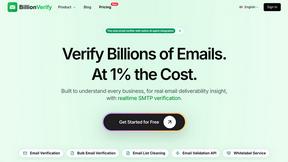
BillionVerify
BillionVerify is a professional email verification service built to solve one problem: bad email data costs businesses money.

WidgIq
Provide an AI-powered customer support widget for your website