
Refbox vs SkillForge
Side-by-side comparison to help you choose the right AI tool.

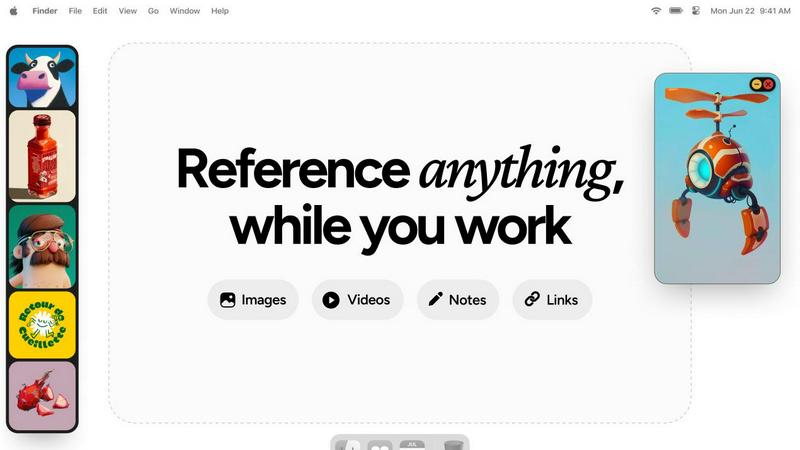
Refbox keeps your images and notes visible above your workspace for instant reference.
Last updated: February 28, 2026

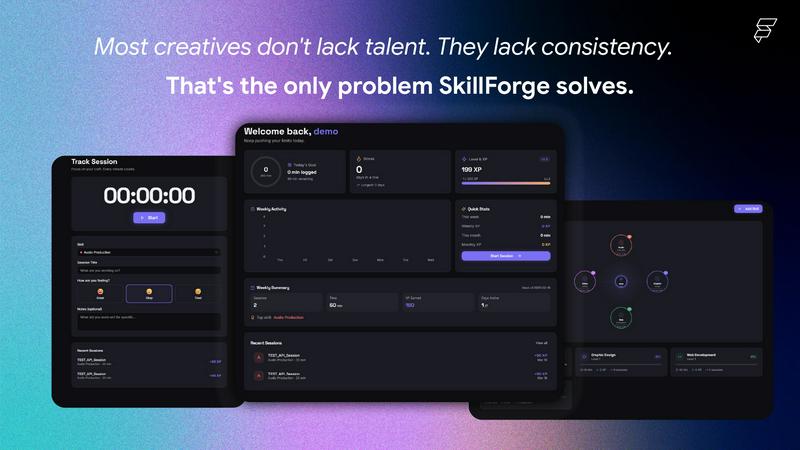
Skillforge is a gamified skill tracking app for creatives!
Visual Comparison
Refbox
SkillForge
Overview
About Refbox
Refbox is the game-changing floating reference app that's taking the creative world by storm. Designed for professionals who can't afford distractions, it eliminates the endless tab-switching and folder-digging that kills your creative flow. Imagine having all your inspiration—images, GIFs, videos, and notes—pinned in resizable, always-on-top windows right over your work. Whether you're deep in a 3D model, fine-tuning an animation, crafting a UI, or sketching concept art, your references are instantly accessible, keeping you in the zone. Creatives from graphic designers to pixel artists are raving about how it has made their process "100x times easier" and given them "seamless access" to everything they need. With the ability to pull media from anywhere, organize it into collections, and use powerful tools like frame-by-frame GIF scrubbing and markdown notes, Refbox transforms a cluttered desktop into a streamlined, focused command center. It's not just a tool; it's the ultimate companion for anyone who wants their creativity to flow without interruption.
About SkillForge
I built SkillForge because I kept running into the same problem — I'd practice audio production or graphic design for a few days, then completely lose the habit with zero record of my progress. Every productivity app I tried was either too generic or made for corporate project management, not for creatives who just want to get better at their craft.
The core idea was simple: what if practicing your skill felt like levelling up in a game?
So I built a skill tracker where every minute you practice earns real XP, builds streaks, and unlocks badges. The more you show up, the more you level up — from Level 1 to Level 10 across any creative discipline you choose (audio, design, dev, video, photography, and more).
What surprised me most during development was how much the AI Coach feature resonated with early testers. Instead of just logging time, the AI analyzes your session history and tells you exactly what to work on next — it noticed patterns in people's practice that they hadn't noticed themselves.
A few things I'm proud of:
🔥 Streak system that actually keeps you accountable
🤖 GPT-4o-mini powered coaching that builds you a personalised 7-day plan
📶 Fully offline-first — your sessions save locally and sync when you reconnect
👥 A community feed so you're not grinding alone
This started as a personal tool and grew into something I genuinely use every day. I'd love to hear what you think — especially from fellow creatives.