
Image to Image Maker vs Imgezy
Side-by-side comparison to help you choose the right AI tool.

Image to Image Maker
Transform and enhance images effortlessly with our AI-powered Image to Image Maker for stunning professional results.
Last updated: February 28, 2026

Imgezy
Effortlessly transform your photos with Imgezy, the AI editor that removes objects and changes backgrounds in seconds.
Last updated: February 28, 2026
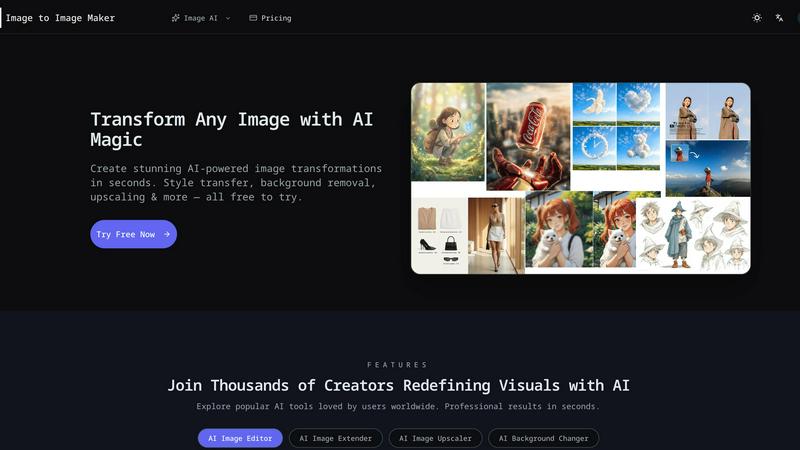
Visual Comparison
Image to Image Maker
Imgezy

Feature Comparison
Image to Image Maker
AI Image Editor Style Transfer
Transform your photos into breathtaking artistic styles with our image to image maker. With one click, you can create stunning effects such as watercolor, oil painting, and digital art, allowing your images to stand out with a unique flair.
Smart Background Replacement
Effortlessly replace backgrounds in your images using our intelligent AI technology. The image to image maker accurately detects subjects and seamlessly integrates new backgrounds, making it perfect for professional compositing without the hassle of manual adjustments.
Intelligent Photo Enhancement
Elevate your images instantly with our automatic enhancement features. The image to image maker improves exposure, colors, and sharpness with just one click, ensuring that your photos look polished and professional in no time.
AI Object Removal
Easily remove unwanted objects from your images with our advanced AI capabilities. The image to image maker reconstructs backgrounds naturally after object removal, resulting in clean, professional-looking images ready for any project.
Imgezy
Object Removal
Imgezy's object removal feature is a game-changer, allowing users to eliminate unwanted distractions from their photos with pixel-perfect precision. Whether it is a photobombing stranger or an unsightly power line, the AI intelligently identifies and removes these elements while reconstructing the background seamlessly, ensuring that your images remain stunning and professional.
Background Replacement
Change the background of any image in an instant with Imgezy's background replacement feature. Users can select from various options, ranging from solid colors to breathtaking landscapes, creating the perfect backdrop for their photos. This feature is ideal for enhancing the aesthetics of images, making them more engaging and visually appealing.
Photo Enhancement
Imgezy automatically enhances your photos, improving colors, lighting, and sharpness to ensure your images truly pop. No manual adjustments are needed, as the AI analyzes each photo and applies the necessary enhancements to achieve a professional look. This feature is perfect for anyone who wants to elevate their photography without investing a lot of time or effort.
Batch Processing
For those working on larger projects, Imgezy offers batch processing capabilities, allowing users to edit multiple images at once. This feature saves time and increases efficiency, making it a perfect fit for photographers, marketers, and businesses needing to update their visual content quickly and effectively.
Use Cases
Image to Image Maker
Social Media Content Creation
Content creators can use Image to Image Maker to quickly enhance and transform their images for social media platforms. With its intuitive features, you can create eye-catching visuals that captivate your audience and boost engagement.
Art and Design Projects
Artists and designers can explore new styles and techniques by transforming their existing artwork. The platform provides a playground for experimentation, enabling professionals to push their creative boundaries and discover new artistic directions.
Marketing Materials
Marketers can utilize the image to image maker to create stunning visuals for campaigns. Whether it’s product images or promotional graphics, the platform allows for swift editing and enhancement, ensuring high-quality results that resonate with consumers.
Personal Projects and Memories
Users can enhance personal photos, such as family portraits or travel images, with professional-quality edits. The image to image maker makes it easy to create beautiful memories that can be shared and cherished for years to come.
Imgezy
Social Media Posts
Imgezy is perfect for social media enthusiasts who want to create visually stunning posts without the hassle of complicated editing software. With just a few text commands, users can enhance their images and make them stand out in crowded feeds, attracting more engagement and followers.
E-Commerce Listings
For online sellers, Imgezy streamlines the process of creating high-quality product images. Users can easily remove backgrounds, enhance product features, and ensure their listings look professional, ultimately leading to higher conversion rates and sales.
Travel Photography
Travelers can use Imgezy to enhance their vacation photos effortlessly. Whether it is removing unwanted tourists from a scenic shot or changing a dull background to a vibrant sunset, users can transform their memories into stunning visuals to share with friends and family.
Event Photography
Event photographers can benefit from Imgezy's quick editing features, allowing them to deliver high-quality images to clients in record time. With the ability to batch edit photos, enhance lighting, and remove distractions, they can focus more on capturing moments and less on tedious post-processing.
Overview
About Image to Image Maker
Image to Image Maker is an innovative AI-powered online platform that revolutionizes the way artists, designers, content creators, and developers approach image transformations. With its advanced image-to-image generation capabilities, users can efficiently explore fresh creative paths by starting with existing images. This platform is designed to facilitate a seamless and intuitive editing experience, allowing users to transform styles, enhance details, reinterpret compositions, and extend visual ideas while maintaining the integrity of the original artwork. Whether you are a professional artist looking to expand your portfolio or a casual creator wanting to elevate your social media presence, Image to Image Maker provides powerful tools that simplify complex editing tasks, enabling you to achieve professional-quality results in mere seconds. Join the growing community of over 9,000 active creators who have made the switch from traditional software like Photoshop for a faster, more efficient editing experience.
About Imgezy
Imgezy is the ultimate AI-powered photo editing tool designed for everyone, from casual users to seasoned professionals. This innovative platform revolutionizes image editing by allowing users to create stunning visuals without any prior design experience. Simply describe the changes you want, and watch as Imgezy transforms your images in seconds. With its powerful AI capabilities, users can effortlessly remove unwanted objects, change backgrounds, and enhance photo quality, making it an essential tool for social media enthusiasts, e-commerce professionals, and anyone looking to elevate their personal photography. Imgezy has garnered the trust of over 200,000 users who appreciate its speed, accuracy, and user-friendly interface, making professional-grade edits more accessible than ever. Whether you want to beautify vacation photos or create eye-catching marketing visuals, Imgezy is your go-to solution for all photo editing needs.
Frequently Asked Questions
Image to Image Maker FAQ
What is Image to Image Maker and how does it work?
Image to Image Maker is an AI-powered online platform that allows users to transform existing images into new creations by leveraging advanced image-to-image generation technology. Users can upload their images, utilize various editing tools, and instantly apply changes to achieve professional results.
Is the AI image editor free to use?
Yes, Image to Image Maker offers a free plan that provides new users with 5 credits to start. This allows you to explore the platform and try out its powerful features before committing to any paid plans.
What types of image transformations can I create?
With Image to Image Maker, you can perform a wide range of transformations, including style transfer, background replacement, photo enhancement, and object removal. The platform is designed to cater to various creative needs, enabling users to achieve unique results.
Can I use the AI image editor for commercial projects?
Absolutely! The images created and edited with Image to Image Maker can be used for commercial projects. This makes it an excellent resource for professionals in fields such as marketing, design, and content creation.
Imgezy FAQ
How does Imgezy work?
Imgezy utilizes advanced AI technology to analyze your images based on the instructions you provide. Simply upload your photo, describe the edits you want, and the AI will process the image to deliver the desired results in seconds.
What types of images can I edit with Imgezy?
Imgezy supports all major image formats, including JPG, PNG, and WebP. You can edit a wide range of images, from personal photos to professional product shots, making it versatile for various applications.
Is there a limit to how many images I can edit?
Depending on your subscription plan, you can edit a specific number of images per month. The Basic plan offers 200 credits (approximately 100 images), while the Pro plan provides 800 credits (around 400 images), allowing for greater flexibility.
Can I use Imgezy for commercial purposes?
Yes! The Pro plan includes a commercial license, allowing users to use edited images for business purposes without any restrictions. This makes Imgezy an ideal choice for professionals in marketing, e-commerce, and more.
Alternatives
Image to Image Maker Alternatives
Image to Image Maker is a leading AI-powered image editing platform that transforms and enhances photos with stunning professional results. It falls into the dynamic category of AI image generators and editors, offering tools for style transfer, background replacement, and intelligent enhancement. Users often explore alternatives for various reasons. Some may seek different pricing models or free tiers, while others need specific features for niche projects or prefer software that integrates with their existing workflow. Platform compatibility, whether desktop, mobile, or web-based, is another key factor driving the search for different tools. When choosing an alternative, consider your primary use case. Look for a tool that balances powerful AI capabilities with an intuitive interface. Evaluate the quality of output, processing speed, and the availability of core features like object removal or style filters. Security and data privacy policies are also crucial, especially for handling professional or personal work.
Imgezy Alternatives
Imgezy is a cutting-edge AI-powered photo editing tool designed to simplify the image editing process. It enables users to transform their photos effortlessly through intuitive text commands, making it accessible for everyone, from casual users to professionals in e-commerce and social media. As a popular choice in the image and photo category, Imgezy is known for its speed, accuracy, and user-friendly interface. Despite its impressive capabilities, users may seek alternatives for various reasons such as pricing, feature sets, or specific platform compatibility. When exploring alternatives, it's essential to consider factors like ease of use, the range of available editing tools, customer support, and any additional features that may enhance your editing experience. Finding the right alternative can help you achieve the desired results while better fitting your individual needs and budget.