
ErasewatermarkAI vs SparkPix
Side-by-side comparison to help you choose the right AI tool.

ErasewatermarkAI
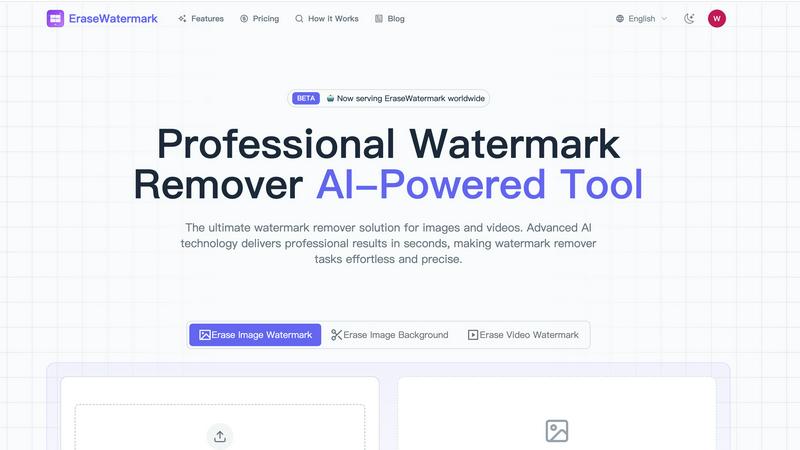
EraseWatermarkAI swiftly removes unwanted watermarks from photos and videos, ensuring top-notch quality in seconds.

SparkPix
Join 10,000+ users editing photos with AI by typing, from removing backgrounds to restoring old pictures, with 5 free credits to start.
Last updated: March 11, 2026
Visual Comparison
ErasewatermarkAI
SparkPix

Feature Comparison
ErasewatermarkAI
AI Precision
ErasewatermarkAI employs state-of-the-art artificial intelligence algorithms that are specifically designed to detect and erase watermarks while maintaining the highest quality of your images and videos. This precision ensures that no traces of the watermark are left behind, giving you a clean and professional finish.
Fast & Convenient
The tool allows users to upload their files and receive clean versions in just a few clicks. The real-time processing capability guarantees that you won't waste any time, making it an ideal solution for those on tight deadlines or needing quick edits.
Supports Multiple Formats
ErasewatermarkAI is versatile, supporting a wide range of popular image and video formats, including JPG, PNG, MP4, and MOV. This compatibility ensures that regardless of your media type, you can effectively remove watermarks without hassle.
Secure & Private
User privacy is a top priority with ErasewatermarkAI. All files uploaded are processed securely and are automatically deleted after completion. This means you can use the tool with peace of mind, knowing your content is safe and won't be stored on any servers.
SparkPix
AI Photo Editor with Text Commands
This is the core magic of SparkPix. Simply upload any photo and type your instructions in plain English, like "remove the background" or "make this look like an oil painting." The advanced AI interprets your command and applies complex edits automatically, delivering professional results in seconds. It's like having a graphic designer in your pocket, ready to execute your vision without any menus, layers, or confusing tools.
One-Click Background Remover
Create flawless cutouts for portraits, product photos, or even complex scenes with multiple subjects. This feature instantly detects the foreground and removes the background with pixel-perfect precision, giving you a transparent PNG ready for thumbnails, marketing materials, or creative composites. It's a powerful, free alternative to tools like remove.bg and PhotoRoom, beloved by over 10,000 users for e-commerce and social media.
AI Photo Restoration & Colorization
Breathe new life into your precious old memories. SparkPix's AI can expertly repair faded, scratched, torn, or damaged photographs from your family archives. It also includes a powerful colorization tool that automatically adds realistic, vibrant colors to black and white photos, making it a fantastic free alternative to services like MyHeritage and Remini for genealogy enthusiasts.
AI Object & People Remover
Clean up any photo effortlessly by removing unwanted elements. Whether it's a photobomber, an outdated car, an ugly power line, or a distracting watermark, just describe what you want gone. The AI intelligently erases the object and seamlessly fills in the background, as if it was never there. It's the ultimate free "magic eraser" for perfecting your shots.
Use Cases
ErasewatermarkAI
Professional Photography
Photographers often encounter watermarked images when sourcing stock photos. With ErasewatermarkAI, they can quickly remove watermarks from these images, allowing them to create stunning portfolios and presentations without distractions.
Social Media Management
For social media managers, having clean visuals is crucial for branding. ErasewatermarkAI enables them to remove watermarks from promotional images or videos, ensuring that their posts are visually appealing and professional.
Marketing Materials
Marketers frequently use various images and videos in their campaigns. By utilizing ErasewatermarkAI, they can easily remove watermarks from these assets, resulting in polished marketing materials that enhance their brand image.
Content Creation
Content creators, including bloggers and YouTubers, often need to use images and videos from different sources. With ErasewatermarkAI, they can efficiently clean up their visuals, making their content more engaging and professional-looking for their audience.
SparkPix
E-commerce & Product Photography
Small business owners and dropshippers can generate professional product photos and mockups instantly. Use it to remove backgrounds for clean white-background shots, place products into realistic scenes, or create app screenshot mockups. This eliminates the need for expensive photoshoots or subscriptions to tools like Placeit, making it perfect for Shopify, Amazon, and social media stores.
Social Media Content Creation
Influencers, marketers, and content creators can produce viral-ready visuals in minutes. Transform personal photos with artistic style transfers to anime or watercolor, create engaging thumbnails by changing backgrounds, and enhance image quality for crisp, HD posts. SparkPix helps you stand out on Instagram, TikTok, and YouTube without a design team.
Family History & Photo Restoration
Genealogists and families can preserve their heritage by restoring damaged, old photographs. Fix tears, reduce noise, and colorize black and white portraits to share with relatives. This use case is incredibly popular for bringing historical moments and ancestors' faces back to vivid, sharable life for digital archives and family trees.
Professional & Personal Utility
Quickly solve everyday photo needs. Create perfect passport and LinkedIn headshots with AI guidance. Fix blurry pictures from important events with the AI deblur tool. Remove strangers or objects from vacation photos. It's the Swiss Army knife for anyone who needs reliable, fast, and high-quality photo edits for both professional and personal projects.
Overview
About ErasewatermarkAI
ErasewatermarkAI is an innovative, AI-powered online tool designed to seamlessly eliminate unwanted watermarks from images and videos in mere seconds. Catering to photographers, marketers, content creators, and businesses, this tool transforms the watermark removal process into an effortless task. With no downloads or complicated setups required, users can access its powerful features directly through their web browsers. The core value proposition of ErasewatermarkAI lies in its ability to deliver high-quality, clean visuals while preserving the original quality and details of the content. With its advanced algorithms, it ensures that your images and videos look professional and polished, making it an essential tool for anyone looking to enhance their visual content without compromising on quality.
About SparkPix
SparkPix is the revolutionary AI photo editor that's taking the internet by storm, making professional-grade photo editing as simple as typing a sentence. Forget complex software like Photoshop—with SparkPix, you just describe what you want, and the AI does the heavy lifting in under 30 seconds. It’s the ultimate tool for anyone who wants to create stunning visuals without any technical skills. Whether you're a social media influencer needing eye-catching content, a small business owner creating product shots, a genealogist restoring family memories, or just someone who wants to make their photos pop, SparkPix is your go-to solution. With over 10,000 users and a stellar 4.9/5 rating, it's the trusted, web-based platform that works seamlessly on your desktop, iPhone, or Android—no downloads, no watermarks, just instant, magical results. Get started with 5 free credits and join the viral wave of creators transforming their visual content.
Frequently Asked Questions
ErasewatermarkAI FAQ
How effective is ErasewatermarkAI?
ErasewatermarkAI boasts an impressive success rate of over 95% in removing watermarks while preserving the original quality of images and videos. The AI is continuously trained on millions of samples to handle various watermark styles effectively.
What types of watermarks can it remove?
The tool can effectively remove a wide range of watermarks, including text, logos, transparent overlays, and complex multi-layered designs. Its advanced AI capabilities enable it to intelligently reconstruct backgrounds while maintaining the integrity of the original content.
Is my uploaded content stored or shared?
No, your privacy is safeguarded with ErasewatermarkAI. All uploaded media is processed in real-time and automatically deleted from the system upon completion, ensuring that your files remain confidential.
Can I use ErasewatermarkAI on mobile devices?
Yes, ErasewatermarkAI is designed to work seamlessly in any modern web browser, which means you can access it from your mobile devices. This flexibility allows you to remove watermarks on the go, making it a convenient option for users everywhere.
SparkPix FAQ
Is SparkPix really free to use?
Yes! You can start using SparkPix completely free with no credit card required. You'll get 5 free credits upon signing up, plus 1 free credit daily. This lets you test several AI edits and see the magic for yourself. For high-volume users, affordable paid plans start at just $9.99 for 350 credits.
How does the AI Photo Editor work?
It's incredibly simple. You just upload a reference image and type a text prompt describing exactly what you want to change—for example, "change the background to a beach at sunset" or "remove the red car." Our advanced AI model analyzes your image and text command, then generates a new, edited image that matches your description, usually in under 30 seconds.
What image formats and resolutions does SparkPix support?
SparkPix supports all common image formats for upload (JPG, PNG, etc.). For generation and editing, it can produce high-quality results at up to 4K resolution, ensuring your edited photos are perfect for both digital use and printing. The web-based platform automatically optimizes the process for your device.
Do I need to download any software?
No downloads are needed at all! SparkPix is a 100% web-based application that runs directly in your browser. It works perfectly on any device with an internet connection, including Windows and Mac computers, iPhones, and Android phones. Just visit the website, sign up, and start editing instantly.