
Changeflow vs Oneprofile
Side-by-side comparison to help you choose the right AI tool.

Changeflow
Stay ahead of competitors with Changeflow, the AI that tracks vital website updates and delivers insights straight to.
Last updated: March 4, 2026

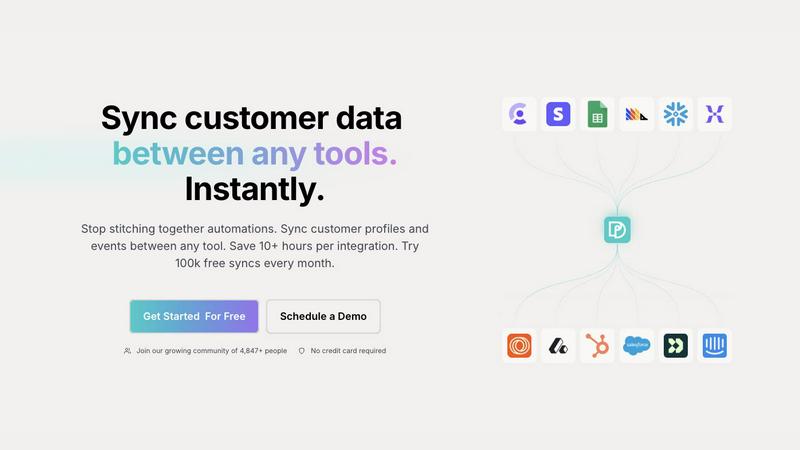
Seamlessly sync and unify customer profiles across tools, saving time and ensuring data accuracy with Oneprofile.
Last updated: February 28, 2026
Visual Comparison
Changeflow

Oneprofile
Feature Comparison
Changeflow
AI-Powered Intelligence
Changeflow's AI understands your specific interests, filtering out irrelevant changes and ensuring you only receive notifications that matter. This eliminates the noise and saves you valuable time.
Natural Language Setup
You can set up tracking in just a few minutes using plain English. No need for complex configurations or RSS feeds; simply tell Changeflow what pages to monitor and what updates you care about.
Customized Summaries
Changeflow delivers AI-generated summaries of updates that explain not just what changed but why it is important to you. This means you can quickly grasp the significance of any change without wading through full web pages.
Advanced Anti-Blocking Technology
With sophisticated anti-blocking measures, Changeflow can bypass obstacles that often hinder other tools, allowing for reliable monitoring on even the most restrictive websites.
Oneprofile
Keep Customer Data Aligned
Oneprofile ensures that customer data remains consistent across all integrated systems. It automatically synchronizes profiles and events, meaning your sales, marketing, and support teams all work with the same, accurate information, reducing discrepancies and enhancing collaboration.
Identity Resolution
Say goodbye to duplicate records and data drift. Oneprofile's advanced identity resolution feature matches customer identities across various platforms, ensuring that every tool references the same customer profile. This unified approach allows businesses to have a holistic view of their customer interactions.
Control Data Movement
Oneprofile allows you to define the exact flow of data between systems. You can set up automatic or manual field mapping, control sync direction, and decide how updates propagate. This flexibility ensures that data flows in the way that best supports your business processes, adapting to your unique operational needs.
Custom Sync Schedules
With Oneprofile, you can create custom sync schedules to streamline your data management processes. Set specific intervals for data synchronization, ensuring that updates occur at the most convenient times for your organization, whether that be in real-time or on a recurring basis.
Use Cases
Changeflow
Competitive Pricing Monitoring
Business teams can effortlessly track changes in competitor pricing, ensuring they remain informed about market fluctuations and pricing strategies, allowing for timely adjustments to their own offerings.
Regulatory Changes Tracking
Compliance teams at Fortune 500 companies use Changeflow to stay updated on FDA guidance and SEC filings. This ensures they remain compliant with evolving regulations, avoiding potential legal issues.
Legal Research and Monitoring
Legal librarians at Am Law 200 firms utilize Changeflow to monitor court dockets and legal citations, streamlining their research processes and keeping them informed of critical updates in real-time.
Market News and Mentions
Changeflow helps businesses keep an eye on news mentions and market movements, providing them with timely intelligence that supports strategic decision-making and helps identify emerging trends.
Oneprofile
Marketing Campaign Management
Marketing teams can leverage Oneprofile to maintain consistent customer data across platforms like email marketing tools and CRM systems. By ensuring that all customer interactions are based on the same information, marketing campaigns can be more targeted and effective.
Customer Support Optimization
Support teams can benefit from Oneprofile by accessing up-to-date customer profiles during interactions. This allows agents to resolve issues faster and with greater context, improving customer satisfaction and reducing resolution times.
Sales Pipeline Accuracy
Sales teams can use Oneprofile to ensure that their CRM reflects the most current customer data. By synchronizing leads and customer interactions across systems, sales representatives can follow up on leads more effectively and close deals faster.
Data Analytics Enhancement
Data analysts can utilize Oneprofile to gather accurate and consistent data from different sources. This unified data set allows for more reliable insights and analytics, enabling better strategic planning and decision-making.
Overview
About Changeflow
Changeflow is an innovative tool designed to monitor web pages and identify significant changes that matter to you. Unlike traditional monitoring tools that merely signal when something has changed, Changeflow employs advanced AI to analyze web content, understand the context, and summarize only the updates that are crucial to your business needs. This makes it an invaluable resource for various professionals including business teams, legal librarians, compliance officers, and anyone who relies on timely information.
Setting up Changeflow is effortless: simply describe what you want to track in plain English and point it at a webpage. Forget about the headaches of navigating login walls or JavaScript-heavy sites; with a remarkable 99.9% success rate, Changeflow ensures you get the updates you need, even from the most challenging pages. Whether you are tracking competitor pricing, regulatory changes, or market news, Changeflow streamlines the process, allowing you to focus on what truly matters. With shared workspaces, API access, and site version control, your team can stay aligned and informed, transforming how you monitor online changes.
About Oneprofile
Oneprofile is a revolutionary tool designed to streamline the synchronization of customer profiles and events across various platforms used by businesses. In today’s fast-paced digital landscape, maintaining accurate and consistent customer data is crucial for effective decision-making and customer engagement. Oneprofile achieves this by eliminating the need for manual data management and preventing data fragmentation across multiple systems such as CRMs, analytics tools, support platforms, and marketing systems. By ensuring that any change in customer data is instantly reflected across all tools, Oneprofile helps businesses save precious time and resources. With features like identity resolution and custom data flow control, Oneprofile is ideal for organizations of all sizes looking to enhance their operational efficiency and improve customer relationships.
Frequently Asked Questions
Changeflow FAQ
How does Changeflow track web pages?
Changeflow uses AI to navigate to specified URLs, checks for updates, and assesses the relevance of changes. This results in a personalized feed that surfaces only the information you care about.
Can I monitor pages behind login walls?
Yes! Changeflow has a 99.9% success rate in accessing pages that other tools struggle with, including those that require logins or are built with complex JavaScript.
What kind of notifications will I receive?
You will receive concise, AI-generated notifications summarizing what changed and why it matters, delivered to your dashboard, email, or through channels like Zapier.
Is there a trial available for Changeflow?
Yes! You can try Changeflow free for 30 days, allowing you to explore its features and see how it can enhance your monitoring capabilities before committing to a paid plan.
Oneprofile FAQ
How does Oneprofile ensure data consistency?
Oneprofile automatically synchronizes customer profiles and events across all connected tools, ensuring that any change in data is reflected instantly across all platforms, preventing discrepancies.
Can I customize the way data flows between systems?
Yes, Oneprofile provides robust data flow control options, allowing you to define how data moves between tools. You can set up automatic or manual mappings, control sync direction, and customize how updates propagate.
Is there a limit on the number of syncs I can perform?
Oneprofile offers a generous plan that allows for 100,000 free syncs every month, which is ideal for businesses looking to start without any upfront costs.
What types of tools can Oneprofile integrate with?
Oneprofile can integrate with a wide variety of tools, including CRMs, marketing software, analytics platforms, and customer support systems, making it a versatile solution for businesses of all sizes.
Alternatives
Changeflow Alternatives
Changeflow is a cutting-edge tool designed to provide AI-driven market and competitor insights by monitoring web pages for significant changes. It falls under the productivity and management category, helping businesses stay informed about critical updates in their industry. Users frequently seek alternatives to Changeflow for various reasons, including pricing concerns, feature sets, or compatibility with specific platforms tailored to their needs. When searching for an alternative, consider factors such as user experience, the breadth of monitoring capabilities, and the ability to integrate into existing workflows. Look for solutions that can effectively track the information that matters most to your business while also offering reliable customer support and a user-friendly interface.
Oneprofile Alternatives
Oneprofile is a cutting-edge tool designed to sync customer profiles and events seamlessly across various platforms utilized by businesses. Falling under the category of Analytics & Data, Oneprofile ensures that all systems have a unified version of customer information, eliminating discrepancies and manual efforts. This automatic synchronization allows companies to maintain accurate and real-time data across their CRMs, analytics, support, and marketing tools. Users often seek alternatives to Oneprofile for several reasons, including pricing considerations, specific feature needs, or compatibility with existing platforms. When searching for an alternative, it's crucial to evaluate factors such as the ease of integration, the flexibility of features offered, and the overall user experience. A well-rounded alternative should cater to your unique business requirements while ensuring efficient data management without the hassle of broken integrations.