
AutoPhish vs LuxSign
Side-by-side comparison to help you choose the right AI tool.

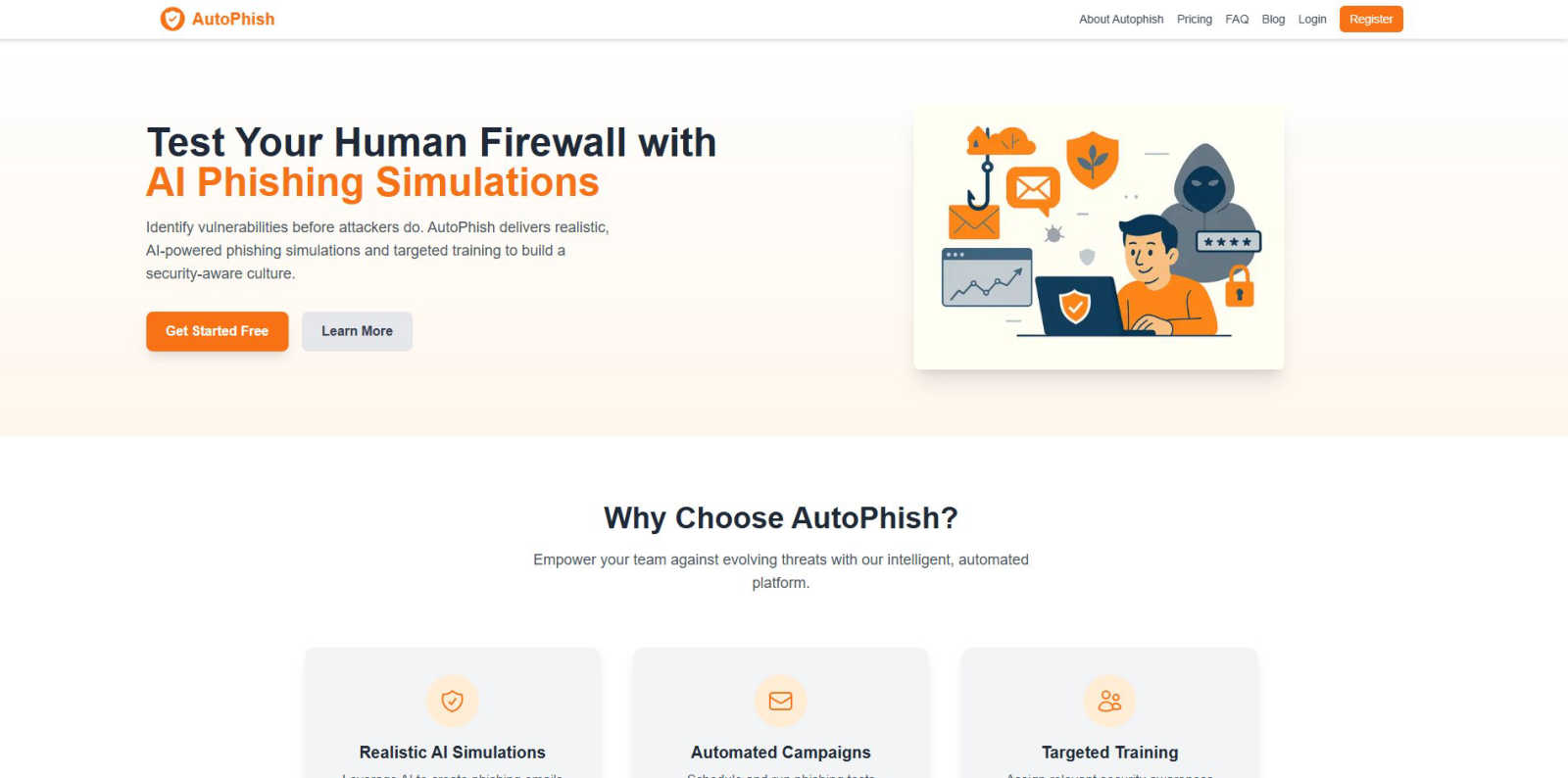
AutoPhish uses AI to run realistic phishing tests and train your team against cyber threats.
Last updated: March 1, 2026

LuxSign offers a secure, fast, and legally valid way to sign documents online, ensuring seamless compliance across the.
Last updated: February 28, 2026
Visual Comparison
AutoPhish
LuxSign

Feature Comparison
AutoPhish
AI-Powered Phishing Simulations
AutoPhish leverages advanced artificial intelligence to craft hyper-realistic phishing emails that are indistinguishable from real-world attacks. The AI analyzes current threat intelligence and tailors each simulation to mimic the specific tactics, techniques, and procedures (TTPs) targeting your industry, ensuring your team is tested against the most relevant and dangerous threats.
Automated Campaign Management
Say goodbye to manual setup and tedious scheduling. AutoPhish automates the entire phishing simulation lifecycle. You can effortlessly schedule and run comprehensive phishing test campaigns across your organization, ensuring consistent, ongoing security awareness training without consuming valuable IT or security team resources.
Targeted, Role-Based Training
Not all employees face the same risks. AutoPhish intelligently assigns relevant security awareness training modules based on individual simulation results and user roles. This ensures that a finance employee receives training on wire fraud scams, while an HR specialist learns to spot credential phishing, making the training impactful and efficient.
Comprehensive Analytics & Reporting
Gain deep, actionable insights into your organization's security posture. AutoPhish provides advanced reporting that details click rates, vulnerability trends, and department-specific performance. These analytics help you identify high-risk users, measure improvement over time, and demonstrate ROI to stakeholders with clear, data-driven evidence.
LuxSign
Multiple Signature Methods
LuxSign offers flexibility in how users can sign documents. You can draw your signature using a mouse, type your name, or simply upload an image. This feature also supports custom initials, allowing for quick and efficient document signing, making the process user-friendly and versatile.
Advanced Security
Security is a top priority for LuxSign, where industry-standard encryption protects your documents throughout the entire signing process. With secure storage in Luxembourg and detailed audit trails, businesses can rest assured that their sensitive information is safe and compliant with EU regulations.
Collaboration Workspaces
LuxSign enables teams to work together efficiently through dedicated collaboration workspaces. Users can create shared folders, manage access for team members, and organize documents, streamlining the signing process and enhancing teamwork, regardless of location.
Email Notifications
Stay informed with automatic email notifications that alert you when documents are sent, viewed, or signed. This real-time tracking feature ensures all parties are updated on the status of documents, fostering a more organized and efficient workflow.
Use Cases
AutoPhish
Proactive Security Risk Assessment
IT and security teams use AutoPhish to conduct regular, automated phishing simulations across the entire organization. This proactive approach identifies which employees are most vulnerable to social engineering attacks, allowing teams to quantify human risk and address weaknesses before a real attacker exploits them.
Compliance & Audit Readiness
For compliance officers in regulated industries, AutoPhish provides an automated, documented way to meet mandatory security awareness training requirements. The platform's detailed reports serve as auditable proof of ongoing employee education and testing, simplifying compliance with standards like ISO 27001, GDPR, and HIPAA.
Onboarding New Employees
Organizations integrate AutoPhish into their new hire onboarding process to establish a strong security-first culture from day one. New employees receive a baseline phishing test and immediate, targeted training, ensuring they understand the company's security protocols and their role in protecting sensitive data.
Post-Incident Remediation Training
Following a real security incident or a failed internal phishing test, AutoPhish enables targeted remediation. Security managers can instantly assign specific training modules to individuals or teams who clicked on a simulated phishing email, turning a mistake into a powerful, immediate learning opportunity.
LuxSign
Small Business Contracts
Small businesses can leverage LuxSign to manage contracts with clients or vendors effectively. The platform simplifies the signing process, allowing owners to send contracts for signature without the hassle of printing and scanning, ultimately saving time and resources.
HR Onboarding Documents
Human Resources departments can use LuxSign for onboarding new employees by sending essential documents like employment contracts and policy agreements electronically. This ensures a quick and secure process, allowing new hires to focus on their first day instead of paperwork.
Real Estate Transactions
Real estate agents can use LuxSign to facilitate the signing of purchase agreements, lease contracts, and disclosures. The platform's secure environment and compliance with legal standards make it an excellent choice for handling sensitive transactions in the property market.
Financial Services Agreements
Financial institutions can utilize LuxSign for signing loan agreements, investment contracts, and other financial documents. The platform's advanced security features and compliance with EU regulations help ensure that sensitive financial information remains protected and that all agreements are legally binding.
Overview
About AutoPhish
In today's relentless digital battleground, your employees are the critical first and last line of defense. AutoPhish is the revolutionary AI-powered cybersecurity platform that's taking the security awareness world by storm, trusted by thousands of forward-thinking organizations to build an unbreakable human firewall. This isn't just another boring training module; it's a proactive, intelligent defense system engineered to outsmart real-world attackers. By leveraging cutting-edge artificial intelligence, AutoPhish generates hyper-realistic phishing simulations that perfectly mimic the latest and most sophisticated tactics used by cybercriminals, all tailored specifically to your industry's unique threat landscape. The platform brilliantly automates the entire process—from scheduling deceptive email campaigns to delivering targeted, role-based training to those who need it most. This means you can consistently test and train your team, identifying vulnerabilities before they're exploited, all while keeping operational costs surprisingly low. Built for IT leaders, security managers, and compliance officers in organizations of all sizes, AutoPhish is for those who are serious about transforming their workforce from a potential security risk into their greatest security asset. Join the movement and stop preparing for yesterday's threats; start simulating tomorrow's attacks today.
About LuxSign
LuxSign is a cutting-edge, cloud-based electronic signature platform designed for businesses that demand high compliance and security. Originating from Luxembourg, LuxSign places a strong emphasis on protecting sensitive information by ensuring that all documents are encrypted end-to-end and stored within the country, thereby fully adhering to GDPR regulations. This platform is ideal for businesses across the European Union that require legal validity for their contracts and transactions, as it complies with eIDAS SES standards. LuxSign streamlines the signing process, making it quick and efficient with features like drag-and-drop signature field placement, automated email notifications, and customizable workflows. The platform caters to various business sizes, offering advanced capabilities such as document templates, audit trails, bulk signing, and a comprehensive REST API for seamless system integrations. With LuxSign, businesses can confidently manage their documents digitally and securely, enhancing productivity while maintaining compliance.
Frequently Asked Questions
AutoPhish FAQ
How realistic are the AutoPhish simulations?
Extremely realistic. AutoPhish uses AI to generate phishing emails that mirror the latest real-world campaigns, including sophisticated spear-phishing tactics, urgent language, and convincing sender spoofing. The content is tailored to your industry, making the simulations a true test of your team's vigilance against relevant threats.
Is it difficult to set up and manage a campaign?
Not at all. AutoPhish is designed for simplicity. You can launch your first phishing simulation in minutes. The process involves three easy steps: connecting your domain, configuring your campaign (choosing templates and targets), and letting the platform automate the sending, tracking, and follow-up training.
What happens if an employee fails a phishing test?
When an employee clicks a link or opens an attachment in a simulation, AutoPhish can be configured to deliver instant, targeted training. This "teachable moment" approach is highly effective. The platform provides analytics on who failed, but the focus is on positive, constructive education to build awareness, not punishment.
Can AutoPhish help with our domain's email security?
Yes! AutoPhish offers a free DNS Security Checker tool that analyzes your domain's email authentication protocols (SPF, DKIM, DMARC) in seconds. This helps you identify configuration gaps that could allow attackers to spoof your domain, adding an extra layer of proactive security beyond employee training.
LuxSign FAQ
Is LuxSign GDPR compliant?
Yes, LuxSign is fully GDPR compliant. All documents are encrypted and stored in Luxembourg to ensure adherence to data protection laws, protecting your privacy and sensitive information.
Can I send documents to multiple signers?
Absolutely! LuxSign allows you to add up to four signers per document. You can choose between parallel or sequential signing workflows, making it easy to manage multiple signatures efficiently.
What types of documents can I upload?
LuxSign supports a variety of document formats including PDF, DOC, and DOCX. The platform also allows for automatic conversion, so you can easily upload files up to 10MB without any complications.
How does LuxSign ensure document security?
LuxSign employs industry-standard encryption for documents during upload, storage, and transmission. Additionally, every action is logged with timestamps and signer information, ensuring transparency and a reliable audit trail for compliance purposes.
Alternatives
AutoPhish Alternatives
AutoPhish is a leading AI-powered cybersecurity platform in the business intelligence and productivity category, designed to run hyper-realistic phishing simulations and build a resilient human firewall. Users often explore alternatives for various reasons, including budget constraints, the need for different feature sets like more detailed reporting or third-party integrations, or simply seeking a platform that better aligns with their specific organizational size or IT infrastructure. When evaluating other options, it's crucial to look for solutions that offer realistic, evolving threat simulations, automated scheduling to ensure consistent testing, and targeted, role-based training modules. The goal is to find a tool that not only identifies vulnerabilities but also effectively educates your team, transforming them from a potential risk into your strongest security asset.
LuxSign Alternatives
LuxSign is a cutting-edge electronic signature platform originating from Luxembourg, designed specifically for businesses that require a high level of compliance and security. As an eIDAS SES compliant solution, it ensures that all signatures are legally recognized across EU member states, making it an attractive option for organizations operating within the European market. However, users often seek alternatives due to various reasons including pricing concerns, feature sets that may not align with their specific needs, or the desire for integrations with other platforms. When searching for an alternative to LuxSign, it's essential to consider several factors. Evaluate the pricing structure, as well as the specific features offered, such as document templates or bulk signing capabilities. Additionally, compatibility with existing workflows and the level of customer support provided can significantly impact the overall user experience. Ultimately, the right alternative should meet your business's unique requirements while ensuring compliance and security.