
AllForms vs Fill PDF from Excel
Side-by-side comparison to help you choose the right AI tool.

Replace 17 expensive tools for $29 a month and save thousands instantly.
Last updated: March 1, 2026

Fill PDF from Excel
Effortlessly auto-fill and batch-fill PDF forms from Excel data, saving you hours of manual processing with smart automation.
Last updated: March 19, 2026
Visual Comparison
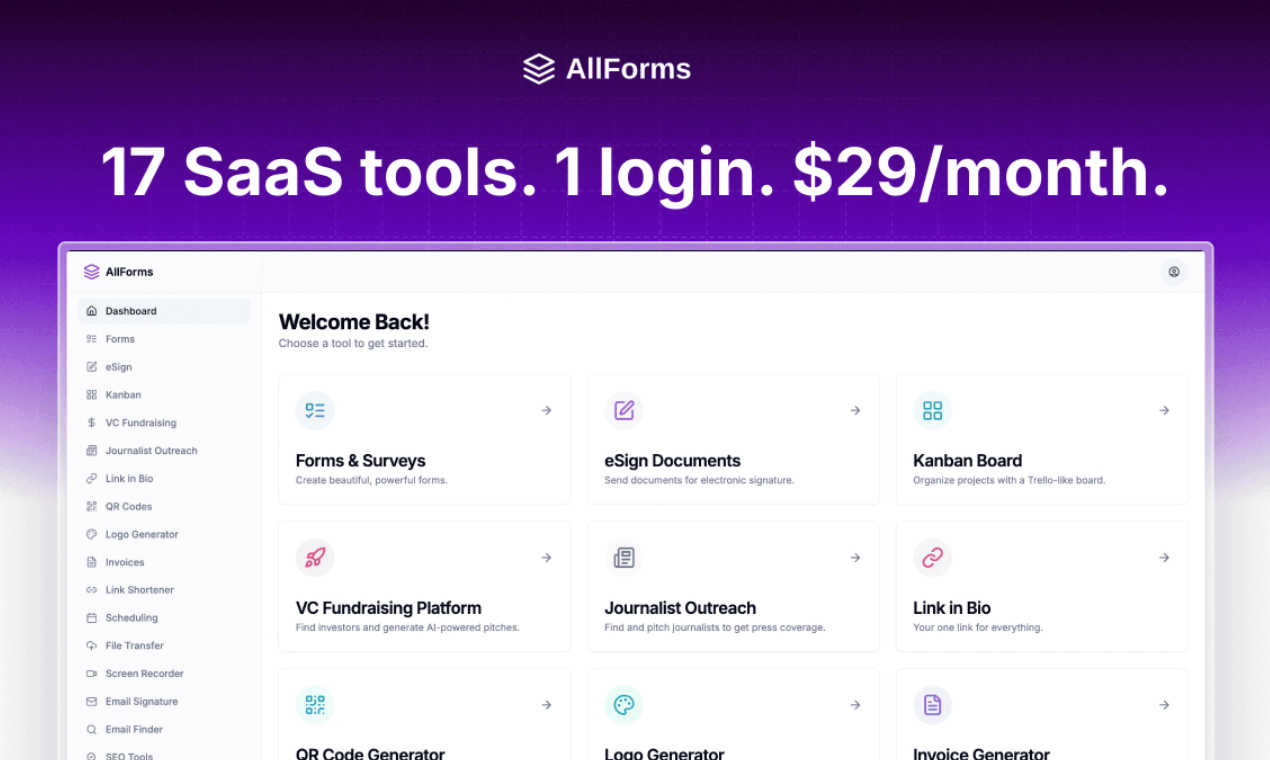
AllForms
Fill PDF from Excel

Feature Comparison
AllForms
AI-Powered Chat Assistant
Ditch your separate ChatGPT subscription. AllForms includes a powerful AI chat assistant capable of handling customer support queries, generating marketing content, brainstorming ideas, and automating business communications. It's your 24/7 intelligent partner built directly into your workflow, eliminating the need to switch between platforms for AI tasks and saving you at least $20 per month.
Legally Binding E-Signatures
Replace costly services like DocuSign with a fully integrated e-signing solution. Send contracts, proposals, and any document for secure, legally binding signatures. Track who has viewed and signed in real-time, get instant notifications upon completion, and store everything securely in one place. Streamline your agreement process without the premium price tag.
Unlimited Forms & Appointment Scheduling
Combine the power of TypeForm and Calendly into one seamless feature. Use a drag-and-drop builder to create beautiful, functional forms for leads, surveys, and applications. Then, let clients and prospects book meetings directly into your calendar by viewing your real-time availability. It's a complete client interaction hub that saves hundreds per month.
Comprehensive SEO & Outreach Suite
This is a powerhouse combo feature. Conduct keyword research, check domain authority, and analyze backlinks like with Semrush. Simultaneously, find and verify professional email addresses for outreach (replacing Hunter.io) and even discover and connect with journalists or investors from massive, filterable databases. It's your entire marketing and PR engine in one tab.
Fill PDF from Excel
Lightning Fast Processing
Experience unparalleled speed with Fill PDF from Excel, which allows you to auto-fill PDF forms from extensive Excel sheets in mere minutes. Even with countless rows of data, this tool ensures that your form filling is swift and efficient, empowering you to meet tight deadlines without stress.
Smart Mapping Technology
Utilizing intelligent field detection, Fill PDF from Excel simplifies the mapping process by automatically aligning your Excel columns with corresponding PDF form fields. This feature eliminates the guesswork often involved in data entry, ensuring that every piece of information is accurately placed and reducing the risk of errors.
Reliable Batch Processing
Designed for stability, Fill PDF from Excel guarantees repeatable and reliable results when batch-filling PDF forms. This ensures that whether you are processing ten forms or a thousand, the output will consistently meet your expectations, making it the ideal choice for teams that require dependable automation.
User-Friendly Interface
The intuitive interface of Fill PDF from Excel is crafted for users of all skill levels. With straightforward upload options and easy-to-follow instructions, even those who are not tech-savvy can navigate the tool with ease. This accessibility ensures that all team members can quickly become proficient in automating their PDF form workflows.
Use Cases
AllForms
The Bootstrapped Startup
A new startup needs to look professional but has zero budget for a suite of tools. With AllForms, they can create their logo, build their website contact forms, schedule investor meetings, send pitch decks for e-signature, and conduct market research—all from one $29/month platform. This slashes initial software costs from over $1,000 to almost nothing, preserving crucial capital.
The Freelancer & Solopreneur
Freelancers wear all the hats. AllForms allows them to send invoices, get contracts signed, share large project files with clients, let clients book consultation calls, and create a branded link-in-bio page for their social media—all without subscribing to 8 different services. It simplifies their tech stack, saves money, and presents a unified, professional front to every client.
The Small Business Sales Team
A sales team can manage their entire pipeline within AllForms. They can track leads in a Kanban board (replacing Pipedrive), find prospect email addresses, send tracked email campaigns with branded links, and schedule demos directly from their booking page. When a deal is ready, they can send the contract for e-signature instantly, closing the loop in one connected system.
The Content Creator & Marketer
A marketer can use AllForms to research SEO keywords for their blog, generate AI-assisted content drafts, create QR codes for their campaign, record quick screen-share tutorials for their team (replacing Loom), and distribute press releases to a journalist database. This consolidates their creative and distribution toolkit, dramatically improving content workflow efficiency.
Fill PDF from Excel
HR Documentation Management
HR professionals can utilize Fill PDF from Excel to streamline the processing of employee forms, such as onboarding documents, tax forms, and performance evaluations. This automation reduces paperwork clutter and minimizes the risk of data entry errors, allowing HR teams to focus on strategic initiatives.
Client Application Processing
Real estate agents and rental companies can benefit significantly from Fill PDF from Excel by automating the generation of client application forms. This tool allows them to populate fields with applicant data quickly, enhancing client experience and speeding up the approval process.
Educational Institution Forms
Schools and training institutions can leverage Fill PDF from Excel to automate the creation of registration forms, report cards, and transcripts. This not only saves time but also ensures that all student information is accurately recorded and easily accessible.
Legal Document Automation
Legal assistants and notary office staff can use Fill PDF from Excel to fill out contracts, agreements, and other essential legal documents efficiently. By automating this process, they can ensure that documents are completed correctly and promptly, improving client satisfaction.
Overview
About AllForms
Stop the subscription madness. AllForms is the revolutionary all-in-one SaaS platform that's taking the business world by storm, replacing a staggering 17+ expensive tools with a single, beautiful, and lightning-fast application. Designed for entrepreneurs, small business owners, and agile teams, AllForms eliminates the frustration of juggling multiple logins, broken workflows, and exorbitant monthly bills. For just $29 a month, you get access to a powerhouse suite of features that would typically cost over $1,200 monthly, unlocking insane value and streamlining your entire operation. From legally binding e-signatures and AI-powered chat to advanced SEO tools and investor databases, AllForms consolidates everything you need to run and grow your business. It's not just a tool; it's a strategic financial and operational game-changer, praised by CEOs for its unbelievable value and user-friendly design. Join the movement of smart businesses that are ditching the clutter and choosing efficiency.
About Fill PDF from Excel
Fill PDF from Excel is an innovative automation tool that revolutionizes how professionals handle PDF forms. Designed to seamlessly auto-fill and batch-fill PDF forms using data from Excel, CSV files, or Google Sheets exports, this software is a game-changer for anyone needing to manage high-volume form workflows. Whether you're in HR, finance, education, or any other sector requiring extensive documentation, this tool saves you hours of tedious manual data entry. By intelligently mapping your Excel data to PDF fields, Fill PDF from Excel enhances accuracy and efficiency. Join thousands of satisfied users who have streamlined their processes, reduced human error, and gained back valuable time to focus on strategic tasks.
Frequently Asked Questions
AllForms FAQ
What tools does AllForms actually replace?
AllForms consolidates the core functionalities of 17+ popular and expensive tools. This includes DocuSign (e-sign), TypeForm (forms), Calendly (scheduling), ChatGPT (AI), Semrush (SEO), Hunter.io (email finder), Looka (logo design), Cision (PR), Pipedrive (CRM), Bitly (link shortener), Loom (screen recording), and more. It's designed to be a comprehensive business operating system.
Is there really a free trial?
Yes! You can start a full 7-day free trial with no credit card required. This gives you complete access to explore all the features and see how AllForms can streamline your business. Combined with a 30-day money-back guarantee, you can confidently test the platform for over a month risk-free.
How can it be so affordable compared to the individual tools?
AllForms operates on a unified platform model, which drastically reduces development, maintenance, and overhead costs compared to 17 separate companies. We pass these savings directly to you. Our mission is to provide extreme value by integrating essential business functions into one subscription, not by selling each feature at a premium.
Is my data secure and integrated within the platform?
Absolutely. Security is a top priority. Furthermore, one of AllForms' biggest advantages is seamless integration. Since features like forms, scheduling, CRM, and e-sign are built natively on the same platform, your data flows smoothly between them. No more manual exporting, broken APIs, or lost information between disconnected apps.
Fill PDF from Excel FAQ
What file formats do you support?
We support PDF forms as templates and accept Excel files (.xlsx, .xls), CSV files, and Google Sheets exports as data sources. It's important to ensure that the PDF has fillable form fields to enable proper mapping.
Do you store uploaded files?
No, we do not store uploaded PDF files as a core feature of our service. Uploaded files are processed to generate results for your immediate use and are not retained on our servers.
Can I use Fill PDF from Excel for multiple projects?
Absolutely! Once you configure your field mappings, you can reuse the same setup for future batches. This feature allows you to save time on repetitive tasks and maintain consistency across different projects.
Is there a limit to how many PDFs I can fill?
With our Pro tier, there is no limit on the number of PDFs you can fill. The Free tier allows for one processing per day, making it ideal for individuals or small projects. Upgrade to the Pro tier for unlimited processing capabilities.
Alternatives
AllForms Alternatives
AllForms is a powerhouse all-in-one SaaS platform in the productivity and management category, bundling 17 essential tools like e-signing, scheduling, and AI chat into a single $29/month subscription. It’s designed to replace a stack of expensive apps, saving users thousands per year. Despite its value, users sometimes explore alternatives. This could be due to specific feature needs not fully met, a preference for a different user interface, or simply the desire to compare options before committing to a new business tool. It's a common step in finding the perfect operational fit. When evaluating other platforms, focus on your core needs. Consider the total cost of the tools you’d need to replicate the suite, the importance of having an integrated system versus separate apps, and the platform's ease of use. The goal is to find a solution that genuinely streamlines your workflow without creating new complexities.
Fill PDF from Excel Alternatives
Fill PDF from Excel is an innovative automation tool that simplifies the process of filling out PDF forms by leveraging data from Excel, CSV, or Google Sheets. As a popular choice in the productivity and management category, it helps professionals save significant time by eliminating tedious manual data entry and streamlining workflows through intelligent mapping. However, users often seek alternatives for various reasons, including pricing structures, specific feature sets, or platform compatibility. When searching for an alternative, it's essential to consider factors such as ease of use, integration capabilities, customer support, and the specific needs of your workflow to ensure you find the best fit for your requirements.