
AISeedance2 vs BlitzCut
Side-by-side comparison to help you choose the right AI tool.

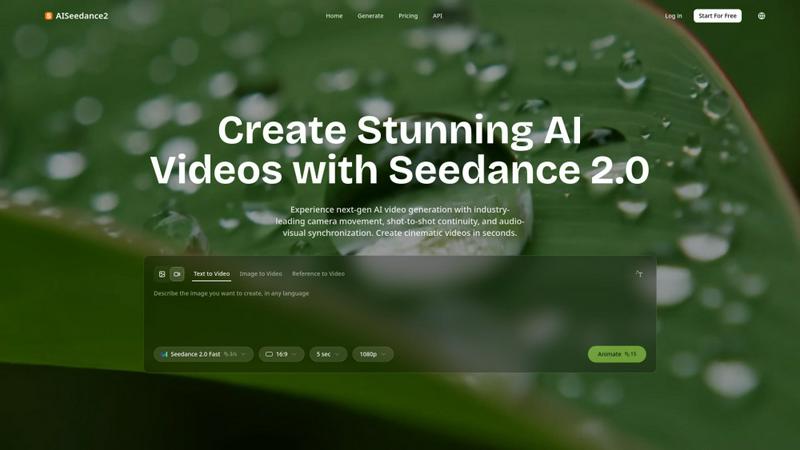
Create stunning AI-generated videos in seconds with Seedance 2.0's cinematic camera movement and seamless audio sync.
Last updated: February 27, 2026

BlitzCut
BlitzCut transforms raw videos into viral-ready clips in minutes by auto-cutting silence and adding stylish captions.
Last updated: February 28, 2026
Visual Comparison
AISeedance2
BlitzCut

Feature Comparison
AISeedance2
Wide-Range Camera Movement
AISeedance2 features industry-leading wide-range camera movement, allowing users to execute complex, fluid camera motions that rival traditional cinematography. This capability includes sweeping crane shots, dynamic tracking, and drone-like perspectives, all generated from a single text prompt.
Shot-to-Shot Continuity
With its innovative shot-to-shot continuity feature, AISeedance2 maintains visual coherence across different scenes. This ensures that transitions between shots are smooth and seamless, enhancing the overall narrative flow and visual storytelling of the video.
Audio-Visual Synchronization
AISeedance2 provides precision audio-visual synchronization, guaranteeing that every frame aligns perfectly with the accompanying audio. This feature is crucial for creating engaging and immersive experiences, ensuring that dialogue, sound effects, and music harmonize flawlessly.
Character Identity Lock
The character identity lock feature ensures that each character's unique attributes, such as facial features, clothing, and body type, remain consistent throughout the video. This allows for dynamic storytelling without sacrificing character integrity, even during intense action sequences.
BlitzCut
Automatic Silence Removal
BlitzCut's Automatic Silence Removal feature uses advanced AI technology to detect and eliminate all pauses in your video instantly. This means that tedious manual editing work is no longer necessary, allowing you to focus on crafting engaging content without the frustration of traditional editing delays.
AI Captions
With over 95% accuracy, the AI Captions feature generates styled captions for your videos in real time. This not only enhances accessibility for viewers but also ensures that your videos are optimized for engagement, as viral caption styles are automatically applied to attract more attention.
Text-Based Editing
The Text-Based Editing feature allows users to edit their videos directly from the transcription. Simply delete sentences or sections that you don’t want, and the AI will adjust the video accordingly. This intuitive method makes it easier than ever to refine your content and produce high-quality videos quickly.
2-Minute Workflow
BlitzCut provides a streamlined 2-Minute Workflow where users can go from importing a clip to exporting a finished video in under two minutes. This rapid editing process is designed to fit the fast-paced lifestyle of content creators, enabling them to maintain a consistent posting schedule.
Use Cases
AISeedance2
Short Film Production
Filmmakers can leverage AISeedance2 to produce short films rapidly, utilizing its advanced features to create visually stunning narratives. The ability to generate high-quality cinematics in a short timeframe allows for greater creativity and experimentation.
Marketing Campaigns
Businesses can use AISeedance2 to create compelling marketing videos that capture attention and drive engagement. The platform's cinematic quality and fast production times make it an ideal solution for promotional content across various channels.
Educational Content Creation
Educators can harness AISeedance2 to develop engaging educational videos that keep students' attention. The tool's seamless shot continuity and audio-visual synchronization make complex topics easier to understand through visual storytelling.
Social Media Content
Influencers and brands can quickly generate eye-catching videos for social media platforms. With its ability to produce high-quality content in short bursts, AISeedance2 is perfect for creating shareable videos that stand out in crowded feeds.
BlitzCut
Daily Social Media Posting
Content creators who need to post daily can greatly benefit from BlitzCut's rapid editing capabilities. The ability to quickly remove silence and add captions allows for a consistent flow of engaging content, helping users maintain relevance and visibility on social media.
Quick Turnaround for Influencers
Influencers often need to produce high-quality videos on short notice. With BlitzCut, they can transform raw footage into polished videos in minutes, ensuring they never miss a trending moment or opportunity to engage with their audience.
Efficient Content Creation for Brands
Brands looking to enhance their social media presence can utilize BlitzCut to create compelling promotional videos quickly. The app’s features allow for fast editing without sacrificing quality, making it an essential tool for marketers and brand managers.
Educational Content Production
Educators and trainers can use BlitzCut to create instructional videos efficiently. The automatic silence removal and captioning ensure that lessons are clear and engaging, making it easier for learners to absorb information without distractions.
Overview
About AISeedance2
AISeedance2 is a cutting-edge AI video generation tool that revolutionizes the way creators and teams produce cinematic content. Designed for filmmakers, marketers, educators, and social media influencers, this powerful platform offers an array of advanced features to streamline video production. With AISeedance2, users can create stunning videos in a fraction of the time it traditionally takes, thanks to its sophisticated capabilities in camera movement, shot continuity, and audio-visual synchronization. Whether you're crafting a short film, promotional material, educational content, or engaging social media posts, AISeedance2 empowers you to generate high-quality videos with professional-grade aesthetics. Its support for 2K cinematic resolution and character identity lock ensures that every project maintains visual coherence and character integrity, making it an essential tool for anyone serious about video content creation.
About BlitzCut
BlitzCut is revolutionizing the way content creators edit videos for social media platforms. Designed specifically for TikTok, Instagram Reels, and YouTube Shorts, this AI-powered video editor transforms the tedious process of video editing into a seamless and efficient experience. With BlitzCut, creators can import their raw video clips and, in just two minutes, have a polished, post-ready video complete with automatic silence removal and stylish captions. The app is built with a mobile-first approach, making it accessible for users on iPhone, iPad, and Mac. BlitzCut empowers content creators by allowing them to focus on their creativity rather than getting bogged down in the editing process. The main value proposition lies in its ability to drastically reduce editing time, making daily posting not only possible but also sustainable.
Frequently Asked Questions
AISeedance2 FAQ
How does AISeedance2 generate videos?
AISeedance2 uses advanced AI algorithms to interpret user inputs and generate videos based on text prompts, images, or references, ensuring high-quality output in a fraction of the time.
What types of videos can I create with AISeedance2?
AISeedance2 is versatile and can be used to create a wide range of video types, including short films, marketing videos, educational content, and social media clips, catering to various audiences.
Is there a limit on video length with AISeedance2?
While there is no strict limit on video length, the speed and quality of generation may vary based on the complexity of the scenes and features used. Users can create videos of varying lengths as needed.
Can I customize characters in my videos?
Yes, AISeedance2 includes a character identity lock feature that allows users to maintain consistent character attributes throughout the video, ensuring that characters look and behave as intended during the production.
BlitzCut FAQ
How does BlitzCut remove silence from videos?
BlitzCut uses advanced AI algorithms to detect pauses and silent moments in your video. It automatically removes these sections, streamlining your editing process and saving you significant time.
Is BlitzCut free to use?
Yes! BlitzCut is free to download and use on iPhone and Mac, making it accessible for all content creators. There’s no need to create an account to get started, allowing you to dive right into video editing.
What types of videos can I edit with BlitzCut?
BlitzCut is highly versatile and supports any length and format of talking-head videos. Whether you are creating content for TikTok, Instagram Reels, or YouTube Shorts, BlitzCut can handle it all efficiently.
Can I export my videos directly to social media?
Absolutely! BlitzCut allows you to export your finished videos in full quality HDR directly to platforms like TikTok, Instagram, and YouTube right from your phone, making sharing content easier than ever.
Alternatives
AISeedance2 Alternatives
AISeedance2 is a cutting-edge web-based tool designed for video creators, specializing in text-to-video and image-to-video generation. It falls within the video category, leveraging advanced AI technology to produce stunning visuals with features like cinematic camera movements and precise audio-visual synchronization. This makes it an ideal choice for short films, marketing creatives, educational content, and social media production. Users often seek alternatives to AISeedance2 due to various reasons such as pricing, specific feature requirements, or compatibility with different platforms. When choosing an alternative, it's essential to consider aspects like ease of use, quality of output, customer support, and overall value for money. An informed choice can lead to enhanced creative freedom and a seamless production process.
BlitzCut Alternatives
BlitzCut is an innovative AI-powered video editor designed to streamline the content creation process. It belongs to the category of automatic editing tools, enabling creators to produce engaging videos quickly by removing silences, transcribing speech, and adding captions seamlessly. Users often seek alternatives to BlitzCut for various reasons, including pricing considerations, specific feature requirements, or compatibility with different platforms. When exploring alternatives, it's essential to look for tools that prioritize speed without compromising on quality. Features such as automatic editing capabilities, ease of use across devices, and the ability to cater to unique editing needs should guide your decision. Ultimately, the right choice will enhance your video editing workflow and align with your creative goals.