
AI Filter vs Image to Image AI
Side-by-side comparison to help you choose the right AI tool.

AI Filter
Join millions transforming photos into anime, clay, and more with just one click at AI Filter.
Last updated: March 1, 2026

Image to Image AI
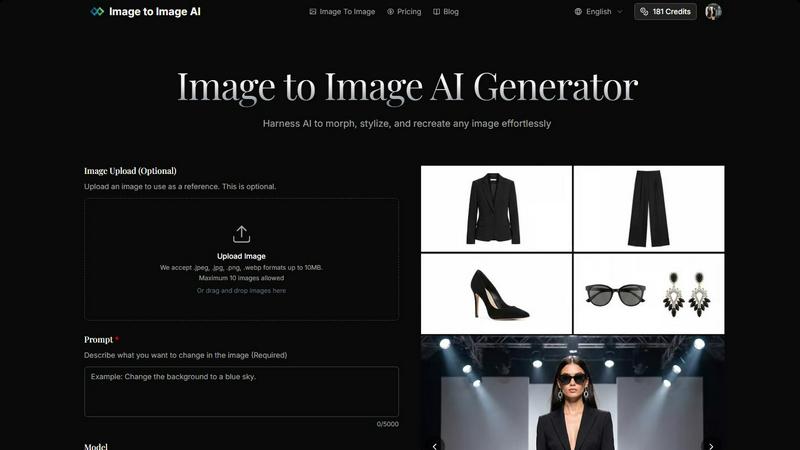
Transform any image effortlessly with our AI tool, creating stunning variations in just four simple steps.
Last updated: February 28, 2026
Visual Comparison
AI Filter
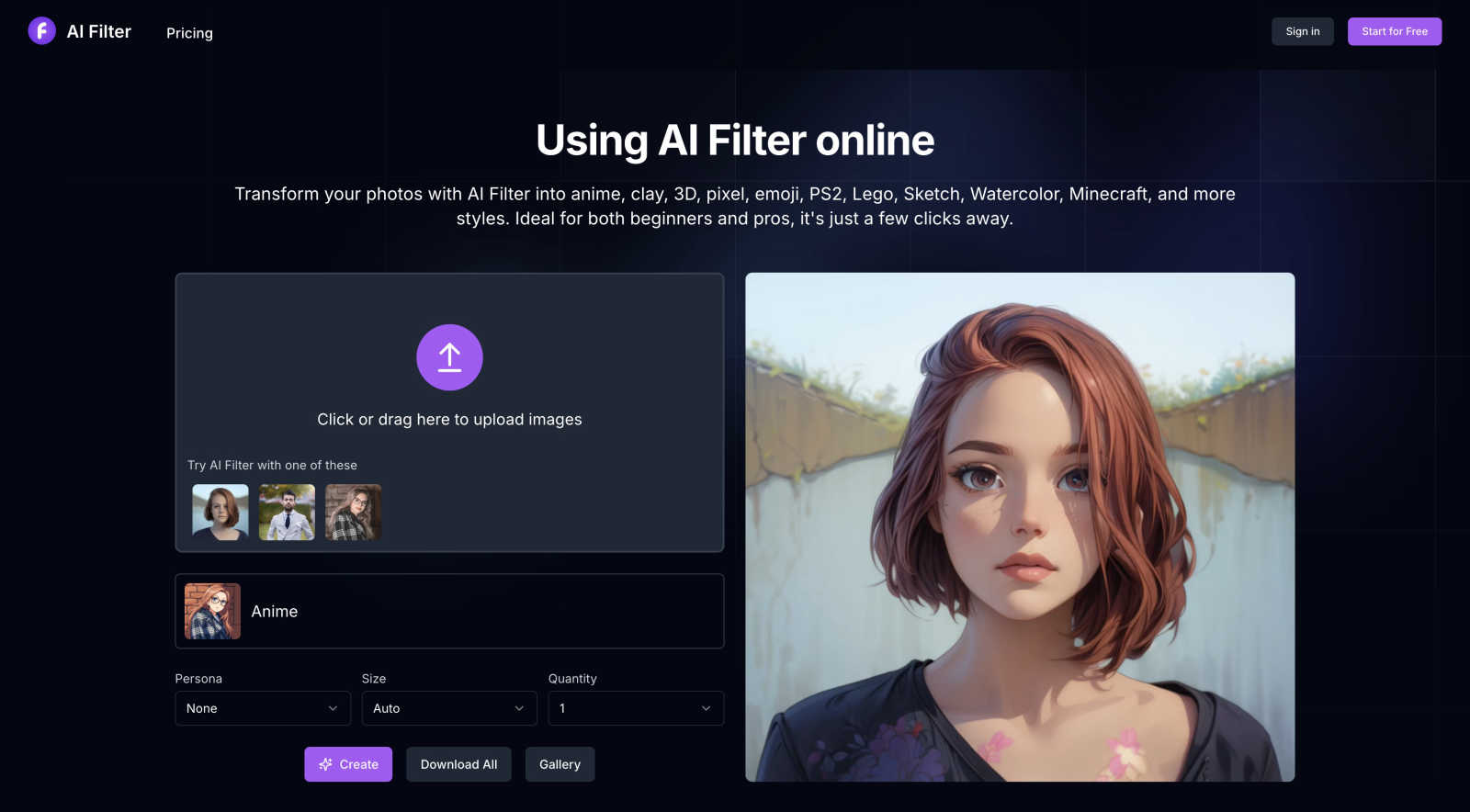
Image to Image AI
Feature Comparison
AI Filter
Vast Library of Trending AI Styles
Dive into an ever-expanding collection of the most popular and sought-after artistic filters. Go beyond basic edits and transform photos into anime, clay, 3D, pixel, emoji, PS2, Lego, sketch, watercolor, Minecraft, South Park, and Gothic styles with a single click. Each style is meticulously crafted by AI to capture the authentic essence of the art form, ensuring your results are not just filtered, but truly transformed into trending visual art.
One-Click Professional Transformation
Experience the power of professional-grade AI image processing without any of the complexity. The platform is engineered for absolute ease of use: upload your image, select your desired style from the intuitive panel, and hit "Create." Within seconds, the advanced AI algorithms analyze your photo and apply the chosen aesthetic, delivering stunning, high-quality results that would normally require hours of manual digital artistry.
Interactive Style Preview & Customization
Explore your options dynamically before you commit. Hover your mouse over any style option in the list to see a captivating animation preview, giving you a clear idea of the potential outcome. For even more personalized control, you can add optional English prompt words to guide the AI, ensuring the final filter effect aligns perfectly with your creative vision and expectations.
High-Resolution Download & Gallery
Own your creations and share them in full quality. Every image generated by AI Filter can be downloaded directly to your device in supported formats like PNG and JPG. The platform also provides seamless sharing capabilities, allowing you to instantly post your unique anime avatars, clay-style portraits, or pixel art masterpieces to social media to wow your followers and friends.
Image to Image AI
Powerful AI Models
Image to Image AI supports a variety of advanced models, such as Nano Banana and GPT-4o Image, allowing you to select the best fit for your project. This ensures that you can achieve optimal results tailored to your specific needs, whether for artistic expression or commercial applications.
Multiple Aspect Ratios and Resolutions
The platform offers flexibility in output by providing various aspect ratios (1:1, 16:9, 9:16, etc.) and resolutions (1K, 2K, 4K). This adaptability enables users to create visuals suited for different platforms, enhancing engagement across social media, websites, and marketing materials.
Intuitive Image Transformation Process
Creating stunning image variations is streamlined into four simple steps: upload your image, describe your desired changes, adjust settings, and generate your transformed image. This process is designed to be user-friendly, requiring no prior design experience.
High-Quality Outputs
With a focus on delivering professional-quality results, Image to Image AI ensures that the transformed images are sharp and suitable for commercial use. This means you can confidently utilize the outputs for product visualizations, marketing campaigns, and more without compromising on quality.
Use Cases
AI Filter
Creating Viral Social Media Content
Fuel your social media presence with unique, eye-catching content that breaks through the noise. Transform your selfies into anime personas for your Instagram profile, turn pet photos into adorable clay figures for TikTok, or create nostalgic PS2-style game characters for Twitter. AI Filter gives you an endless stream of fresh, on-trend visual ideas that drive engagement, likes, and shares.
Designing Unique Personal Branding Assets
Craft a memorable and cohesive personal or influencer brand. Use AI Filter to generate a consistent set of avatars and profile pictures across all platforms in a distinctive style like sketch or watercolor. Create custom stickers, banners, and graphics that reflect your unique aesthetic, making your brand instantly recognizable and visually appealing to your audience.
Inspiring Digital Art & Creative Projects
Jumpstart your creativity and overcome artist's block. Digital artists and designers use AI Filter as a powerful brainstorming tool to quickly visualize concepts in different artistic styles. It's perfect for generating character design ideas, exploring color palettes, and creating mood boards for illustrations, game assets, or other multimedia projects.
Adding Fun to Personal Communications
Elevate your everyday chats and messages with personalized art. Transform photos of friends, family, or memorable moments into playful emojis, custom stickers for WhatsApp or Telegram, or fun pixel art to print on gifts. It’s a fantastic way to add a heartfelt, creative, and personalized touch to your personal communications and celebrations.
Image to Image AI
Marketing Campaigns
Marketers can leverage Image to Image AI to create multiple variations of campaign assets quickly. By transforming existing images, they can maintain brand consistency while exploring diverse creative directions, enhancing the overall appeal of their campaigns.
Concept Art Development
Artists and designers can utilize this tool to visualize concepts by morphing and stylizing reference images. This capability allows for rapid prototyping of ideas, making it easier to communicate and collaborate on creative projects.
Social Media Content Creation
Social media managers can generate eye-catching visuals tailored for specific platforms. By adjusting aspect ratios and styles, they can create engaging content that captures the attention of their audience, boosting interaction and engagement.
Product Visualization
E-commerce businesses can produce high-quality product images that stand out. By transforming simple photographs into polished product shots, brands can enhance their online presence and attract more customers with visually appealing listings.
Overview
About AI Filter
AI Filter is the viral online sensation that's taking social media by storm, transforming ordinary photos into extraordinary works of art with just a click. Powered by cutting-edge artificial intelligence, this tool unlocks a universe of creative styles, letting you reimagine your images as vibrant anime characters, tactile clay sculptures, nostalgic pixel art, blocky Minecraft creations, and so much more. It's the go-to platform for over a million users, from Gen Z creators looking to craft the next big TikTok trend to professional digital artists seeking instant inspiration and unique aesthetic flairs. The magic of AI Filter lies in its breathtaking simplicity and powerful results. There's no complex software to download or skills to learn—just upload your photo, choose from a constantly updated library of trending filters, and watch as AI instantly generates stunning, share-ready masterpieces. Its ability to make high-end artistic transformation accessible to everyone is why it's consistently trending, empowering users to elevate their visual content, build a distinctive personal brand, and stand out in an overcrowded digital world.
About Image to Image AI
Image to Image AI is a cutting-edge platform that empowers users to transform and recreate images using advanced artificial intelligence. Designed for a diverse audience, including designers, marketers, and creative enthusiasts, this tool allows you to upload reference images or generate new visuals from text prompts. The platform boasts a user-friendly interface where you can upload multiple images, provide detailed prompts, and receive high-quality outputs in various aspect ratios and resolutions. With support for over nine AI models, including the powerful GPT-4o Image and specialized video models, you can create stunning visuals tailored to your needs. Whether you're looking to enhance product photography, craft compelling social media content, or explore artistic concepts, Image to Image AI delivers professional-grade results with unmatched efficiency. The platform operates entirely in the browser and is accessible in both English and Chinese, making it a versatile solution for users worldwide.
Frequently Asked Questions
AI Filter FAQ
What is an AI filter and how does AI Filter work?
An AI filter is an advanced tool that uses artificial intelligence algorithms to intelligently process and completely restyle a photo. AI Filter works by analyzing the content, subjects, and details of your uploaded image. It then applies complex neural network models trained on specific artistic styles (like anime or clay sculpture) to reconstruct your photo from the ground up in that new aesthetic, rather than just applying a simple color overlay.
Is AI Filter free to use?
AI Filter operates on a credit-based system. To welcome new users, the platform offers 10 free credits upon registration, allowing you to test several transformations immediately. For continued use and access to all its powerful styles, users can purchase additional credit packs. This model ensures high-quality processing and continuous development of new, trending filters.
Which image file formats does AI Filter support?
To ensure broad compatibility and ease of use, AI Filter currently supports all common web image formats, including PNG, JPG, JPEG, and WebP. You can upload photos directly from your phone, computer, or social media, and download your transformed creations in high-quality PNG or JPG formats for any use.
What types of AI styles and effects can I create?
The style library is vast and constantly growing! Currently, you can create transformations in popular categories like Anime, Cartoon, Clay, 3D, Pixel Art, Emoji, PS2 Game, Lego, Sketch, Watercolor, Minecraft, South Park, and Gothic. The team regularly updates the platform with new, trending filters based on user demand and viral artistic movements.
Image to Image AI FAQ
How does Image to Image differ from Text to Image generation?
Image to Image focuses on transforming existing images based on user-defined prompts, allowing for modifications while maintaining the original structure. In contrast, Text to Image generates visuals solely from textual descriptions without requiring a reference image.
What types of images work best with the transformation?
For optimal results, it is recommended to use clear images with good lighting and resolution. Images that align with your desired output aspect ratio will yield the best transformations, enhancing the overall quality of the final output.
How much control do I have over the transformation process?
Users have significant control over the transformation parameters, including the ability to specify aspect ratios, output formats, and the degree of change from the original image. This flexibility allows for precise customization according to individual project needs.
How long does the transformation process take?
The transformation process is remarkably quick, typically completing in seconds. This rapid turnaround time enables users to iterate and explore various creative directions without lengthy delays, streamlining the overall workflow.
Alternatives
AI Filter Alternatives
AI Filter is a popular online tool in the AI art generator category, celebrated for effortlessly transforming photos into artistic styles like anime, watercolor, and pixel art. It’s a go-to for creating viral, eye-catching content that stands out on social media. Users often explore alternatives for various reasons. Some might need a different pricing model, like a one-time purchase versus a subscription. Others seek specific features not available here, such as video filters, higher-resolution outputs, or integration with other creative platforms. The need for a desktop app or different user experience also drives the search. When choosing a different tool, consider your primary goal. Look for the specific art styles you love, check the output quality and speed, and understand the cost structure. Also, prioritize platforms with strong community buzz and proven results, as social proof is key in this fast-moving creative space.
Image to Image AI Alternatives
Image to Image AI is a web-based platform that harnesses the power of artificial intelligence to transform images and create new visuals from text prompts or reference images. It falls under the category of AI Assistants, catering to users who need high-quality imagery for various applications, from social media content to marketing campaigns. As this technology evolves, many users seek alternatives due to reasons like pricing structures, feature sets, or specific platform requirements that better align with their needs. When looking for an alternative to Image to Image AI, consider factors such as the range of models offered, the quality of the outputs, and the usability of the platform. Users should also evaluate the pricing model and whether it fits their budget, alongside the availability of customer support and community engagement. Ultimately, the right alternative should meet the user’s specific creative needs while ensuring a seamless experience.