

Alternatives to Anijam.ai
Anijam.ai turns your stories into stunning anime videos with one click, consistent characters, and automatic lip sync.
Explore 20 alternatives to Anijam.ai. Compare features, pricing, and find the best fit for your needs.
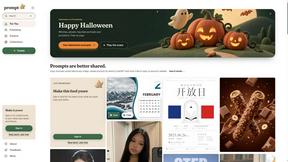
Promptclay
Free-to-copy AI image prompt library. Each prompt is shown next to the image it made.

The Kiss
Turn two photos into a cinematic AI kissing video. Pick one of 13 kiss video templates; 30 free credits on sign-up.
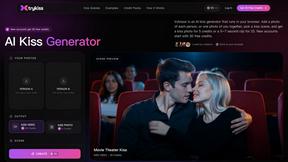
trykissai
AI kiss generator: add a photo of each person, pick a kiss scene, and get a kiss photo or a 5–7 second clip. 30 free credits.
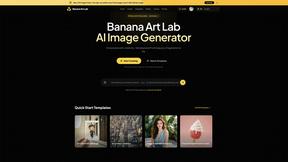
Banana Art Lab
Create and edit AI images with Nano Banana models, GPT Image 2, prompt templates and a node-based canvas.

EveryGen AI
AI image and video generator with browser-based creative tools and text rewriting. Freemium.
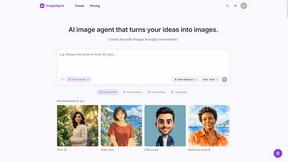
ImageAgent
Create and edit AI images through conversation, using text or reference images and refining results in chat.
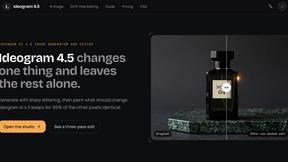
Ideogram 4.5
AI image generator and editor with Pixel Lock: change one region of an image while 94-99% of untouched pixels stay identical.
GenX
All-in-one AI workspace to generate images, videos, and audio with multiple leading AI models.
AiAgeFilter
Free AI age filter: upload an adult portrait, add 10-40 years, meet your older self. No app needed.
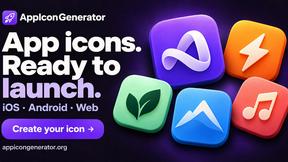
AppIconGenerator
Generate iOS and Android app icons from any image and export all platform sizes for free.
Earth Zoom Out AI
Turn any photo into an Earth Zoom Out video, from a close-up to a cosmic Earth view with realistic satellite transitions.
Design.com AI Image Generator
Turn text prompts into polished, copyright-safe visuals that plug directly into branded templates
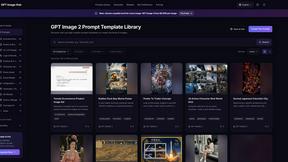
GPT Image Hub
Curated image prompts, reusable templates, and multi-model AI image generation in one workspace.
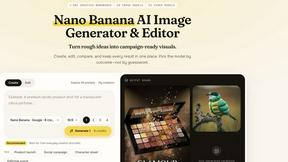
Nano AI
Create and edit AI images, generate videos, and compare models in one creative workbench.
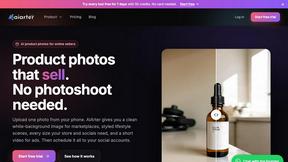
AiArter
AI product photos and UGC video ads for Amazon, Etsy and Shopify sellers, made from one phone photo.
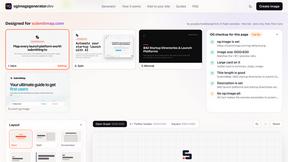
OG Image Generator
Paste a URL and AI designs on-brand Open Graph images from your page's colours, fonts and logo. Free, no sign-up.
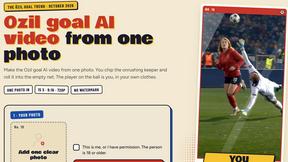
Ozil Goal AI
Make the Ozil goal AI video from one photo. You chip the keeper and roll it into the empty net. 15 seconds, 9:16, 720p, no watermark.
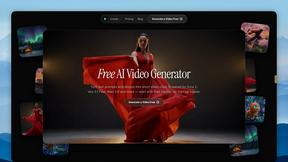
FreeVideoGenerator
Free AI video generator: turn text prompts and photos into video clips with Sora 2, Veo 3.1, Wan and more. Free starter credits, no watermark download
About Anijam.ai Alternatives
You’ve probably seen the hype around Anijam.ai, the buzzy AI animation tool that lets anyone create anime-style videos and animated content with just one click. It’s built for speed, offering consistent characters across scenes and automatic lip-syncing that matches audio to movement. This places it squarely in the exploding Image Generation and AI video category, where creators are flocking to turn static ideas into dynamic clips without needing a studio budget. But as the tool gains traction, many users are starting to look for alternatives. The reasons are common: pricing models that feel steep for hobbyists, feature gaps like limited export options or style controls, and the need for a platform that fits a specific workflow—whether that’s higher resolution, more customization, or better integration with existing projects. When you’re hunting for the right replacement, focus on what matters most to your output: look for tools that offer robust character consistency, flexible lip-sync accuracy, and a straightforward interface that doesn’t sacrifice creative control. Also, check for community size and update frequency, as these signal long-term viability and social proof that the tool is actually delivering viral-worthy results, not just empty promises. The best alternative will feel like it was built for your specific style, not just a generic one-click wonder. In a space where every day brings a new “game-changing” AI platform, the real winners are the ones that combine ease of use with genuine artistic flexibility. Anijam.ai nails the novelty, but if you’re hitting limits—like wanting more than anime aesthetics, needing batch processing for longer projects, or craving advanced editing features—it’s time to explore. The right choice should amplify your workflow, not box you in. Keep an eye on user reviews and trending creator testimonials; those are your best indicators of whether an alternative will help you go viral or just waste your time. After all, the goal isn’t just to generate a video—it’s to create something that feels uniquely yours, with the polish that keeps audiences watching.
FAQs about Anijam.ai Alternatives
What is Anijam.ai?
Anijam.ai is an AI-powered platform focused on animation and anime-style video creation. It allows users to generate animated videos with a one-click process, ensuring consistent character appearances across different scenes. The tool also includes automatic lip-syncing that aligns audio with character movements, making it a streamlined solution for creating animated content quickly.
Who is Anijam.ai for?
Anijam.ai is designed for general users, including content creators, animators, and hobbyists who want to produce anime-style videos without needing deep technical skills. Its straightforward workflow makes it accessible for beginners, while its consistent character features appeal to more experienced creators looking for efficiency. It is particularly useful for social media content, short animations, and storytelling projects that require fast turnaround times.
Is Anijam.ai free?
Based on the provided information, Anijam.ai does not explicitly state that it is free. Most AI animation tools like this operate on a freemium model, offering limited free usage or a trial period, with paid tiers for advanced features like higher resolution, longer videos, or commercial rights. Users should check the official website for the latest pricing details and any free tier availability.
What are the main features of Anijam.ai?
The main features of Anijam.ai include one-click animation generation, which simplifies the creation process, and consistent character appearance that maintains the same look across different scenes. It also offers automatic lip-sync functionality that synchronizes character mouth movements with uploaded audio. The platform integrates established AI models to support these capabilities, providing a user-friendly, easy-to-follow workflow for creating animated videos.