
Nani
Nani revolutionizes AI image generation, letting you effortlessly organize prompts and images for seamless creativity.
Visit
About Nani
Nani is a groundbreaking workflow tool tailored specifically for enhancing the AI image generation experience. Designed with the needs of artists, designers, and content creators in mind, Nani revolutionizes the way repetitive image tasks are accomplished. Unlike traditional AI image tools that focus on one-off creations, Nani simplifies the entire process. It eliminates the need for repetitive prompt writing and the frustration of sorting through countless images. Powered by Google's state-of-the-art Nano Banana Pro (Gemini), Nani provides a seamless solution for those looking to boost their creative output. The user-friendly interface ensures that you can generate stunning images in seconds, while features like reusable prompt sets and organized folders help maintain consistency and efficiency. With Nani, you can devote more time to your creative endeavors and less to managing the administrative tasks associated with image generation. The promise of quick, high-quality images at an affordable rate makes Nani an essential tool for anyone in the creative field.
Features of Nani
Supercharged Image Generation
Nani harnesses the power of Nano Banana Pro to enable users to create breathtaking images in just seconds. With customizable aspect ratios and resolutions, the tool ensures that every image fits your vision perfectly. Plus, there are no visible watermarks to detract from your work, allowing you to present your creations professionally.
Reusable Prompt Sets
One of Nani's standout features is the ability to group images and save prompts as reusable sets. This functionality is essential for maintaining consistent characters, styles, and workflows across multiple projects. With reusable prompt sets, users can streamline their creative process and ensure that their work remains cohesive.
Organized Library Management
Nani makes it easy to keep your creative library tidy and accessible. Users can create folders, filter by favorites, and bulk-select images, helping to organize their vast collections with ease. This level of organization allows for a scalable workflow, making it simple to find and use your best images when needed.
Seamless Collaboration and Sharing
Collaboration is a breeze with Nani's drag-and-drop functionality. Users can easily add images as references and share their creations via public links. This feature not only allows others to view your work but also lets them recreate it in their own accounts, fostering a community of creativity and inspiration.
Use Cases of Nani
Streamlining Content Creation
Nani is perfect for content creators who need to generate images regularly, such as social media managers and bloggers. By using reusable prompt sets and organized folders, they can quickly produce high-quality visuals that align with their brand's style and message.
Enhancing Artistic Projects
Artists can leverage Nani to enhance their ongoing projects. The ability to maintain consistent characters and styles across different images helps artists create a unified look for their portfolios, making their work more appealing to potential clients or galleries.
Facilitating Design Workflows
Graphic designers can benefit immensely from Nani's features. The tool allows them to generate images quickly, modify them, and keep everything organized, making it easier to manage multiple design projects without losing track of their creative assets.
Boosting Educational Content
Educators and trainers can utilize Nani to create custom visuals for their teaching materials. By generating tailored images that enhance their educational content, they can engage students more effectively and provide a richer learning experience.
Frequently Asked Questions
What is Nani and how does it work?
Nani is an AI-powered workflow tool designed to simplify the image generation process. Users can create images by typing prompts and selecting specific settings, allowing for quick and efficient image production without extensive prior knowledge.
Do I need to pay to start using Nani?
No, Nani offers 5 free credits to get you started without requiring a credit card. This allows you to explore its features and capabilities before committing to any payments.
How does the credit-based billing system work?
Nani operates on a simple pay-as-you-go model. You only pay for what you generate, with costs around 30 cents per generation for high-resolution images. There are no subscriptions or hidden fees involved.
Can I share my creations with others?
Absolutely! Nani allows users to share their creations through public links, making it easy to collaborate with others or showcase your work to a wider audience.
Explore more in this category:
Similar to Nani

FreeVideoGenerator
Free AI video generator: turn text prompts and photos into video clips with Sora 2, Veo 3.1, Wan and more. Free starter credits, no watermark download

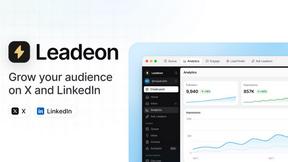
Leadeon
AI growth tool for X and LinkedIn: write posts in your voice, schedule at your best times, find leads on X and see what works.
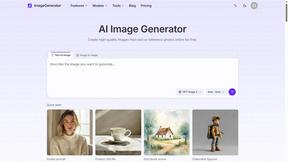
ImageGenerator
Create and edit AI images online with multiple models, text-to-image, image-to-image, background removal, and upscaling.

Verla AI
Verla is an AI academic assistant for university and college students, combining AI essay writing, academic research, AI detection, AI humanization

ZombieTrend AI
Turn two photos into a cinematic zombie love story video. Free scene preview, no sign-up needed.

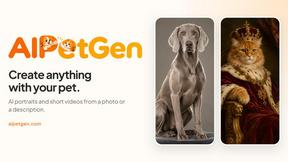
AIPetGen
AIPetGen turns a photo of your dog, cat, or other pet, or a written description, into a new picture or a short animation.