
Melograph vs Singify AI Vocal Remover
Side-by-side comparison to help you choose the right AI tool.

Melograph
Join thousands of musicians turning tracks into viral videos instantly with Melograph.
Last updated: February 28, 2026

Singify AI Vocal Remover
Join millions using Singify AI to instantly separate vocals from any song for free.
Last updated: March 1, 2026
Visual Comparison
Melograph

Singify AI Vocal Remover
Feature Comparison
Melograph
Audio-Reactive Waveform Visuals
Watch your music come to life instantly. The moment you upload your audio track, Melograph's engine generates a dynamic, reacting waveform that pulses and moves in perfect sync with your beat and melody. This isn't a static image; it's a living visualization that makes your sound a visual experience, captivating viewers from the very first second.
Premium, Style-Specific Templates
Choose from a curated library of beautifully designed templates that do the creative heavy lifting for you. Whether your track is a minimal lo-fi beat, a cinematic orchestral piece, a retro synthwave anthem, or a futuristic bass drop, there's a template crafted to match that exact vibe. This ensures your visuals always complement and enhance your music's aesthetic.
No-Edit, Browser-Based Simplicity
The entire process happens right in your web browser—no software downloads, no upload waits for rendering. The interface is built for speed, not complexity. You select, customize, and export without ever touching a timeline. It's so intuitive that if you can pick a template and type a title, you can create professional visuals.
Platform-Optimized, Watermark-Free Exports
Get ready-to-post videos in 1080p quality, formatted to look flawless on every platform. The text stays readable on mobile, the motion is smooth, and the final MP4 is delivered without any ugly watermarks. All plans include commercial use rights, so you can use your visuals for releases, promotions, and monetized content without worry.
Singify AI Vocal Remover
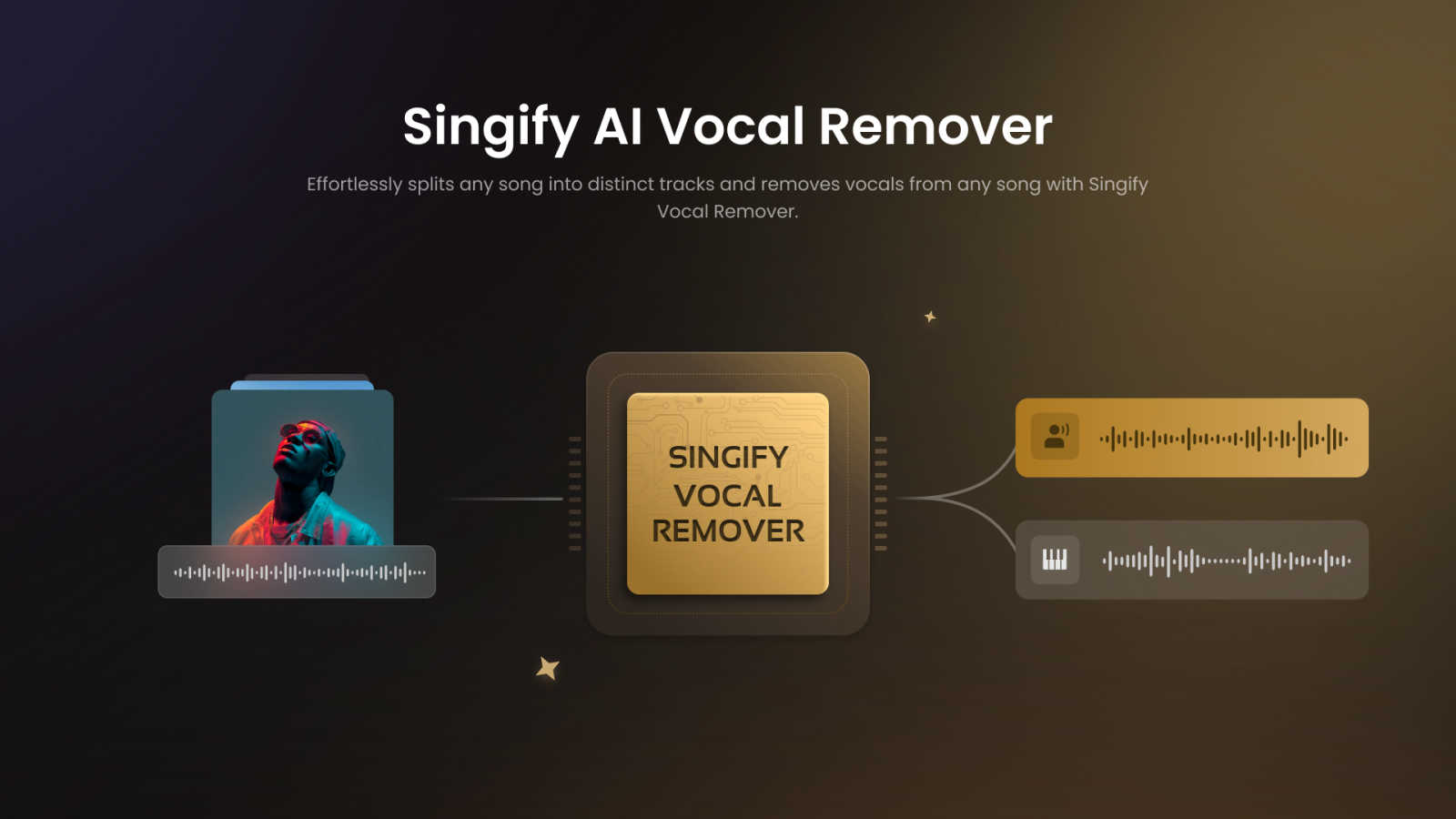
10-Stem AI Separation Powerhouse
Go beyond simple vocal removal. Singify's state-of-the-art AI models can isolate up to 10 distinct stems from a single track, including vocals, drums, bass, piano, electric guitar, acoustic guitar, synthesizers, and even separate lead from backing vocals. This surgical precision gives you unparalleled creative control for remixing, sampling, and learning.
Effortless & Free-to-Start Workflow
Jump right in with zero barriers. The platform is designed for instant gratification—no complicated software to install, no upfront fees, and an incredibly intuitive interface. Simply upload your audio or paste a YouTube link, select your separation model, and let the AI work its magic. It's the accessibility that has made it a trending sensation.
Flawless, Studio-Ready Sound Quality
This tool is praised for its output quality. Using cutting-edge audio processing, Singify preserves the intricate details and fidelity of your original track. You get clean, distortion-free stems without the phasing artifacts or "underwater" sound common in lesser tools, making the results ready for professional use.
Cross-Platform & Multi-Format Support
Create anywhere, on any device. Singify works flawlessly on web browsers, iOS, Android, macOS, and more. It supports a wide range of input formats (MP3, WAV, FLAC, MP4, MOV) and lets you export your high-quality separated tracks in the format that best suits your project's needs.
Use Cases
Melograph
Indie Artist Music Releases
Independent musicians can instantly create a compelling visualizer for their new single or EP release. This provides a professional asset for YouTube, streaming platform canvases, and social media announcements, helping the music stand out and engage listeners visually from day one, all without a budget for a video editor.
Social Media Content for Producers & DJs
Producers and DJs can quickly turn snippets of their latest tracks, drops, or mixes into eye-catching videos for TikTok, Instagram Reels, and YouTube Shorts. This constant stream of fresh, audio-synced content is perfect for building hype, showcasing skills, and growing an audience on visual-first platforms.
Label & Artist Marketing Campaigns
Record labels and marketing teams can ensure consistent, high-quality visual branding across their entire roster. By using Melograph, they can rapidly produce uniform visualizers for multiple artists and releases, maintaining a professional standard and cohesive look for all promotional materials efficiently.
Engaging Visual Backdrops for Live Streams
Streamers and performers can use Melograph to generate unique, real-time visual backdrops for their live streams on Twitch, YouTube, or Instagram Live. By using an instrumental track or their streaming audio, they can create a dynamic, ever-changing visual environment that enhances the viewer experience.
Singify AI Vocal Remover
Create Instant Karaoke Tracks
Transform any song into a ready-to-sing backing track in under a minute. Perfect for party hosts, singers, and music teachers. The vocal removal is so clean, you'll feel like you have the official instrumental version, making it the go-to tool for viral sing-along content and practice sessions.
Music Production & Sampling
Producers and beatmakers use Singify to isolate pristine drum loops, basslines, and melodic hooks from existing songs to sample and flip into new, original compositions. The ability to extract individual instruments with high fidelity is a revolutionary shortcut for creative inspiration and sound design.
Content Creation for Social Media
YouTubers, TikTokers, and streamers leverage Singify to remove copyrighted vocals from music for use in vlogs, gameplay montages, and background tracks without fear of demonetization. Isolating instrumental beds or creating custom audio snippets helps content stand out and stay compliant.
Music Learning & Analysis
Aspiring musicians and students use the stem splitter to isolate guitar solos, piano parts, or vocal harmonies to study and learn by ear. Removing other instruments allows you to focus on a single component, dramatically improving practice efficiency and musical understanding.
Overview
About Melograph
Stop wasting hours in complex video editors. Melograph is the viral, web-based music visualizer that's taking over social feeds, designed exclusively for musicians and creators. It's the secret weapon for indie artists, producers, labels, and DJs who need scroll-stopping, audio-reactive videos but don't have the time or skills for traditional editing. Forget timelines and plugins. With Melograph, you simply pick a stunning premium template—from chill and cinematic to retro and futuristic vibes—upload your track, add your artist name and song title, and export a professional, high-quality MP4 in minutes. Its core value is undeniable: it streamlines the entire visual creation process, letting you focus on your music while effortlessly generating captivating content that looks consistent and premium across TikTok, Instagram Reels, YouTube Shorts, and more. Join thousands of creators who are ditching the headache and making visuals that truly feel like their sound.
About Singify AI Vocal Remover
Forget everything you thought you knew about audio editing. Singify AI Vocal Remover is the viral, game-changing tool that's taking TikTok, YouTube, and Instagram by storm, making professional music production accessible to everyone. This isn't a clunky, complicated software; it's a sleek, AI-powered powerhouse that uses cutting-edge 8-stem separation technology to surgically split any song into its core components. Imagine isolating crystal-clear vocals for a remix, creating the perfect karaoke track in seconds, or extracting a pristine drum loop for your next beat—all with a few clicks. Designed for bedroom producers, professional audio engineers, content creators, and music enthusiasts alike, Singify's main value proposition is undeniable: lightning-fast, studio-quality results that are completely free to start. It eliminates the hours of manual work and the muddy, artifact-filled audio of old methods. Praised across social media for its shocking accuracy and ease of use, Singify is the secret weapon for anyone who wants to play, study, or create with music in ways they never thought possible.
Frequently Asked Questions
Melograph FAQ
Do I need video editing experience to use Melograph?
Absolutely not. Melograph is specifically designed for musicians, not video editors. The process is as simple as choosing a template, uploading your audio, and adding your text. If you can do that, you can create a stunning visualizer in minutes. No technical skills are required.
Will the exported videos work for TikTok, Reels, and Shorts?
Yes, 100%. Melograph exports are optimized for all major social media platforms. The videos are produced in high-quality 1080p with formats and aspect ratios that look perfect on TikTok, Instagram Reels, YouTube Shorts, and other platforms, ensuring your content is always mobile-ready.
Can I use Melograph for multiple songs?
Yes, you can create visualizers for as many songs as you like within the editor. Your ability to export the final MP4 video depends on your chosen plan. The Pay-As-You-Go plan provides one export credit, while subscription plans offer 25 export credits per month for multiple songs.
Is Melograph really web-based, and do I need to upload my audio?
Yes, Melograph runs entirely in your web browser—no download required. Your audio is processed locally in your browser for speed and privacy; it is not uploaded to a server. This means faster rendering times and peace of mind regarding your unreleased music files.
Singify AI Vocal Remover FAQ
Is Singify AI Vocal Remover really free?
Yes! You can start using Singify's powerful vocal removal and stem separation features immediately for free with included credits. This free tier is what has fueled its viral growth, allowing everyone to experience professional-grade audio separation. For high-volume users, there are optional premium plans for more credits.
What audio formats does it support for upload?
Singify supports a wide range of popular audio and video formats to make the process seamless. You can directly upload files in MP3, WAV, FLAC, AIFF, MP4, and MOV formats from your computer, ensuring compatibility with almost any file you have.
Can I remove vocals from a YouTube video?
Absolutely! This is a hugely popular feature. Simply copy and paste the URL of any YouTube video into Singify's interface. The tool will automatically extract the audio in the cloud and prepare it for stem separation, allowing you to work with any song or audio found online.
How accurate is the AI at separating instruments?
Singify uses advanced, regularly updated AI models specifically trained for music source separation, resulting in shockingly accurate results. It excels at producing clean stems with minimal artifacts, a key reason it's recommended by creators and producers across social media for its studio-quality output.
Alternatives
Melograph Alternatives
Melograph is a viral web-based music visualizer that instantly transforms audio tracks into stunning, professional videos. It belongs to the category of automated video creation tools, designed specifically for musicians and creators who want to skip the complexity of traditional editing software. Users often search for alternatives for a few key reasons. Some need different pricing models or free tiers, while others seek specific features, templates, or platform compatibility that might better fit their unique creative workflow or distribution needs. It's a common step in finding the perfect tool. When evaluating other options, focus on core needs: the quality and style of visual templates, export resolution, ease of use, and how well it integrates with your music promotion strategy. The goal is to find a tool that saves you time while delivering visuals that truly amplify your sound and brand identity.
Singify AI Vocal Remover Alternatives
Singify AI Vocal Remover is the viral, AI-powered tool that's redefining music editing for millions. It belongs to the audio stem separation category, using advanced technology to instantly split any song into vocals, drums, bass, and other instruments. It's become a social media sensation for creators seeking free, high-quality karaoke tracks and isolated samples. Users often explore other options for various reasons. Some need specific features like more stems, higher bitrate exports, or integration with professional DAW software. Others might be looking for different pricing models, such as a one-time purchase instead of a subscription, or require an offline desktop application for their workflow. When evaluating other tools, focus on what matters most for your projects. Key factors include separation quality and clarity, processing speed, supported file formats, and overall cost. The best choice balances power, ease of use, and value, ensuring you get clean stems without compromise, just like the millions who rely on Singify.