
ClubDJ Pro vs Lyria 3 Pro
Side-by-side comparison to help you choose the right AI tool.

ClubDJ Pro
ClubDJ Pro is the only professional DJ software with built-in video mixing, a one-time purchase loved by thousands.
Last updated: March 19, 2026

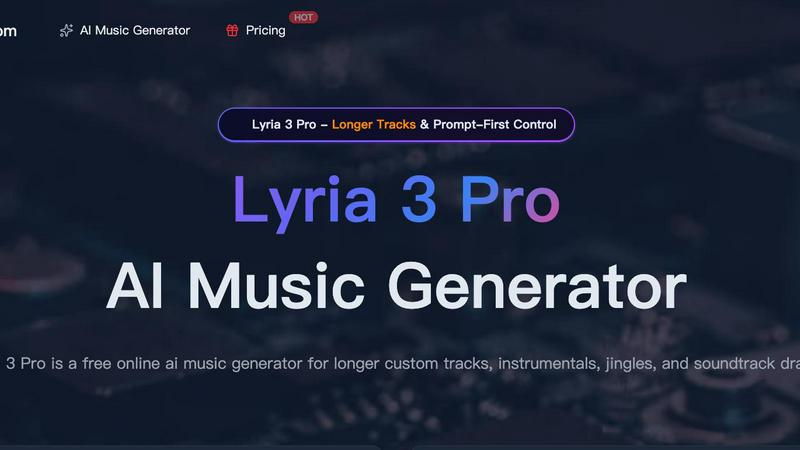
Lyria 3 Pro
Lyria 3 Pro is the viral AI music generator creators love for making longer, custom tracks with precise control for videos and social content.
Last updated: April 4, 2026
Visual Comparison
ClubDJ Pro

Lyria 3 Pro
Feature Comparison
ClubDJ Pro
Built-in Dual-Deck Video Mixing
This is the game-changer that’s going viral. Unlike other software that treats video as an afterthought, ClubDJ Pro has professional video mixing baked right into its core. Mix and scratch two independent video tracks simultaneously with stunning 41+ shader-based transitions. It’s the secret weapon for VJs and DJs wanting to create unforgettable visual performances without any extra software or subscriptions.
25+ GPU-Accelerated Video Effects & Overlays
Supercharge your visual performance with a massive library of real-time effects powered by your computer's GPU for buttery-smooth operation. Apply stunning filters like invert, grayscale, and posterize directly per deck, and layer on 13+ animated VFX overlays including strobe, matrix, and kaleidoscope effects to build incredible energy and atmosphere during your live sets.
Professional Audio Engine with Beat Sync & Vinyl Scratching
At its heart, ClubDJ Pro is built for impeccable sound. Its advanced BASS audio engine delivers crystal-clear, low-latency playback. Features like auto BPM detection with 2-decimal precision and continuous phase-locked beat sync ensure your tracks stay perfectly aligned. Plus, experience true, responsive vinyl scratching with bidirectional playback for that authentic tactile feel every DJ loves.
Cross-Platform Freedom & Free Online Mixer
Why be locked to one device? ClubDJ Pro gives you unparalleled freedom. Use the full-featured desktop app, the touch-optimized iOS app with MIDI support, or instantly access the completely free, no-download-required online mixer from any web browser. This flexibility, especially the wildly popular free web version, is a major reason for its explosive growth and fan loyalty.
Lyria 3 Pro
Prompt-First Control for Precision
This isn't vague AI prompting. Lyria 3 Pro thrives on concrete musical direction. You guide the model with specific parameters like genre (synthwave, funk city pop), mood (uplifting, melancholic), instruments (driving bass, clean electric guitar), BPM, key, and even timestamp cues for song sections. This level of detail ensures the AI understands your exact artistic intent, delivering a track that lands closer to your vision on the first try, saving you hours of iteration.
Longer, Structurally Complete Tracks
Move beyond short, repetitive loops. Lyria 3 Pro is engineered to build expansive musical pieces up to three minutes long with proper song architecture. It can shape distinct intros, verses, choruses, bridges, and endings, resulting in tracks that feel like complete drafts or finished compositions. This is a game-changer for film scores, podcast themes, video game soundtracks, and any project requiring a narrative musical arc.
Dual Vocal & Instrumental Modes
Switch seamlessly between full vocal tracks and background instrumentals. Need a pop ballad with lyrics for a creative project? Lyria 3 Pro can generate it. Require a clean, lyric-free instrumental for a tutorial, study session, or voiceover edit? Simply toggle the mode. This flexibility makes it an indispensable tool for a wide range of audio needs, from content creation to focused work environments.
Visual Inspiration with Reference Images
Go beyond audio prompts. Lyria 3 Pro allows you to upload up to 10 reference images to influence the track's overall feel, guiding elements like cover art palette and atmospheric tone. This unique feature helps translate a visual mood board into a sonic experience, perfect for aligning music with video footage, brand aesthetics, or specific visual storytelling.
Use Cases
ClubDJ Pro
The Aspiring Bedroom DJ
Perfect for beginners diving into the world of DJing! With its intuitive interface, free online mixer to start practicing instantly, and comprehensive "Learn to DJ" resources, ClubDJ Pro removes the financial and technical barriers. You can learn beat matching, looping, and scratching on any device without a huge upfront investment or subscription pressure.
The Mobile & Wedding DJ
For DJs on the move, ClubDJ Pro is a lifesaver. The robust iOS app turns your iPad or iPhone into a powerful mixing station, compatible with popular MIDI controllers. Its reliability and one-time purchase model mean you can set up quickly at any event—from a wedding reception to a corporate party—without worrying about internet-dependent subscriptions or software crashes.
The Video VJ & Club Performer
This is where ClubDJ Pro dominates. For club DJs, event producers, and visual artists, the built-in dual-deck video mixing is a revolutionary tool. Seamlessly mix music videos, visuals, and custom content with 41+ transitions and GPU effects, outputting in 1080p to projectors and screens to create a fully synchronized audio-visual spectacle that captivates any audience.
The Producer & Creative Hobbyist
Ideal for music producers and hobbyists who want to experiment. Use the precise looping tools, beat-synced cues, and waveform displays to test mashups, extend song breaks, and practice transitions. The ability to quickly load tracks and experiment with video layers makes it a fantastic creative sandbox for developing unique mixes and visual ideas.
Lyria 3 Pro
Custom Soundtracks for Video Content
Creators on YouTube, TikTok, and Instagram are using Lyria 3 Pro to score their vlogs, edits, tutorials, and reels. Generate a driving drum and bass track for a travel montage or a chill lo-fi beat for a coding tutorial—all tailored to the exact length and mood of your footage, ensuring perfect sync and avoiding copyright strikes.
Rapid Jingle & Brand Audio Development
Small businesses, marketers, and podcasters can rapidly prototype and produce professional jingles, intro/outro music, and branded audio logos. The prompt-first system allows for quick iteration based on feedback (e.g., "make it more upbeat with a saxophone"), delivering polished demos and final tracks without the cost of a studio session.
Songwriting Aid & Creative Exploration
Musicians and producers use Lyria 3 Pro to overcome creative blocks and spark new ideas. Input a detailed prompt for a "70s funk bridge section with a wah-guitar solo" or a "minimalist piano ballad in A minor" to generate fresh musical phrases and arrangements that can be sampled, replayed, or used as inspiration for original compositions.
Dynamic Audio for Gaming & Interactive Media
Game developers and streamers can generate unique, mood-specific background scores for different game levels, menus, or streaming interludes. The ability to create longer, structurally varied tracks ensures the music remains engaging and non-repetitive during extended gameplay or live broadcasts.
Overview
About ClubDJ Pro
ClubDJ Pro isn't just another DJ software; it's a viral sensation taking the mixing world by storm, celebrated for bringing professional-grade power without the predatory subscription fees. Born in 2004 and completely reborn with cutting-edge tech, it’s the go-to choice for over a million DJs who demand performance, simplicity, and groundbreaking features. This powerhouse application delivers a clean, ultra-responsive interface that runs flawlessly on Windows, macOS, and iOS, letting you mix anywhere—from your bedroom studio to the main stage.
But here’s what truly makes it trend: ClubDJ Pro is famously one of the only DJ platforms with built-in, dual-deck VIDEO mixing as a core, first-class feature. No clunky plugins, no extra costs. It’s all there, ready to transform your sets into immersive audio-visual experiences. Designed for everyone from absolute beginners taking their first spin to seasoned pros, ClubDJ Pro cuts through the complexity of bloated competitors. It focuses on what matters most: speed, rock-solid reliability, and the essential tools you need to create, perform, and own the crowd. With a massive one-time purchase price and a legendary free online mixer, it’s no wonder the community is buzzing and switching in droves.
About Lyria 3 Pro
Forget the endless search for the perfect royalty-free track or the intimidating blank page of a DAW. Lyria 3 Pro is the AI music generator that's blowing up creator feeds, and for good reason. It’s not just another tool that spits out generic 30-second loops. This is your on-demand composer, built from the ground up for serious creators who need professional-sounding, custom music that actually fits their vision. Whether you're a YouTuber crafting the perfect vlog soundtrack, a marketer needing a catchy jingle, or a songwriter battling writer's block, Lyria 3 Pro hands you the reins. Its secret weapon? A revolutionary "Prompt-First Control" system that lets you speak the language of music—genre, BPM, mood, instruments, and even song structure—to generate tracks that feel intentional, polished, and uniquely yours. With the power to create longer, structurally complete songs up to three minutes, it’s the go-to solution for anyone who needs more than a background loop; they need a finished musical piece. Join the thousands of creators who are ditching stock music and unlocking a new level of audio creativity.
Frequently Asked Questions
ClubDJ Pro FAQ
Is ClubDJ Pro really free to use?
Yes! You can download the full desktop application completely free with all features unlocked for unlimited sessions. For permanent, unrestricted use on desktop, a one-time license is available for $39.99. There’s also a completely free, full-featured online mixer that requires no download or account. No subscription is ever required.
What makes ClubDJ Pro different from VirtualDJ or Serato?
ClubDJ Pro stands out by offering professional built-in video mixing, a one-time purchase model, and a free web app—all in one package. While competitors like VirtualDJ charge hefty yearly subscriptions ($299/year) for video, and Serato doesn’t support it at all, ClubDJ Pro includes it upfront at a fraction of the cost, making it a massively popular and cost-effective choice.
Can I use ClubDJ Pro with my MIDI controller?
Absolutely! The ClubDJ Pro desktop and iOS applications both offer full support for a wide range of popular MIDI controllers. This allows you to use physical jog wheels, faders, and pads for a more tactile and professional mixing experience, bridging the gap between software and hardware.
Do I need an internet connection to use ClubDJ Pro?
No, you do not. Once the ClubDJ Pro desktop application is installed on your Windows or Mac computer, it operates fully offline. This is crucial for reliable live performances where internet connectivity can be unstable. The iOS app also works offline for playing local files. Only the free online mixer requires an internet connection.
Lyria 3 Pro FAQ
How do I get the best results from Lyria 3 Pro?
The key is detailed, musical prompting. Instead of "a happy song," try "Upbeat 128 BPM synth-pop track in C major, with catchy vocal melodies, a pulsing bassline, bright arpeggiated synths, and a structure of intro-verse-chorus-verse-chorus-bridge-chorus-outro." The more concrete your language, the closer the output will match your vision.
Can I use the music I generate commercially?
Yes, Lyria 3 Pro is built for creator workflows, including commercial use. Once you generate a track, you own the rights to use it in your videos, podcasts, advertisements, and other projects. Always check the latest Terms of Service for specific licensing details, especially for high-volume commercial tiers.
What's the difference between the free and paid plans?
The free tier typically offers a set number of credits to generate tracks and explore the platform. Paid plans provide more credits, access to higher-quality exports, longer generation times, commercial licensing, and sometimes advanced features. This scalable model lets you test ideas for free and upgrade seamlessly for production work.
Does Lyria 3 Pro create vocals and lyrics?
Absolutely! Lyria 3 Pro offers both instrumental and lyric modes. You can specify the vocal tone (e.g., "female soulful vocals," "male rock tenor") and even the lyric language. This allows for the creation of complete songs with vocals or clean backing tracks, making it versatile for full musical projects and content needing voiceover space.
Alternatives
ClubDJ Pro Alternatives
ClubDJ Pro is a professional DJ software mixing application that has carved out a dedicated following in the audio and music space. Known for its clean, performance-focused interface, it delivers the core tools for mixing across iOS, macOS, and Windows. Its revival with modern tech proves its staying power in a crowded market. DJs often explore other options for various reasons. Some need more advanced features for complex live sets, while others might be on a strict budget or require specific hardware integrations. The quest for the perfect workflow drives constant comparison in the DJ community. When searching for a different platform, focus on what matters most for your style. Consider your essential features, preferred device compatibility, and long-term value. The goal is to find software that feels like an extension of your creativity, not a barrier to it.
Lyria 3 Pro Alternatives
Lyria 3 Pro is a leading AI music generator that's taken the creative world by storm. It's famous for letting creators build longer, more complex tracks using its unique prompt-first control system, making it a top choice for musicians, YouTubers, and podcasters looking for original scores. This tool sits squarely in the booming category of AI-powered audio and music creation software. Even with its viral popularity, creators often scout for alternatives. Common reasons include budget constraints, as premium features come at a cost, or the need for a tool on a specific device or operating system. Some users might seek different workflow styles, like more hands-on editing or a focus on shorter social media clips. When evaluating other options, focus on what matters for your projects. Consider the maximum track length, the level of descriptive control you have over the output, and the diversity of the sound library. The best alternative isn't always the most popular one; it's the platform that aligns perfectly with your creative process and technical requirements.