
Kane AI vs Prompt Builder
Side-by-side comparison to help you choose the right AI tool.

Kane AI
Kane AI revolutionizes testing with an intuitive, natural language platform for seamless, end-to-end quality.
Last updated: February 28, 2026

Prompt Builder
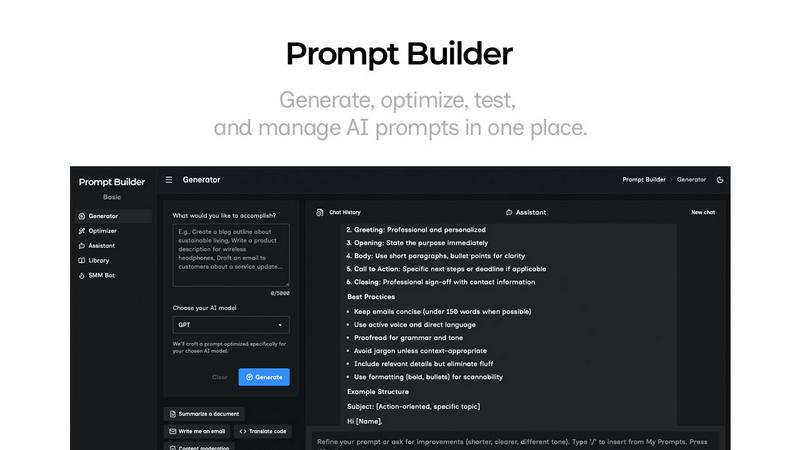
Generate, optimize, test, and manage AI prompts in one place. Turn an idea into a ready-to-use prompt in seconds.
Visual Comparison
Kane AI

Prompt Builder
Overview
About Kane AI
Kane AI, developed by TestMu AI, is a groundbreaking GenAI-native testing agent tailored for high-speed Quality Engineering teams. This innovative platform revolutionizes the way teams approach test automation by enabling users to author, manage, debug, and evolve tests using natural language. Designed to drastically reduce the time and expertise required to initiate and scale automated testing, Kane AI stands out from traditional low-code tools by adeptly handling complex workflows across all major programming languages and frameworks without compromising performance. With intelligent test generation powered by NLP, teams can converse with Kane AI to automate tests effortlessly. Its Intelligent Test Planner aligns test steps with business objectives, while multi-language code export supports all major frameworks. Kane AI enhances coverage and reliability through continuous testing, API testing, dynamic data generation, and more, making it a must-have tool for teams looking to accelerate software delivery.
About Prompt Builder
Prompt Builder is a prompt engineering workspace for writing, testing, and saving prompts. Describe the task in plain English, and it helps you create a prompt that matches the model you choose. Start with a draft, refine it in chat, save or pin versions, then run them when you are ready. It works with GPT, Claude, Gemini, Llama, Mistral, DeepSeek, Grok, Perplexity, and more. You also get an Optimizer, an assistant for quick tests, and a library of reusable prompts and templates from the community. Turn an idea into a ready-to-use prompt in seconds. Refine it in chat, save it to your Library, and run it anytime.