
Before After Photo Maker vs Gomotion
Side-by-side comparison to help you choose the right AI tool.

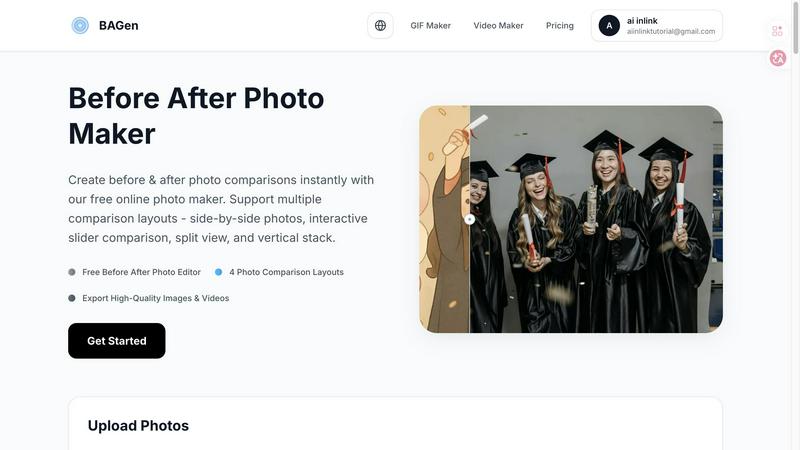
Before After Photo Maker
Join thousands creating viral before-and-after comparisons instantly with our free, professional photo maker.
Last updated: March 26, 2026

Gomotion
Create stunning animations in minutes with Gomotion's AI-powered motion graphics for all your creative needs.
Last updated: February 28, 2026
Visual Comparison
Before After Photo Maker
Gomotion

Feature Comparison
Before After Photo Maker
Four Dynamic Comparison Layouts
Choose from four professionally designed layouts to match your content's vibe. Go classic with Side-by-Side, create intrigue with the Interactive Slider, make a clean statement with Split View, or optimize for mobile feeds with the Vertical Stack. Each layout is engineered to highlight your transformation in the most visually appealing way, ensuring your comparison looks custom-made for any platform, from Instagram Stories to professional portfolios.
Professional Labeling & Branding Controls
Elevate your comparisons from simple images to branded content. Add customizable "Before" and "After" labels, adjusting their size and corner radius for a perfect fit. For businesses and serious creators, you can upload your company logo to appear discreetly in the corner and control watermark visibility, turning every comparison into a polished, on-brand asset that builds recognition and trust with your audience.
Instant Live Preview & Editing
See your creation come to life in real-time with the instant Live Preview panel. As you upload images, adjust labels, or switch between layouts, the preview updates immediately. This intuitive, what-you-see-is-what-you-get editing flow eliminates guesswork, allowing you to experiment and perfect your comparison in seconds before committing to the final export.
High-Quality Image & Video Export
Don't just create a static image; create shareable content. Export your final comparison as a high-resolution PNG for crisp detail or generate an engaging video/GIF that showcases the transition, perfect for Reels and TikTok. This multi-format output ensures you have the perfect asset for any social network, blog, or presentation, all generated directly in your browser.
Gomotion
Transform Words Into Motion
With Gomotion, you can animate text from simple prompts. Skip the complexities of keyframes—just describe how you want your text to move. This feature allows you to instantly create professional animations for titles, captions, and logos, perfect for product demos or any content that requires a cinematic touch, making it ideal for creators who seek quality without the hassle.
Discover the Narrative Mode
Unlock the power of storytelling with Gomotion's Narrative Mode. This feature allows you to turn written scripts into fully animated stories, complete with synchronized images and videos. Create ready-to-publish ads or short videos in mere minutes, making it easier than ever to communicate your brand's message effectively and engagingly.
Design for Any Screen
Gomotion is designed to cater to all screen sizes, ensuring that your animations look stunning on smartphones, tablets, and desktop displays alike. Whether you are creating a product teaser for Instagram or a detailed ad for TikTok, this feature guarantees that your content is perfectly aligned and visually appealing across every platform.
Complex Animations Made Easy
Say goodbye to tedious animation processes with Gomotion's ability to create complex animations like dynamic charts and simulations. This feature is perfect for explainers, presentations, and simulations, allowing users to visualize data in a compelling manner that captures attention and enhances understanding.
Use Cases
Before After Photo Maker
Fitness & Wellness Transformations
Fitness coaches and enthusiasts are raving about this tool for showcasing weight loss, muscle gain, and fitness journeys. The interactive slider is particularly viral for revealing dramatic body transformations, creating suspenseful content that generates massive engagement and motivates followers by visually proving real, tangible results over time.
Home Renovation & Interior Design Reveals
Contractors, realtors, and DIY home decor bloggers use it to stunningly highlight renovation projects. The side-by-side or split-view layouts perfectly contrast outdated spaces with stunning makeovers, providing undeniable visual proof of workmanship and design skill that attracts new clients and wows social media audiences.
Beauty, Skincare, & Makeup Tutorials
Beauty influencers and skincare brands leverage the tool to demonstrate product efficacy and makeup artistry. Showing a "before" bare face next to a glamorous "after" look with the vertical stack layout is perfect for Instagram Stories, effectively showcasing makeup results or the long-term benefits of a skincare routine.
Digital Art & Creative Project Progression
Digital artists, game developers, and designers use it to document their creative process. Showcasing a rough sketch next to the final illustrated masterpiece, or a basic game asset beside its polished version, tells a compelling story of skill and dedication, perfect for building a portfolio or engaging a community of followers.
Gomotion
Social Media Marketing
Social media marketers can leverage Gomotion to create eye-catching animations that increase engagement on platforms like Instagram and TikTok. With quick turnaround times, marketers can respond to trends and create relevant content that resonates with their audience.
Product Launches
For brands launching new products, Gomotion offers the ability to create professional-grade promotional videos that highlight key features and benefits. These animations can easily be shared across various marketing channels, helping to generate buzz and excitement.
Educational Content Creation
Educators and trainers can use Gomotion to produce animated explainers and tutorials that make complex concepts easier to understand. By visualizing information through dynamic animations, they can enhance learning experiences and retention.
Presentations and Reports
Gomotion's capability to create animated charts and data visualizations makes it an excellent tool for business professionals preparing presentations. By transforming static data into engaging animations, presenters can effectively communicate insights and make a lasting impression.
Overview
About Before After Photo Maker
The Before After Photo Maker is the viral, browser-based tool taking social media by storm, designed to create stunning, professional-grade photo comparisons in seconds. It transforms the tedious process of manually aligning and editing images into a seamless, drag-and-drop experience. This tool is perfect for creators, marketers, fitness influencers, renovators, and artists who need to showcase dramatic transformations with maximum visual impact. Its core value proposition is powerful simplicity: deliver four distinct, high-engagement layout styles—side-by-side, interactive slider, split view, and vertical stack—without requiring any design skills, software downloads, or registration. Trusted by thousands for its instant preview and high-quality export options, it’s the go-to free solution for crafting compelling before-and-after narratives that stop the scroll and drive real engagement.
About Gomotion
Gomotion is the innovative AI-powered tool that is transforming the world of motion design. Celebrated as a perfect fusion of After Effects and advanced generative AI, it allows users of all skill levels—from beginners to expert marketing teams—to create breathtaking brand animations in just moments. Gone are the days of navigating complex keyframes, enduring lengthy learning curves, or paying hefty fees to freelancers. With Gomotion, users can effortlessly describe their animation vision in text or upload an image, and the sophisticated AI engine generates smooth, eye-catching animations that elevate social media engagement, enhance website conversions, and improve ad performance. This tool has become a go-to secret weapon for creators, solopreneurs, and agencies striving to craft captivating, scroll-stopping content quickly and efficiently. Join the community of thousands who are abandoning traditional software in favor of Gomotion, and watch your brand come to life in dynamic motion.
Frequently Asked Questions
Before After Photo Maker FAQ
Is the Before After Photo Maker really free to use?
Yes, it is completely free! You can access all four comparison layouts, use the labeling and branding tools, and export your high-quality images without any cost, registration, or watermarks (unless you choose to add your own). It's a fully-featured, free online tool used by thousands daily.
What file formats and sizes are supported for upload?
You can upload your before and after photos in popular formats including PNG, JPG, and GIF. Each image can be up to 10MB in size, which is ample for high-resolution photos from most smartphones and digital cameras, ensuring your comparisons look sharp and professional.
Can I use this tool on my mobile phone or tablet?
Absolutely! The Before After Photo Maker is a web-based tool that works entirely in your browser, making it fully compatible with mobile devices, tablets, and desktop computers. The interface is optimized for touch and click, so you can create stunning comparisons on the go from any device.
How do I save or share my finished before-and-after comparison?
Once you're happy with your creation, simply use the export function. You can download your comparison as a high-quality PNG image directly to your device. For even more impact, you can generate a video or GIF to share the transformation dynamically, making it easy to post directly to social media platforms, emails, or websites.
Gomotion FAQ
How does Gomotion work?
Gomotion uses advanced AI technology to transform text descriptions or uploaded images into captivating animations. Users simply input their vision, and the software generates animations that align with their specifications.
Is Gomotion suitable for beginners?
Absolutely! Gomotion is designed for users of all skill levels. Its intuitive interface allows beginners to create stunning animations without the steep learning curve typically associated with motion design software.
Can I use my brand assets in Gomotion?
Yes! Gomotion allows users to easily import brand assets, enabling you to create videos that maintain your brand's identity. This feature is essential for ensuring consistency across your marketing materials.
What platforms can I create animations for using Gomotion?
Gomotion is designed for versatility, allowing users to create animations for various platforms, including social media sites like Instagram, TikTok, and Facebook, as well as for websites and presentations, ensuring your content reaches your audience wherever they are.
Alternatives
Before After Photo Maker Alternatives
Before After Photo Maker is a popular online design tool that lets you create stunning before-and-after photo comparisons in seconds. It falls into the category of visual content creation and design utilities, helping users across various fields showcase transformations with professional flair. People often search for alternatives for several key reasons. Some need more advanced editing features, while others require a tool that works directly on their mobile device or desktop app. Budget is another major factor, as users look for different pricing models, from freemium to one-time purchases, that better suit their long-term needs. When evaluating other options, focus on core capabilities. Look for flexible layout options like sliders and split views, ease of use with drag-and-drop functionality, and the ability to maintain high image quality. Security for your uploaded photos and the tool's overall speed are also critical deciding factors for a smooth workflow.
Gomotion Alternatives
Gomotion is a revolutionary AI-powered tool designed for creating vibrant motion graphics effortlessly, making it a standout in the design tools category. Users often seek alternatives to Gomotion for various reasons, including pricing concerns, specific feature requirements, or compatibility with different platforms. As the demand for engaging content grows, many creators look for solutions that align with their unique needs, whether it’s advanced customization options, affordability, or user-friendliness. When choosing an alternative, consider factors like ease of use, the flexibility of design options, and how well the tool integrates with your existing workflow. It's essential to find a solution that not only meets your creative vision but also enhances your productivity without sacrificing quality. Exploring various tools can lead to discovering the perfect fit for your motion design needs.