
AI Filter vs LLMWise
Side-by-side comparison to help you choose the right AI tool.

AI Filter
Join millions transforming photos into anime, clay, and more with just one click at AI Filter.
Last updated: March 1, 2026

LLMWise
Access 62 AI models with one API, auto-routing to the best one for each prompt, and pay only for what you use.
Last updated: February 28, 2026
Visual Comparison
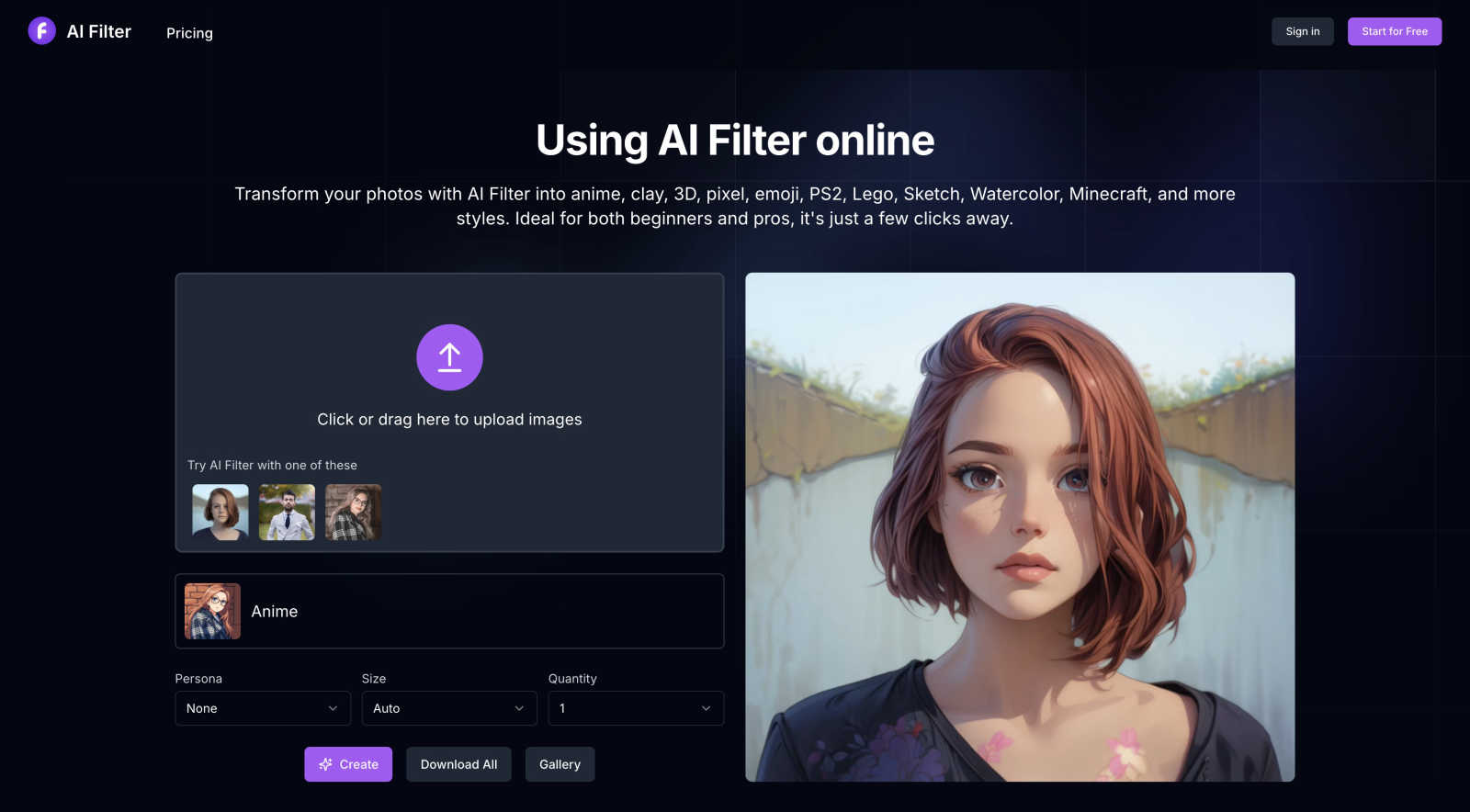
AI Filter
LLMWise

Feature Comparison
AI Filter
Vast Library of Trending AI Styles
Dive into an ever-expanding collection of the most popular and sought-after artistic filters. Go beyond basic edits and transform photos into anime, clay, 3D, pixel, emoji, PS2, Lego, sketch, watercolor, Minecraft, South Park, and Gothic styles with a single click. Each style is meticulously crafted by AI to capture the authentic essence of the art form, ensuring your results are not just filtered, but truly transformed into trending visual art.
One-Click Professional Transformation
Experience the power of professional-grade AI image processing without any of the complexity. The platform is engineered for absolute ease of use: upload your image, select your desired style from the intuitive panel, and hit "Create." Within seconds, the advanced AI algorithms analyze your photo and apply the chosen aesthetic, delivering stunning, high-quality results that would normally require hours of manual digital artistry.
Interactive Style Preview & Customization
Explore your options dynamically before you commit. Hover your mouse over any style option in the list to see a captivating animation preview, giving you a clear idea of the potential outcome. For even more personalized control, you can add optional English prompt words to guide the AI, ensuring the final filter effect aligns perfectly with your creative vision and expectations.
High-Resolution Download & Gallery
Own your creations and share them in full quality. Every image generated by AI Filter can be downloaded directly to your device in supported formats like PNG and JPG. The platform also provides seamless sharing capabilities, allowing you to instantly post your unique anime avatars, clay-style portraits, or pixel art masterpieces to social media to wow your followers and friends.
LLMWise
Smart Model Routing
Stop guessing which model to use. LLMWise's intelligent router analyzes your prompt and automatically selects the optimal model from its vast catalog. Send a coding query, and it routes to GPT-4o or a specialized coder model. Submit a creative brief, and Claude Opus gets the call. This dynamic matching ensures you always get the highest quality output for your specific use case, maximizing both performance and cost-efficiency without any manual intervention.
Compare, Blend & Judge Modes
Unlock next-level AI orchestration with four distinct modes. Use Compare to run a single prompt across multiple models simultaneously and see their answers side-by-side in your dashboard. Blend takes it further, querying several models and intelligently synthesizing their best parts into one cohesive, superior response. With Judge mode, you can have models critique and evaluate each other's outputs, providing a layer of automated quality assurance.
Resilient Failover & Circuit Breakers
Guarantee uptime for your AI-powered features. LLMWise's built-in resilience system monitors all provider endpoints. If a primary model like GPT-4o is down or slow, the circuit breaker instantly trips and fails over your request to a pre-configured backup model, like Claude Sonnet. Your application never breaks, and your users never see an error, ensuring seamless reliability.
BYOK & Flexible Credits
Take complete control of your costs. Bring Your Own Keys (BYOK) to use LLMWise's orchestration features while paying directly at provider rates. Alternatively, use the simplicity of LLMWise credits for a unified, pay-as-you-go experience. Start with 20 free credits that never expire, and access 30 permanently free models for prototyping and fallback. No subscriptions, no monthly traps.
Use Cases
AI Filter
Creating Viral Social Media Content
Fuel your social media presence with unique, eye-catching content that breaks through the noise. Transform your selfies into anime personas for your Instagram profile, turn pet photos into adorable clay figures for TikTok, or create nostalgic PS2-style game characters for Twitter. AI Filter gives you an endless stream of fresh, on-trend visual ideas that drive engagement, likes, and shares.
Designing Unique Personal Branding Assets
Craft a memorable and cohesive personal or influencer brand. Use AI Filter to generate a consistent set of avatars and profile pictures across all platforms in a distinctive style like sketch or watercolor. Create custom stickers, banners, and graphics that reflect your unique aesthetic, making your brand instantly recognizable and visually appealing to your audience.
Inspiring Digital Art & Creative Projects
Jumpstart your creativity and overcome artist's block. Digital artists and designers use AI Filter as a powerful brainstorming tool to quickly visualize concepts in different artistic styles. It's perfect for generating character design ideas, exploring color palettes, and creating mood boards for illustrations, game assets, or other multimedia projects.
Adding Fun to Personal Communications
Elevate your everyday chats and messages with personalized art. Transform photos of friends, family, or memorable moments into playful emojis, custom stickers for WhatsApp or Telegram, or fun pixel art to print on gifts. It’s a fantastic way to add a heartfelt, creative, and personalized touch to your personal communications and celebrations.
LLMWise
AI Application Development
Build robust, multi-model AI applications without the complexity. Developers use LLMWise as their single integration point, leveraging the best model for each function within their app—from customer support chatbots powered by Claude to code-generation features using GPT. The single API and automatic failover make development faster and production deployments infinitely more reliable.
Model Benchmarking & Evaluation
Make data-driven decisions on which model to use. Product teams and AI engineers use the Compare mode to run batch tests and benchmark suites across GPT-5.2, Claude Opus, and Gemini Pro on their exact prompts. Instantly see which is fastest, cheapest, or provides the highest-quality answer for their specific domain, eliminating costly guesswork.
Content Synthesis & Enhancement
Create premium content by blending the strengths of multiple AIs. Content strategists and marketers use Blend mode to generate articles, marketing copy, or product descriptions. The platform queries several top models and merges their strongest arguments, most creative phrasing, and most factual details into one exceptional piece of content that outperforms any single model's output.
Cost Optimization & Prototyping
Drastically reduce AI expenses and experiment freely. Startups and indie hackers use the 30 free, zero-credit models to prototype new features at zero cost. They then use BYOK to plug in their existing API keys, avoiding markups, and set optimization policies to automatically choose the most cost-effective model that meets their quality and speed thresholds.
Overview
About AI Filter
AI Filter is the viral online sensation that's taking social media by storm, transforming ordinary photos into extraordinary works of art with just a click. Powered by cutting-edge artificial intelligence, this tool unlocks a universe of creative styles, letting you reimagine your images as vibrant anime characters, tactile clay sculptures, nostalgic pixel art, blocky Minecraft creations, and so much more. It's the go-to platform for over a million users, from Gen Z creators looking to craft the next big TikTok trend to professional digital artists seeking instant inspiration and unique aesthetic flairs. The magic of AI Filter lies in its breathtaking simplicity and powerful results. There's no complex software to download or skills to learn—just upload your photo, choose from a constantly updated library of trending filters, and watch as AI instantly generates stunning, share-ready masterpieces. Its ability to make high-end artistic transformation accessible to everyone is why it's consistently trending, empowering users to elevate their visual content, build a distinctive personal brand, and stand out in an overcrowded digital world.
About LLMWise
Stop juggling multiple AI subscriptions and wrestling with a dozen different API keys. LLMWise is the ultimate AI orchestration platform that gives developers one powerful API to access the entire universe of large language models. We're talking 62+ models from 20 top providers like OpenAI, Anthropic, Google, Meta, xAI, and DeepSeek. The magic? Intelligent routing that automatically matches your specific prompt to the absolute best model for the job. Need code? It goes to GPT. Creative writing? Claude takes the lead. Translation? Gemini handles it. But it's so much more than smart routing. Compare outputs side-by-side, blend the best parts of multiple responses into one superior answer, and even have models judge each other's work. Built with resilience at its core, LLMWise features circuit-breaker failover to keep your app running smoothly even when a major provider has an outage. It's the end of vendor lock-in and the beginning of a smarter, simpler, and more cost-effective way to build with AI. Designed for developers who demand the best performance for every task without the operational nightmare.
Frequently Asked Questions
AI Filter FAQ
What is an AI filter and how does AI Filter work?
An AI filter is an advanced tool that uses artificial intelligence algorithms to intelligently process and completely restyle a photo. AI Filter works by analyzing the content, subjects, and details of your uploaded image. It then applies complex neural network models trained on specific artistic styles (like anime or clay sculpture) to reconstruct your photo from the ground up in that new aesthetic, rather than just applying a simple color overlay.
Is AI Filter free to use?
AI Filter operates on a credit-based system. To welcome new users, the platform offers 10 free credits upon registration, allowing you to test several transformations immediately. For continued use and access to all its powerful styles, users can purchase additional credit packs. This model ensures high-quality processing and continuous development of new, trending filters.
Which image file formats does AI Filter support?
To ensure broad compatibility and ease of use, AI Filter currently supports all common web image formats, including PNG, JPG, JPEG, and WebP. You can upload photos directly from your phone, computer, or social media, and download your transformed creations in high-quality PNG or JPG formats for any use.
What types of AI styles and effects can I create?
The style library is vast and constantly growing! Currently, you can create transformations in popular categories like Anime, Cartoon, Clay, 3D, Pixel Art, Emoji, PS2 Game, Lego, Sketch, Watercolor, Minecraft, South Park, and Gothic. The team regularly updates the platform with new, trending filters based on user demand and viral artistic movements.
LLMWise FAQ
How does the pricing work?
LLMWise offers incredible flexibility. You can start completely free with 20 trial credits and access to 30 zero-credit models. When you're ready, choose your path: use Bring Your Own Keys (BYOK) to pay your AI providers directly at their standard rates, or purchase LLMWise credits for a simple, unified pay-as-you-go model. There are no monthly subscriptions—you only pay for what you use, and your credits never expire.
What are the free models for?
The 30+ free models (like Google's Gemma 3 series and Meta's Llama 3.3) are a game-changer. Use them to prototype your AI features without spending a cent. They also serve as a smart fallback layer during traffic spikes or provider outages, and are perfect for running quality benchmarks against paid models to inform your routing strategies.
How does the intelligent routing decide?
Our routing engine uses a sophisticated set of rules and learned optimizations. It analyzes your prompt's content, intent, and structure, then matches it against known model strengths—coding, creativity, reasoning, speed, cost, etc. You can also set your own custom routing policies based on performance, cost, or reliability metrics you define.
Is my data safe with LLMWise?
Absolutely. When you use the BYOK (Bring Your Own Keys) mode, your API keys are securely stored and your prompts are sent directly from our infrastructure to the provider's API, following their respective data privacy policies. We act as a secure router, not a data processor. For credits-based usage, we maintain strict data handling protocols.
Alternatives
AI Filter Alternatives
AI Filter is a popular online tool in the AI art generator category, celebrated for effortlessly transforming photos into artistic styles like anime, watercolor, and pixel art. It’s a go-to for creating viral, eye-catching content that stands out on social media. Users often explore alternatives for various reasons. Some might need a different pricing model, like a one-time purchase versus a subscription. Others seek specific features not available here, such as video filters, higher-resolution outputs, or integration with other creative platforms. The need for a desktop app or different user experience also drives the search. When choosing a different tool, consider your primary goal. Look for the specific art styles you love, check the output quality and speed, and understand the cost structure. Also, prioritize platforms with strong community buzz and proven results, as social proof is key in this fast-moving creative space.
LLMWise Alternatives
LLMWise is a unified AI API platform that simplifies access to multiple large language models like GPT, Claude, and Gemini. It falls into the category of AI orchestration tools, designed to intelligently route user prompts to the best-suited model automatically. Users often explore alternatives for various reasons, such as specific pricing models, the need for different feature sets like advanced analytics or custom workflows, or a preference for a platform that integrates more tightly with their existing tech stack. Some may seek simpler tools or more specialized providers. When evaluating other options, key considerations include the range of supported models, the sophistication of routing logic, transparent and flexible pricing without mandatory subscriptions, reliability features like automatic failover, and the depth of testing and optimization tools available to developers.